


Projek PLC TwinCAT Pertama pada IPC Beckhoff
Bina dan sahkan projek PLC TwinCAT pertama pada IPC Beckhoff. Senarai semak ini merangkumi pemilihan sasaran, penemuan EtherCAT, pemetaan I/O, pengaktifan selamat, ujian mula semula dan rekod...
Pengilang: BECKHOFF
No. Produk: CP6522-0000-0080
Negara asal:Jerman
Jenis Produk: PC Panel Industri
Pembayaran: T/T, Western Union
Berat: 500g
Dimensi: 485 mm x 410 mm x 280 mm
Pelabuhan penghantaran: Xiamen
Jaminan: 12 bulan
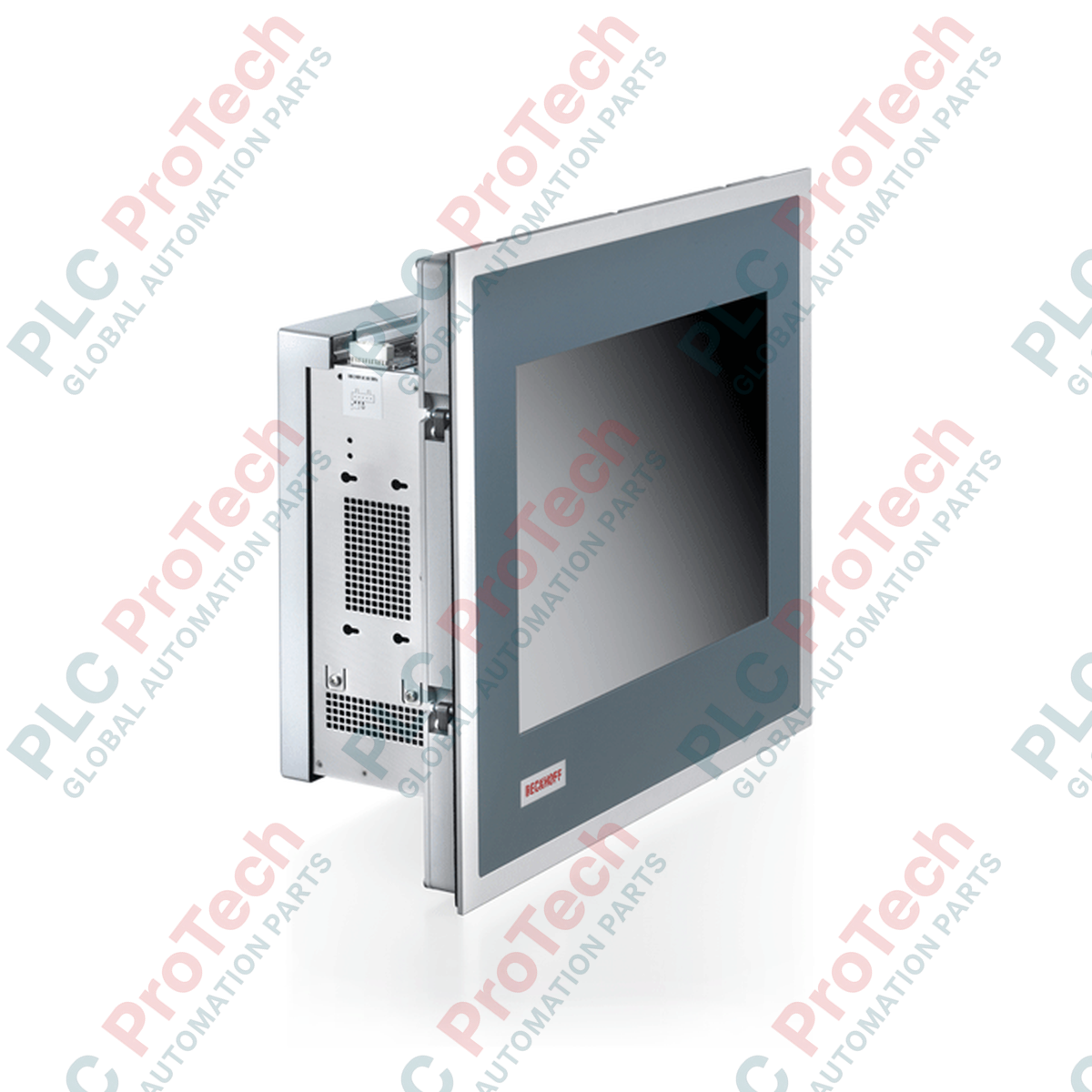
Direka untuk tugas kawalan mesin dan visualisasi yang mencabar dalam persekitaran industri yang keras, Beckhoff CP6522-0000-0080 ialah PC Panel terbina dalam berprestasi tinggi yang menggabungkan paparan 15 inci yang cemerlang dengan rangka kawalan ATX modular yang sangat boleh dikembangkan. Unit ini menyepadukan paparan 1024 x 768 ke dalam bingkai kukuh yang direka untuk pemasangan terus pada kabinet kawalan, bagi memastikan keterlihatan operator yang sangat baik dan maklum balas sentuhan operasi yang boleh dipercayai. Dibina untuk menampung operasi industri berterusan, pengedap bahagian hadapannya melindungi daripada kemasukan bendalir manakala penutup belakang menempatkan papan induk ATX berbilang slot, yang menyediakan kuasa pemprosesan dan keupayaan pengembangan modular yang diperlukan untuk aplikasi PLC masa nyata, Kawalan Gerakan dan HMI yang berjalan pada platform perisian TwinCAT.
| Parameter Spesifikasi | Nilai / Perincian |
|---|---|
| Pengilang | Beckhoff Automation |
| Siri Model | PC Panel Siri CP65xx |
| Nombor Bahagian / SKU | CP6522-0000-0080 |
| Saiz & Resolusi Paparan | TFT 15 inci / 1024 x 768 Piksel |
| Jenis Perumah | Perumah Industri ATX 7 slot |
| Keserasian Papan Induk | Intel Celeron, Pentium, Core i3/i5/i7 (Generasi ke-6/ke-7) |
| Slot Pengembangan PCIe/PCI | 2 x PCIe-x1, 1 x PCIe-x4, 1 x PCIe-x16, 3 x PCI (Panjang sehingga 190 mm) |
| Antara muka Ethernet | 2 x Antara muka RJ45 100/1000BASE-T (Terbina dalam) |
| Kelas Perlindungan Hadapan | IP65 (Kedap habuk dan tahan pancutan air) |
| Kelas Perlindungan Belakang | IP20 (Perlindungan selamat sentuhan jari) |
| Suhu Operasi | 0 hingga 55 darjah Celsius (Had operasi ambien) |
| Suhu Penyimpanan | -20 hingga 65 darjah Celsius |
| Negara Asal | Jerman |
| Berat Penghantaran (Dikira) | 9.00 kg (19.84 paun) |
| Dimensi Pakej (Dikira) | 485 mm x 410 mm x 280 mm |
Model CP6522 berfungsi sebagai alternatif bersaiz sederhana kepada sistem CP6502 12 inci dan CP6532 19 inci yang lebih besar. Apabila menggantikan modul CP6522 lama, jurutera mesti mengesahkan generasi papan induk ATX bersepadu. Papan induk yang dilengkapi pemproses Intel Generasi ke-6/ke-7 memerlukan lesen masa jalan TwinCAT 3 yang ditentukur kepada Tahap Platform 50 (untuk konfigurasi Celeron) atau Tahap Platform 80 (untuk konfigurasi Core i7 berkuasa tinggi). Menaik taraf sistem CP65xx lama juga mungkin memerlukan migrasi jadual partition (MBR kepada GPT) apabila beralih kepada sistem pengendalian yang disokong UEFI yang lebih baharu seperti Windows 10 IoT Enterprise.
Oleh sebab perumah ATX 7 slot membolehkan beberapa kad pengembangan dipasang, pelesapan haba dalaman mesti diurus dengan teliti. Apabila dipasang dengan kad pengembangan berkuasa tinggi atau kad pemeroleh bingkai khusus, pelesapan haba pasif tidak mencukupi. Dalam keadaan persekitaran yang berhabuk tinggi, pastikan sistem penapisan kabinet luaran bersih untuk mengelakkan kipas pengambilan PC menarik masuk zarah konduktif, yang boleh menyebabkan litar pintas berselang-seli pada laluan surihan PCIe yang terdedah.
Sentiasa bumikan panel hadapan menggunakan lug bumi impedans rendah khusus yang terletak berhampiran rangka pemasangan. Pembumian casis yang lemah merupakan punca utama pengumpulan statik pada lapisan tindanan sentuh, yang menyebabkan hanyutan skrin sentuh atau kejadian klik hantu. Jika menggunakan pilihan modul bateri UPS bersepadu, sahkan bahawa pemacu TwinCAT UPS dikonfigurasikan untuk port COM atau laluan antara muka USB yang betul bagi menjamin urutan penutupan yang lancar semasa kegagalan kuasa kemudahan yang tidak dijangka.

Global Express Shipping
Returns & Warranty
Penghantaran Ekspres Global
Pemulangan & Jaminan
Pesanan diproses dan dihantar Isnin-Jumaat (tidak termasuk cuti umum).
Untuk kelayakan penuh, yuran penyimpanan semula, dan butiran pemulangan antarabangsa, sila lihat rasmi kami Polisi Pemulangan & Bayaran Balik .
| Country of origin |
Jerman
|

Bina dan sahkan projek PLC TwinCAT pertama pada IPC Beckhoff. Senarai semak ini merangkumi pemilihan sasaran, penemuan EtherCAT, pemetaan I/O, pengaktifan selamat, ujian mula semula dan rekod...

Urutan pentauliahan praktikal untuk sambungan KEPServerEX OPC UA: tentukan pemilikan data, uji tag secara setempat, konfigurasikan titik akhir dan kepercayaan sijil, hadkan akses, kemudian sahkan...

Pentauliahan PLC yang disambungkan melalui Ethernet selalunya bermula dengan komputer riba, bukan pengawal. Ketahui cara merekod tetapan sedia ada, memilih alamat sementara, menguji ketersambungan...

Kawalan habuk mudah terbakar memerlukan lebih daripada penggera. Ketahui cara memetakan penjanaan habuk, memilih instrumentasi, mereka bentuk interlok, menangani maklum balas yang gagal, menguji...

Lilitan hairpin meningkatkan pengisian slot dan menyokong motor tarikan yang kompak, tetapi geometri konduktor, kehilangan AC, kerosakan penebat, kualiti kimpalan dan penyejukan menentukan sama ada...

Gunakan Ansible untuk menyeragamkan perubahan pelayan SCADA tanpa meningkatkan risiko OT. Panduan ini merangkumi inventori, playbook idempoten, pengujian berperingkat, kelayakan, pengelogan dan...