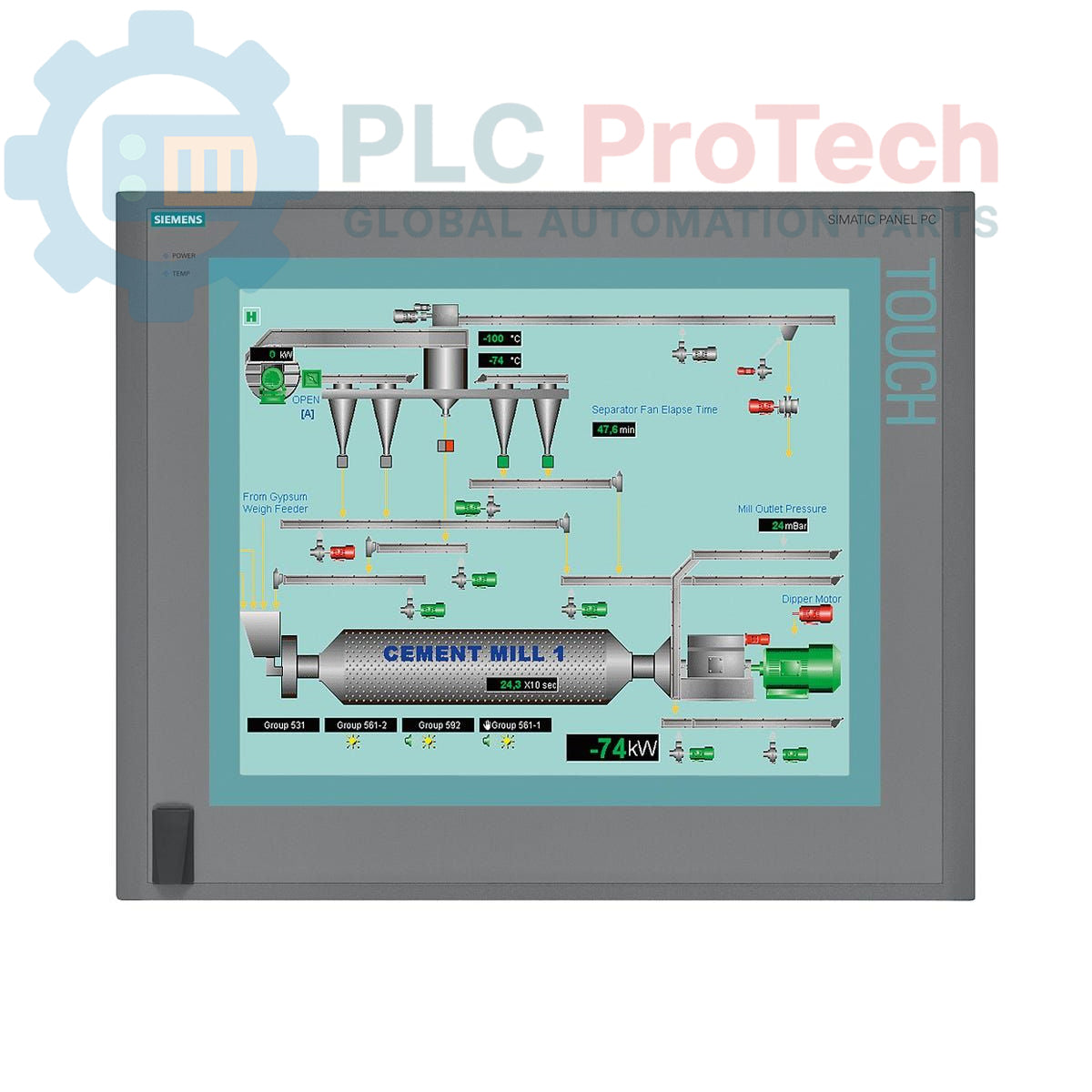
Description
The Siemens 6AV7892-0AD00-1AA0 is a SIMATIC HMI IPC677C Panel PC designed for industrial human-machine interface (HMI) applications. This unit features a 15-inch touch display with a resolution of 1024x768 pixels, providing a clear and interactive operator interface. It is powered by an Intel Core i3-330E processor (2C/4T, 2.13 GHz, HT, VT, 3 MB cache) and includes 1 GB DDR3 1066 DIMM RAM and a 250 GB SATA HDD for storage. The IPC677C is equipped with comprehensive connectivity, including two 10/100/1000 Mbit/s Ethernet ports, four USB V2.0 ports (with one front-side), and one serial (COM1) port. It also integrates a RAID controller, watchdog functionality, and monitoring for temperature and fan status, ensuring reliable operation in demanding industrial environments. The unit operates on a 24 V DC power supply and includes a DVD+-R+-RW drive and two free PCI slots for expansion, delivered without an operating system or additional software.
Features
- 15-inch Touch Display with 1024x768 Resolution
- Intel Core i3-330E Processor (2C/4T, 2.13 GHz, HT, VT, 3 MB Cache)
- 1 GB DDR3 1066 DIMM RAM
- 250 GB SATA Hard Disk Drive
- Integrated DVD+-R+-RW Drive
- 2x 10/100/1000 Mbit/s Ethernet Ports
- 4x USB V2.0 Ports (including front-side interface)
- 1x Serial (COM1) Port
- Onboard RAID Controller
- Watchdog, Temperature, and Fan Monitoring
- 24 V DC Power Supply
- 2x Free PCI Expansion Slots
- Supplied without Operating System or Expansion Software
Applications
The Siemens SIMATIC HMI IPC677C Panel PC is suitable for a wide range of industrial applications requiring a robust and integrated HMI and PC solution. Typical deployments include:
- Machine control and visualization
- Process monitoring and data acquisition
- Manufacturing execution systems (MES)
- Building automation and facility management
- Logistics and material handling systems
- Distributed control systems (DCS) operator stations
Technical Specifications
| Manufacturer |
Siemens |
| Product Series |
SIMATIC HMI IPC677C |
| Product Type |
Panel PC |
| Model Number |
6AV7892-0AD00-1AA0 |
| Processor |
Intel Core i3-330E (2C/4T, 2.13 GHz, HT, VT, 3 MB cache) |
| RAM |
1 GB DDR3 1066 DIMM |
| Storage |
250 GB HDD SATA |
| Optical Drive |
DVD+-R+-RW |
| Display Size |
15" Touch |
| Display Resolution |
1024x768 |
| Ethernet Ports |
2x 10/100/1000 Mbit/s |
| USB Ports |
4x USB V2.0 (including front-side) |
| Serial Ports |
1x (COM1) |
| Expansion Slots |
2x PCI free |
| Power Supply |
24 V DC |
| Monitoring Functions |
Watchdog, Temperature, Fan |
| RAID Controller |
Onboard |
| Operating System |
Without |
| Software |
Without expansion (software) |
| Product Phase |
Phase-Out |
| Package Dimensions (Calculated) |
22.00 x 46.70 x 22.50 cm |
| Shipping Weight |
17.35 kg |
| Commodity Code |
85371098 |
| Export Control Regulations (ECCN) |
N |
Connections / Interfaces
| Interface |
Type / Quantity |
| Ethernet |
2x 10/100/1000 Mbit/s |
| USB |
4x USB V2.0 (including front-side) |
| Serial |
1x (COM1) |
Installation Guidelines
-
Safety First: Ensure all power to the installation area is de-energized and locked out before beginning any work.
-
Mounting: Securely mount the Panel PC in its designated panel cutout. Ensure proper sealing for the front panel to maintain environmental protection.
-
Power Connection: Connect the 24 V DC power supply to the designated terminals, observing correct polarity. Verify the power source meets the specified voltage and current requirements.
-
Grounding: Establish a robust protective earth (PE) connection to the Panel PC chassis to ensure electrical safety and minimize electromagnetic interference.
-
Ethernet Connections: Connect standard Ethernet cables to the 10/100/1000 Mbit/s ports for network communication.
-
USB and Serial Connections: Connect peripheral devices or external communication equipment to the USB V2.0 and serial (COM1) ports as required.
-
PCI Expansion: If utilizing the free PCI slots, ensure expansion cards are correctly seated and secured according to their respective installation instructions.
-
Cable Management: Route all cables neatly and ensure they are secured to prevent strain or accidental disconnection. Separate power and signal cables where possible to reduce interference.
-
Environmental Considerations: Ensure the operating environment meets the specified temperature and humidity ranges to prevent damage and ensure optimal performance.
-
Initial Power-Up: After all connections are verified, re-energize the power supply and observe the system's boot sequence.