Описание
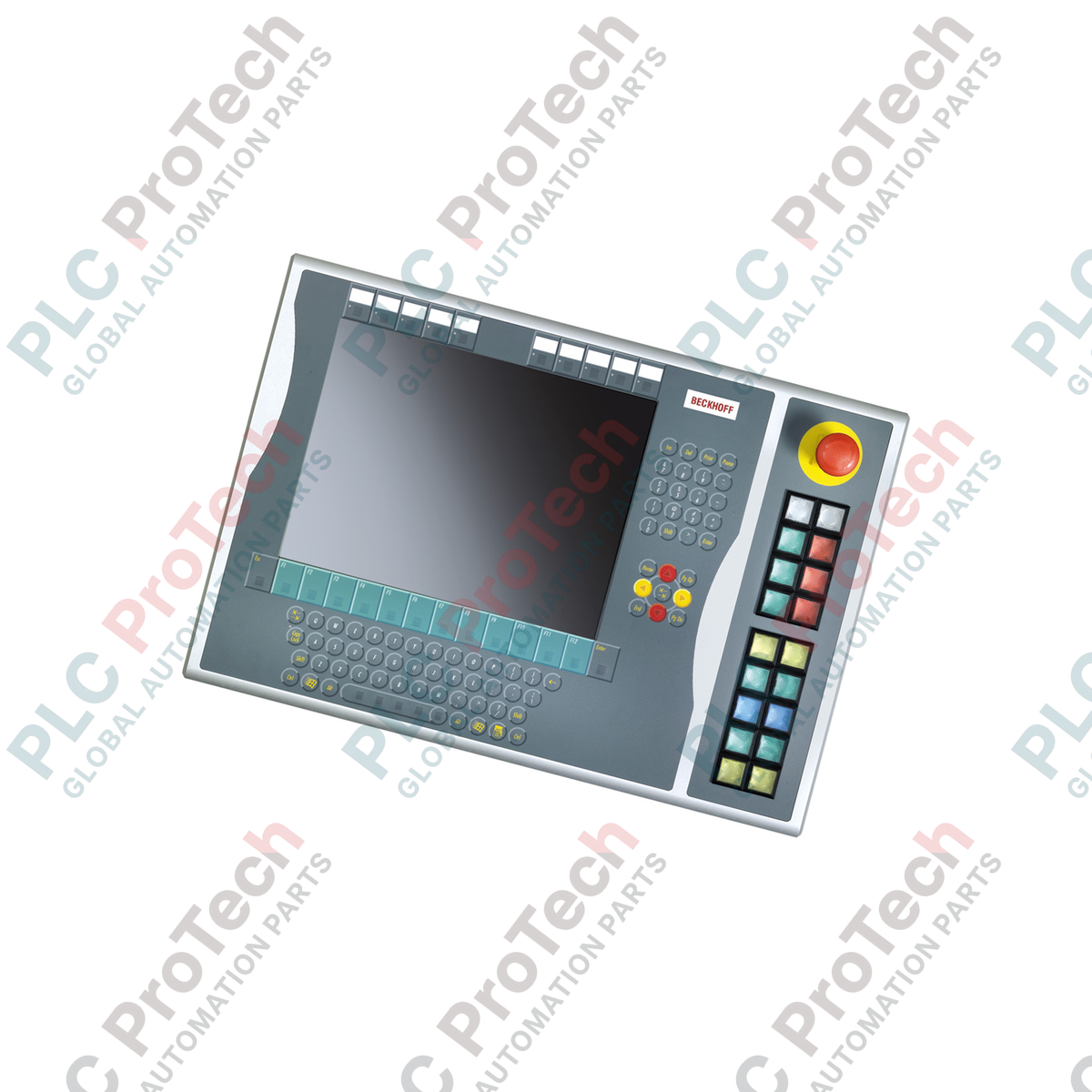
Разработанный для непосредственной установки с правой стороны панелей управления Beckhoff CP6x32-00xx и CP7x32-00xx, Beckhoff C9900-E871 представляет собой дополнительный физический интерфейс для 15-дюймовых дисплеев HMI без встроенной клавиатуры. Это прочное расширение операторской панели напрямую подключает важные механические органы управления к главной системе управления, объединяя физическое воздействие с цифровой передачей данных по шине. Благодаря промышленным переключателям и отдельной кнопке аварийной остановки устройство повышает эффективность использования пространства и удобство работы непосредственно у станка.
Характеристики
-
18 кнопок с подсветкой: оснащён высоконадёжными квадратными клавишами Siemens Signum (30 × 30 мм) со встроенными сигнальными лампами.
-
Встроенная аварийная остановка: оснащён одной усиленной кнопкой аварийной остановки Siemens Signum, предназначенной для непосредственной интеграции в цепь безопасности.
-
Двухканальная маршрутизация сигналов: все сигналы нажатия кнопок передаются через соединение CP-Link или USB как первичный нормально разомкнутый (NO) контакт, а независимый вторичный контакт NO напрямую подключён к клеммному блоку.
-
Сигнальные лампы с управлением по шине: освещение всех сигнальных ламп координируется исключительно посредством протоколов связи CP-Link или USB.
-
Настраиваемые полоски с обозначениями: поддерживаются вставные колпачки для быстрой маркировки функций или нанесения текста в соответствии с требованиями конкретного применения.
Применение
- Станции управления сборочными и механообрабатывающими ячейками в автомобильном производстве.
- Станки с ЧПУ и системы перемещения материалов для тяжёлой промышленности.
- Системы управления процессами с использованием 15-дюймовых промышленных ПК без вентиляторов и панелей HMI.
- Среды с критически важными для безопасности физическими органами управления, требующими проводных цепей аварийной остановки.
Таблица технических характеристик
| Параметр спецификации |
Значение / сведения |
| Производитель |
Beckhoff Automation |
| Номер модели |
C9900-E871 |
| Совместимость с панелями HMI |
Серия CP6x32-00xx и CP7x32-00xx (15-дюймовые модели без клавиатуры) |
| Место установки |
Правая сторона блока HMI |
| Тип кнопочного элемента |
18 × Siemens Signum квадратной формы (30 × 30 мм) |
| Тип аварийной остановки |
1 × Siemens Signum с поворотным разблокированием (с возможностью прямого подключения проводами) |
| Интерфейс связи |
USB или CP-Link (в зависимости от модели) |
| Конфигурация контактов (кнопки) |
1-й нормально разомкнутый контакт через USB/CP-Link; 2-й нормально разомкнутый контакт через клеммную колодку |
| Управление сигнальными лампами |
Только интерфейс через шину (USB или CP-Link) |
| Этап жизненного цикла |
Этап обслуживания (поддержка устаревших моделей и доступность запасных частей) |
| Расчётный вес при транспортировке |
5,00 кг (11,02 фунта) |
Подключения и интерфейсы
| Клемма / порт |
Назначение функции и тип сигнала |
| Интерфейс USB / CP-Link |
Основной интерфейс шины связи; обрабатывает входы первых нормально разомкнутых контактов NO и управляет выходами активных сигнальных ламп. |
| Прямая клеммная колодка |
Точка доступа к вторичным изолированным нормально разомкнутым сухим контактам NO для всех 18 кнопок; используется для локальных аппаратных блокировок. |
| Клеммы аварийного останова |
Проводные нормально замкнутые контакты NC, проложенные независимо от шины USB/CP-Link, для непосредственного подключения к реле оценки безопасности. |
Практические инженерные выводы
Альтернативные модели и совместимость
C9900-E871 конструктивно рассчитан на физическое совмещение только с 15-дюймовыми вариантами панелей управления CP6x32 и CP7x32. Если вы модернизируете систему с дисплеем другого размера, этот блок расширения не будет правильно сопрягаться с креплениями корпуса. Убедитесь, что соответствующее программное обеспечение драйвера или конфигурации системного менеджера TwinCAT настроены на распознавание профиля эмуляции клавиатуры через USB, используемого этим расширением.
Типичные ошибки применения и инженерные примечания
Распространённая ошибка на объекте — попытка подключить индикаторные лампы 24 В непосредственно через клеммную колодку. Обратите внимание: сигнальные лампы управляются исключительно через цифровое соединение USB или CP-Link. Если система теряет связь по USB, индикаторные лампы останутся выключенными независимо от состояния локальных прямых клемм. Убедитесь, что логика ПЛК учитывает это поведение в условиях интенсивной эксплуатации.
Рекомендации по вводу в эксплуатацию и подключению
Для обеспечения соответствия требованиям стандартов безопасности категории 3 или 4 ни в коем случае не прокладывайте сигнал аварийного останова через шину USB/CP-Link. Встроенная кнопка аварийного останова должна быть подключена непосредственно к одобренному контроллеру безопасности или контрольному реле с использованием физических вспомогательных контактов, предусмотренных на задней стороне блока расширения.
Рекомендации по установке
КРИТИЧЕСКОЕ ПРЕДУПРЕЖДЕНИЕ:
Перед началом механического монтажа или электрической интеграции полностью отключите источник постоянного тока 24 В, питающий панельный ПК HMI. Убедитесь, что панель полностью обесточена, чтобы предотвратить короткие замыкания в интерфейсе USB или вторичных проводных контактах во время установки.
1
Совместите корпус расширения C9900-E871 с конструктивными точками крепления на правой рамке панели CP6xxx/CP7xxx.
2
Зафиксируйте механическую тягу с помощью прилагаемых крепёжных элементов, обеспечив сохранение целевой степени защиты IP в месте соединения.
3
Проложите и подключите внутренний жгут проводов USB или CP-Link непосредственно к предусмотренным портам внутри корпуса компьютера главной панели.
4
Подключите отдельные контакты аварийного останова и клеммы проводных кнопок непосредственно к локальным шкафам управления в соответствии со схемами системной проводки.