


Dâhilî Bit ile 3 Anahtarlı XOR Merdiven Mantığının Uygulanması
LogixPro veya RSLogix 500'de dahili röle biti kullanarak 3-SPST anahtarlı XOR ışık devresi uygulayın. Doğruluk tablolarını, Boolean denklemlerini ve doğrulanmış sonuçları içerir.

Yüksek talep gören otomasyon sistemlerinde birincil sıra kontrolü ve ağ iletişimi motoru olarak çalışan Mitsubishi Electric R08ENCPU, yerel ağ entegrasyonunu yüksek hızlı komut yürütmeyle bir araya getirir. MELSEC iQ-R Serisi platformu için tasarlanan bu CPU modülü, CC-Link IE Controller Network, CC-Link IE Field Network ve standart Ethernet iletişimlerini doğrudan işlemci kartı üzerinden destekleyen çift dahili RJ45 porta sahiptir. Temel LD komutları için 0.98 nanosaniyelik yürütme hızı sunan modül, gelişmiş kontrol algoritmalarını ve yüksek bant genişlikli saha veri yolu verilerini aynı anda yönetirken sistem çevrim sürelerini en aza indirir.
| Parametre | Teknik Özellik Değeri |
|---|---|
| Üretici | Mitsubishi Electric |
| Model Numarası | R08ENCPU |
| Kontrol Serisi | MELSEC iQ-R Serisi |
| Program Kapasitesi | 80K adım |
| LD Komutu Yürütme Hızı | 0.98 ns |
| Yerel G/Ç Noktaları | 4096 nokta |
| Dahili Akım Tüketimi (5 V DC) | 1.49 A |
| İletişim Arayüzleri | CC-Link IE Control, CC-Link IE Field, Ethernet (RJ45 x 2), USB 2.0 (Mini-B) |
| Çalışma Sıcaklığı Aralığı | 0 ila 55 degC |
| Boyutlar (W x Y x D) | 56 mm x 106 mm x 110 mm |
| Net Ağırlık | 0.40 kg |
| Arayüz Portu | Konektör Türü | İşlevsel Rol |
|---|---|---|
| P1 (Port 1) | RJ45 | CC-Link IE Field / Control / Standart Ethernet bağlantısı |
| P2 (Port 2) | RJ45 | CC-Link IE Field / Control / Standart Ethernet zincirleme bağlantı / halka bağlantı portu |
| USB Bağlantısı | Mini-B USB | Doğrudan yerel programlama, tanılama ve parametre yapılandırması |
| SD Bellek Yuvası | SD / SDHC Kart Yuvası | Veri kaydı, ürün yazılımı güncellemeleri ve çevrimdışı yedekleme depolaması |
R08ENCPU, entegre ağ donanımı nedeniyle iQ-R taban ünitesinde çift genişlikte bir modül olarak yer alır. Standart bir R08CPU'yu değiştiriyorsanız yeterli taban ünitesi yuva tahsisi yapılandırdığınızdan emin olun; R08ENCPU tek bir mantıksal yuva altında kaydolmasına rağmen iki fiziksel yuva konumu kullanır. Eski Q Serisi sistemlerini (ör. Q06UDVCPU veya Q13UDVCPU) yükseltirken program dönüşümü GX Works3 üzerinden gerçekleştirilebilir. Ancak iletişim talimatları, daha yeni iQ-R sistem etiketlerini ve protokol yapılarını kullanacak şekilde yeniden düzenlenmelidir.
Hesaplanması gereken önemli parametrelerden biri dahili güç tüketimidir. 5 V DC dahili veri yolunda 1,49 A akım çeken bu CPU, arka düzleme önemli bir yük bindirir. Bu modülü birden fazla yüksek akımlı analog modülle veya ek hareket CPU'larıyla birlikte kullanırken toplam akım çekişinin sistem güç kaynağı modülünün (5,0 A sağlayan R61P gibi) maksimum çıkışını aşmadığını doğrulayın. Anma değeri aşılırsa yapılandırmayı uzatma taban ünitelerine bölün veya daha yüksek kapasiteli bir güç modülüne yükseltin.
Elektromanyetik girişimin CC-Link IE iletişimini kesintiye uğratmasını önlemek için çift ekranlı bükümlü çift (STP) Kategori 5e veya daha yüksek sınıf kablolar kullanılmalıdır. Kablo ekranının, RJ45 metal gövdesi üzerinden iQ-R rafının ana şasi topraklamasına kesintisiz şekilde topraklandığından emin olun. Ayrıca ağda halka topolojisi yapılandırıyorsanız GX Works3 ağ parametrelerinde geri döngü işlevini etkinleştirin; aksi takdirde halkadaki kazara bir kopma, kendi kendini onarmak yerine iletişim zaman aşımına neden olabilir.
Global Express Shipping
Returns & Warranty


Üretici: Mitsubishi Electric
Ürün No.: R08ENCPU
Menşei ülke:Amerika Birleşik Devletleri
Ürün Türü: PLC CPU Modülleri
Ödeme: T/T, Western Union
Ağırlık: 2000g
Boyutlar: 56 mm x 106 mm x 110 mm
Gönderim limanı: Xiamen
Garanti: 12 ay
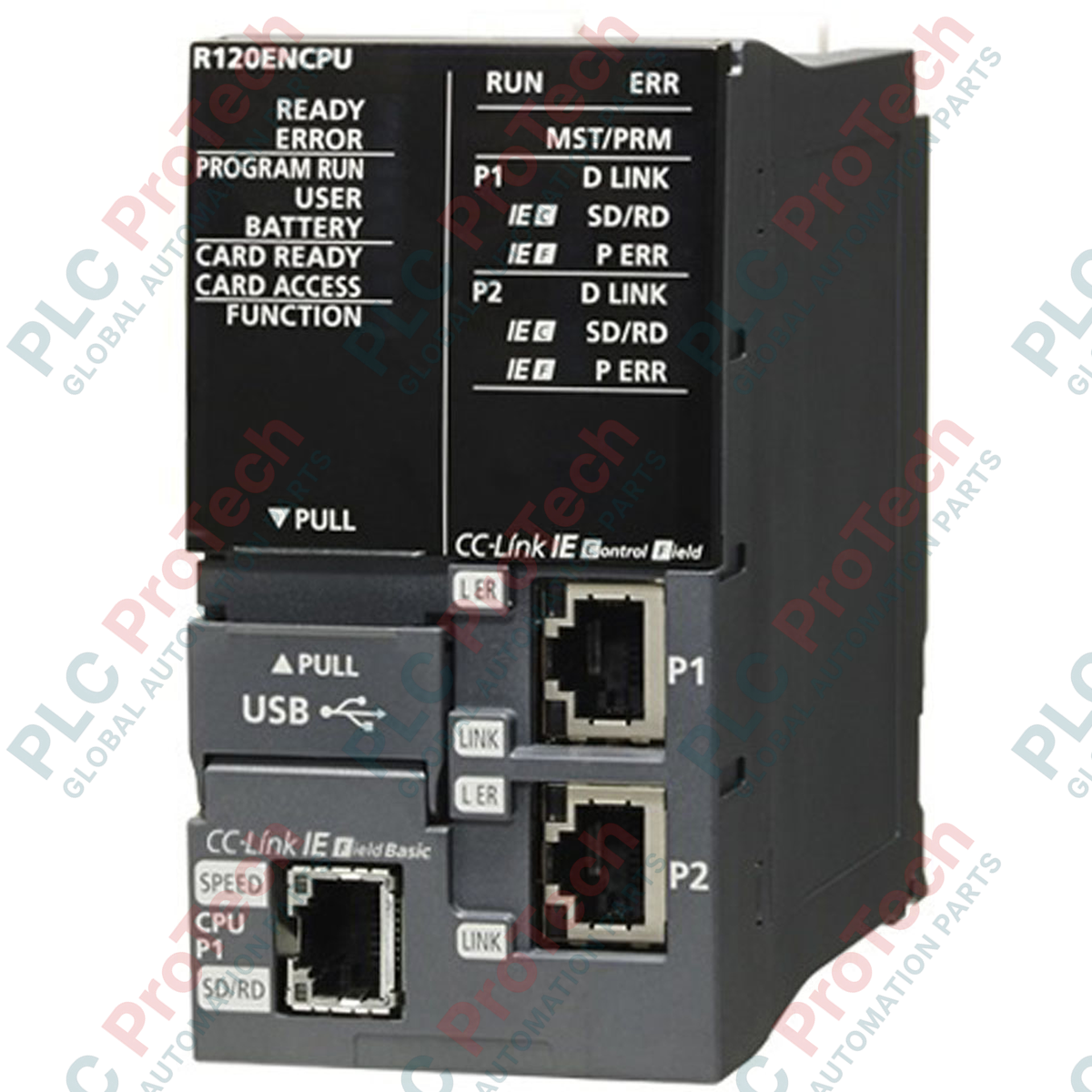
Yüksek talep gören otomasyon sistemlerinde birincil sıra kontrolü ve ağ iletişimi motoru olarak çalışan Mitsubishi Electric R08ENCPU, yerel ağ entegrasyonunu yüksek hızlı komut yürütmeyle bir araya getirir. MELSEC iQ-R Serisi platformu için tasarlanan bu CPU modülü, CC-Link IE Controller Network, CC-Link IE Field Network ve standart Ethernet iletişimlerini doğrudan işlemci kartı üzerinden destekleyen çift dahili RJ45 porta sahiptir. Temel LD komutları için 0.98 nanosaniyelik yürütme hızı sunan modül, gelişmiş kontrol algoritmalarını ve yüksek bant genişlikli saha veri yolu verilerini aynı anda yönetirken sistem çevrim sürelerini en aza indirir.
| Parametre | Teknik Özellik Değeri |
|---|---|
| Üretici | Mitsubishi Electric |
| Model Numarası | R08ENCPU |
| Kontrol Serisi | MELSEC iQ-R Serisi |
| Program Kapasitesi | 80K adım |
| LD Komutu Yürütme Hızı | 0.98 ns |
| Yerel G/Ç Noktaları | 4096 nokta |
| Dahili Akım Tüketimi (5 V DC) | 1.49 A |
| İletişim Arayüzleri | CC-Link IE Control, CC-Link IE Field, Ethernet (RJ45 x 2), USB 2.0 (Mini-B) |
| Çalışma Sıcaklığı Aralığı | 0 ila 55 degC |
| Boyutlar (W x Y x D) | 56 mm x 106 mm x 110 mm |
| Net Ağırlık | 0.40 kg |
| Arayüz Portu | Konektör Türü | İşlevsel Rol |
|---|---|---|
| P1 (Port 1) | RJ45 | CC-Link IE Field / Control / Standart Ethernet bağlantısı |
| P2 (Port 2) | RJ45 | CC-Link IE Field / Control / Standart Ethernet zincirleme bağlantı / halka bağlantı portu |
| USB Bağlantısı | Mini-B USB | Doğrudan yerel programlama, tanılama ve parametre yapılandırması |
| SD Bellek Yuvası | SD / SDHC Kart Yuvası | Veri kaydı, ürün yazılımı güncellemeleri ve çevrimdışı yedekleme depolaması |
R08ENCPU, entegre ağ donanımı nedeniyle iQ-R taban ünitesinde çift genişlikte bir modül olarak yer alır. Standart bir R08CPU'yu değiştiriyorsanız yeterli taban ünitesi yuva tahsisi yapılandırdığınızdan emin olun; R08ENCPU tek bir mantıksal yuva altında kaydolmasına rağmen iki fiziksel yuva konumu kullanır. Eski Q Serisi sistemlerini (ör. Q06UDVCPU veya Q13UDVCPU) yükseltirken program dönüşümü GX Works3 üzerinden gerçekleştirilebilir. Ancak iletişim talimatları, daha yeni iQ-R sistem etiketlerini ve protokol yapılarını kullanacak şekilde yeniden düzenlenmelidir.
Hesaplanması gereken önemli parametrelerden biri dahili güç tüketimidir. 5 V DC dahili veri yolunda 1,49 A akım çeken bu CPU, arka düzleme önemli bir yük bindirir. Bu modülü birden fazla yüksek akımlı analog modülle veya ek hareket CPU'larıyla birlikte kullanırken toplam akım çekişinin sistem güç kaynağı modülünün (5,0 A sağlayan R61P gibi) maksimum çıkışını aşmadığını doğrulayın. Anma değeri aşılırsa yapılandırmayı uzatma taban ünitelerine bölün veya daha yüksek kapasiteli bir güç modülüne yükseltin.
Elektromanyetik girişimin CC-Link IE iletişimini kesintiye uğratmasını önlemek için çift ekranlı bükümlü çift (STP) Kategori 5e veya daha yüksek sınıf kablolar kullanılmalıdır. Kablo ekranının, RJ45 metal gövdesi üzerinden iQ-R rafının ana şasi topraklamasına kesintisiz şekilde topraklandığından emin olun. Ayrıca ağda halka topolojisi yapılandırıyorsanız GX Works3 ağ parametrelerinde geri döngü işlevini etkinleştirin; aksi takdirde halkadaki kazara bir kopma, kendi kendini onarmak yerine iletişim zaman aşımına neden olabilir.
Küresel Ekspres Kargo
İadeler ve Garanti
Siparişler Pazartesi-Cuma (resmi tatiller hariç) işlenir ve teslim edilir.
Tam uygunluk, stok yenileme ücretleri ve uluslararası iade detayları için lütfen resmi sayfamızı inceleyin İade ve Geri Ödeme Politikası .
| Country of origin |
Amerika Birleşik Devletleri
|

LogixPro veya RSLogix 500'de dahili röle biti kullanarak 3-SPST anahtarlı XOR ışık devresi uygulayın. Doğruluk tablolarını, Boolean denklemlerini ve doğrulanmış sonuçları içerir.

Allen-Bradley CompactLogix, Caterpillar ATS ve jeneratörleri Modbus RTU üzerinden DeltaV DCS ile entegre edin. ProSoft MVI69-MCM ve Miille DIN266 ağ geçitlerini kapsar.

Studio 5000'de ONS talimatı çalışıyor, ancak tek atımlık sinyal yalnızca bir tarama boyunca doğru olduğu için OTE bobini hiç kilitlenmiyor. Bunun yerine OTL/OTU ya da kendini tutma mantığı kullanın.

EtherNet/IP üzerinden Allen-Bradley Kinetix 5500 servo sürücülerini yapılandırın. CIP Sync, IEEE 1588 V2 zamanlaması, Stratix seçimi, DLR topolojisi ve HMI konularını kapsar.

Hareketli ortalama filtresi, çoğu enstrümantasyon mühendisinin DCS ve PLC analog yollarına eklediği kayan pencere yumuşatıcıdır. Pencerenin nasıl çalıştığını, N ve örnekleme süresinin gecikmeyi nasıl...

Frame 5–9 gaz türbinlerinde GE Mark VI ve Mark VIe, kontrolü işlev bloğu uygulama yazılımı olarak çalıştırır. Bu makale; proses, koruma ve sıralama işlevlerini ve Toolbox ST erişiminin gerçekte ne...