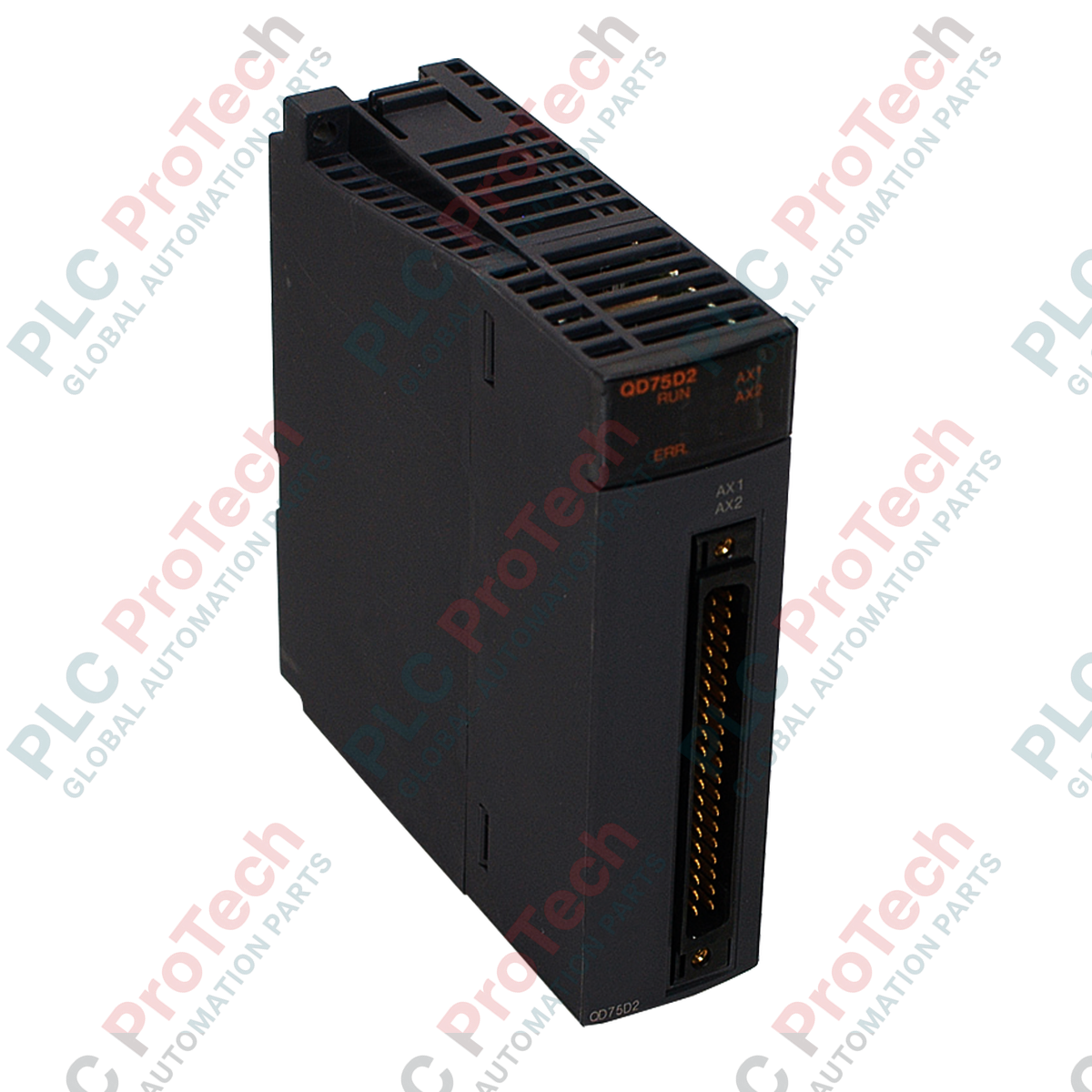
For precise multi-axis motion control within the MELSEC Q Series architecture, the Mitsubishi Electric QD75D2 provides high-speed differential driver pulse train outputs for up to two independent axes. This high-performance positioning module enables seamless integration of point-to-point, speed-position, and interpolated path control directly from the PLC backplane to high-resolution servo drives.
Key Features
-
Two-Axis Control: Supports independent or simultaneous control of up to two axes.
-
Advanced Interpolation: Executes 2-axis linear interpolation and 2-axis circular interpolation for complex path profiles.
-
High-Speed Differential Output: Line driver outputs support pulse rates up to 1 Mpps, enabling high-resolution positioning over longer distances.
-
Battery-Less Backup: Parameters, positioning data, and block start data are stored directly in non-volatile Flash ROM.
-
Multi-Unit Support: Configurable command units including millimeters, inches, degrees, and pulses.
-
Extensive Data Storage: Stores up to 600 positioning data points per axis, configurable via engineering software or ladder logic.
Industrial Applications
- High-speed packaging, cartoning, and sealing machinery.
- Multi-axis Cartesian coordinate gantry systems and pick-and-place robots.
- Precision semiconductor handling, wafer alignment, and positioning tables.
- Automated storage and retrieval systems (ASRS) and material handling transfer cars.
Technical Specifications
| Parameter |
Specification Value |
| Manufacturer |
Mitsubishi Electric |
| Model Number |
QD75D2 |
| Control Axes |
2 axes |
| Output Type |
Differential driver (Line driver) |
| Max. Output Pulse Rate |
1 Mpps |
| Max. Connection Distance |
10 meters |
| Interpolation Functions |
2-axis linear interpolation, 2-axis circular interpolation |
| Control Modes |
PTP (Point To Point), Path control, Speed control, Speed-position switching, Position-speed switching |
| Positioning Data Points |
600 data points per axis (Nos. 1 to 600) |
| Backup Memory |
Flash ROM (Max. 100,000 write cycles) |
| Internal Current Consumption |
0.56 A (at 5V DC) |
| Occupied I/O Points |
32 points (Intelligent function module assignment) |
| External Interface Connectors |
A6CON1, A6CON2, A6CON4 (sold separately) |
| Applicable Wire Size |
0.3 mm2 (A6CON1/A6CON4), AWG 24 (A6CON2) |
| Country of Origin |
Japan |
| Shipping Weight (Calculated) |
1.00 kg |
Empirical Engineering Insights
Alternative Models & Compatibility
The QD75D2 features differential line driver outputs, distinguishing it from the open-collector QD75P2. While the QD75P2 is limited to a 200 kpps output rate and a 2-meter physical cable run, the QD75D2 supports up to 1 Mpps and a 10-meter connection distance. If you are upgrading from a P-series to a D-series module, you must replace the external cabling and verify that the command pulse input of your servo amplifier is configured to receive differential line receiver signals.
Application Pitfalls & Engineering Notes
When operating in "degree" control mode, ensure that the software configuration accounts for the axis rotation limits. If the axis is set to endless rotation, proper handling of the overflow/underflow boundary is required in the PLC logic to prevent unexpected positioning jumps. Additionally, write operations to the Flash ROM must be managed carefully; do not exceed the 100,000-cycle limit by executing automated writes within cyclic execution blocks.
Commissioning & Wiring Tips
Always use shielded twisted-pair cabling for the pulse output lines to mitigate electromagnetic interference (EMI). The shield should be grounded at the control panel entry point. When wiring the A6CON1 or A6CON4 connectors, ensure the wire gauge is exactly 0.3 mm2 to guarantee robust physical terminal retention and prevent intermittent signal loss under cabinet vibration.
Installation Guidelines
CRITICAL WARNING:
Before installing, removing, or wiring the QD75D2 module, ensure that the main power supply to the PLC rack and all external power sources for the servo amplifiers are completely de-energized. Failure to do so may result in electric shock, module damage, or unintended machine movement.
1
Align the module's bottom retaining latch with the slot on the Q-series base unit, then push the module firmly into the backplane connector.
2
Secure the module to the base unit using the top fixing screw (tighten to the torque specified in the manual, typically 0.36 to 0.48 N·m).
3
Connect the pre-wired A6CON1, A6CON2, or A6CON4 external connector to the front interface of the module, ensuring the connector lock mechanism is fully engaged.
4
Power up the PLC rack, verify that the "RUN" LED on the module illuminates, and use GX Works to perform initial parameter configuration and test runs.