


Menerapkan Logika Tangga XOR 3 Sakelar dengan Bit Internal
Implementasikan rangkaian lampu XOR dengan sakelar 3-SPST di LogixPro atau RSLogix 500 menggunakan bit relai internal. Mencakup tabel kebenaran, persamaan Boolean, dan telah diverifikasi.

Berfungsi sebagai antarmuka operator utama untuk otomasi mesin kompak, Omron NB7W-TW11B adalah antarmuka manusia-mesin layar lebar 7 inci dengan keandalan tinggi yang dirancang untuk integrasi lancar dengan PLC seri CP1 dan arsitektur pengontrol multi-vendor. Terminal grafis ini dilengkapi layar TFT LCD yang tajam dengan resolusi 800 x 480 piksel (WVGA) dan mendukung hingga 65.536 warna, sehingga memberikan visualisasi proses yang jelas serta sudut pandang yang lebar. Dirancang untuk lingkungan industri yang keras, panel depannya memiliki peringkat perlindungan IP65 untuk melindungi elektronik internal dari debu, semprotan air, dan kabut minyak. Dengan Ethernet terintegrasi, dua port serial, serta antarmuka USB host/client, perangkat ini menyederhanakan konektivitas jarak jauh dan pemrograman lapangan.
| Parameter | Spesifikasi |
|---|---|
| Produsen | Omron |
| Referensi Model | NB7W-TW11B |
| Ukuran & Tipe Tampilan | LCD TFT berwarna 7,0 inci |
| Resolusi | 800 x 480 piksel (WVGA) |
| Warna Tampilan | 65.536 warna |
| Masa Pakai Lampu Latar | Umumnya 50.000 jam operasi (pada 25 degC, kecerahan 40%) |
| Tipe Panel Sentuh | Resistif analog, minimum 1.000.000 operasi |
| Tegangan Input | 24 VDC (rentang yang dapat diterima: 20,4 hingga 27,6 VDC) |
| Konsumsi Daya | Maksimum 11 W |
| Port Ethernet | 1x RJ45 (10/100 Base-T) |
| Port USB | 1x USB 2.0 Host (Type-A), 1x USB 2.0 Client (Type-B) |
| Antarmuka Serial | COM1: RS-232C, COM2: RS-232C/422A/485 |
| Tingkat Perlindungan | IP65 (panel depan), setara dengan NEMA 4X (penggunaan di dalam ruangan) |
| Suhu Pengoperasian | 0 hingga 50 degC (suhu sekitar) |
| Dimensi Fisik | 202 mm (W) x 148 mm (H) x 46 mm (D) |
| Ukuran Potongan Panel | 191,0 mm (W) x 137,0 mm (H) |
| Berat Pengiriman (Dihitung) | 0,85 kg |
| Konektor / Terminal | Tipe | Fungsi / Penetapan Sirkuit |
|---|---|---|
| Blok Terminal Daya | Terminal sekrup 3-pin | Input daya 24 VDC, 0V, Functional Ground (FG) |
| Port COM1 | D-Sub 9-pin betina | Komunikasi serial RS-232C ke pengendali host |
| Port COM2 | D-Sub 9-pin betina | Komunikasi yang dapat dikonfigurasi: RS-232C / RS-422A / RS-485 |
| Port Ethernet | RJ45 | Komunikasi jaringan 10/100 Mbps dan transfer aplikasi |
| Port USB HOST | USB Type-A | Koneksi flash drive USB untuk log, resep, dan pencadangan |
| Port USB CLIENT | USB Type-B | Koneksi pemrograman/pengunggahan langsung ke PC |
NB7W-TW11B dilengkapi port Ethernet terintegrasi, yang merupakan pembeda perangkat keras utama dari model pasangannya, NB7W-TW01B (yang hanya mendukung komunikasi serial dan USB). Pastikan proyek yang diprogram untuk model non-Ethernet dikonfigurasi ulang dengan benar di NB-Designer pada bagian Project Structure sebelum diunggah ke terminal ini. Dependensi firmware mengharuskan NB-Designer Versi 1.3 atau yang lebih tinggi agar konfigurasi driver Ethernet pada sufiks model ini dapat digunakan dengan baik.
Saat memasang unit di dalam panel kontrol tertutup sepenuhnya dan tidak berventilasi yang menampung variable frequency drive (VFD) atau catu daya berukuran besar, perhatikan pembuangan panas dengan saksama. Pemantauan termal menunjukkan bahwa suhu pengoperasian sekitar unit tidak boleh melebihi 50 degC. Pastikan terdapat jarak bebas setidaknya 100 mm di semua sisi housing HMI untuk mencegah pelambatan termal lokal yang dapat memperpendek masa pakai lampu latar LED secara prematur.
Untuk mencegah pergeseran sentuhan dan terputusnya komunikasi serial akibat EMI frekuensi tinggi, gunakan konduktor pembumian terpisah dengan impedansi rendah dari sekrup Functional Ground (FG) terminal langsung ke pelat belakang tembaga utama panel. Jangan merangkai terminal FG secara daisy-chain dengan koneksi pembumian beban induktif berdaya tinggi seperti kontaktor atau motor AC.
PERINGATAN KRITIS
Isolasi dan verifikasi bahwa semua sumber distribusi daya primer dan sekunder telah benar-benar tidak bertegangan sebelum memulai pemasangan, pengkabelan, atau pemasangan fisik. Kegagalan mengunci sumber daya input sebelum memasukkan blok terminal dapat menyebabkan kerusakan struktural pada optokopler internal dan bahaya keselamatan listrik bagi staf komisioning.
Global Express Shipping
Returns & Warranty

Produsen: Omron
Nomor Produk: NB7W-TW11B
Negara asal:Jepang
Jenis Produk: Panel Layar Sentuh HMI
Pembayaran: T/T, Western Union
Berat: 607g
Dimensi: 4,6cm x 20,2cm x 14,8cm
Pelabuhan pengiriman: Xiamen
Garansi: 12 bulan
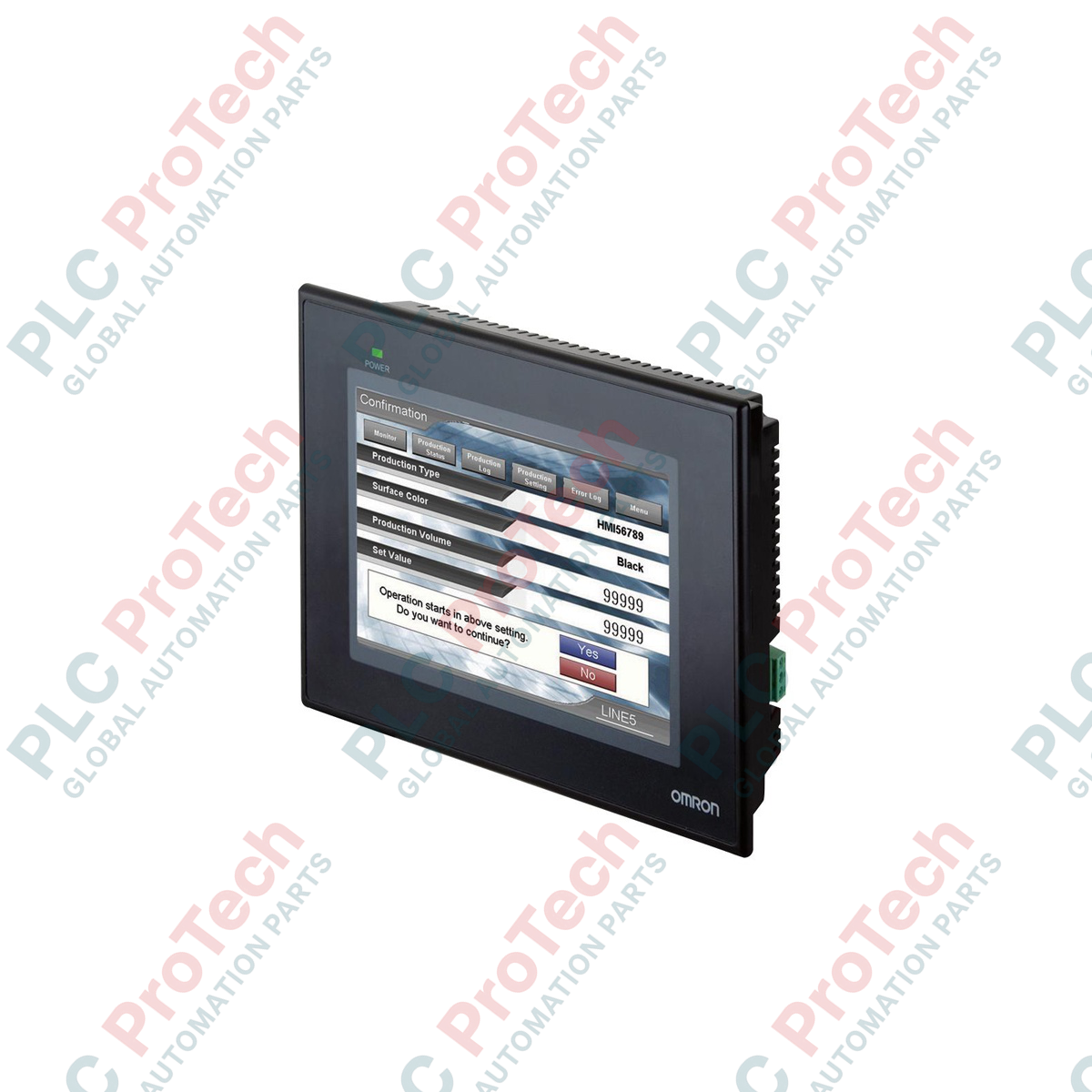
Berfungsi sebagai antarmuka operator utama untuk otomasi mesin kompak, Omron NB7W-TW11B adalah antarmuka manusia-mesin layar lebar 7 inci dengan keandalan tinggi yang dirancang untuk integrasi lancar dengan PLC seri CP1 dan arsitektur pengontrol multi-vendor. Terminal grafis ini dilengkapi layar TFT LCD yang tajam dengan resolusi 800 x 480 piksel (WVGA) dan mendukung hingga 65.536 warna, sehingga memberikan visualisasi proses yang jelas serta sudut pandang yang lebar. Dirancang untuk lingkungan industri yang keras, panel depannya memiliki peringkat perlindungan IP65 untuk melindungi elektronik internal dari debu, semprotan air, dan kabut minyak. Dengan Ethernet terintegrasi, dua port serial, serta antarmuka USB host/client, perangkat ini menyederhanakan konektivitas jarak jauh dan pemrograman lapangan.
| Parameter | Spesifikasi |
|---|---|
| Produsen | Omron |
| Referensi Model | NB7W-TW11B |
| Ukuran & Tipe Tampilan | LCD TFT berwarna 7,0 inci |
| Resolusi | 800 x 480 piksel (WVGA) |
| Warna Tampilan | 65.536 warna |
| Masa Pakai Lampu Latar | Umumnya 50.000 jam operasi (pada 25 degC, kecerahan 40%) |
| Tipe Panel Sentuh | Resistif analog, minimum 1.000.000 operasi |
| Tegangan Input | 24 VDC (rentang yang dapat diterima: 20,4 hingga 27,6 VDC) |
| Konsumsi Daya | Maksimum 11 W |
| Port Ethernet | 1x RJ45 (10/100 Base-T) |
| Port USB | 1x USB 2.0 Host (Type-A), 1x USB 2.0 Client (Type-B) |
| Antarmuka Serial | COM1: RS-232C, COM2: RS-232C/422A/485 |
| Tingkat Perlindungan | IP65 (panel depan), setara dengan NEMA 4X (penggunaan di dalam ruangan) |
| Suhu Pengoperasian | 0 hingga 50 degC (suhu sekitar) |
| Dimensi Fisik | 202 mm (W) x 148 mm (H) x 46 mm (D) |
| Ukuran Potongan Panel | 191,0 mm (W) x 137,0 mm (H) |
| Berat Pengiriman (Dihitung) | 0,85 kg |
| Konektor / Terminal | Tipe | Fungsi / Penetapan Sirkuit |
|---|---|---|
| Blok Terminal Daya | Terminal sekrup 3-pin | Input daya 24 VDC, 0V, Functional Ground (FG) |
| Port COM1 | D-Sub 9-pin betina | Komunikasi serial RS-232C ke pengendali host |
| Port COM2 | D-Sub 9-pin betina | Komunikasi yang dapat dikonfigurasi: RS-232C / RS-422A / RS-485 |
| Port Ethernet | RJ45 | Komunikasi jaringan 10/100 Mbps dan transfer aplikasi |
| Port USB HOST | USB Type-A | Koneksi flash drive USB untuk log, resep, dan pencadangan |
| Port USB CLIENT | USB Type-B | Koneksi pemrograman/pengunggahan langsung ke PC |
NB7W-TW11B dilengkapi port Ethernet terintegrasi, yang merupakan pembeda perangkat keras utama dari model pasangannya, NB7W-TW01B (yang hanya mendukung komunikasi serial dan USB). Pastikan proyek yang diprogram untuk model non-Ethernet dikonfigurasi ulang dengan benar di NB-Designer pada bagian Project Structure sebelum diunggah ke terminal ini. Dependensi firmware mengharuskan NB-Designer Versi 1.3 atau yang lebih tinggi agar konfigurasi driver Ethernet pada sufiks model ini dapat digunakan dengan baik.
Saat memasang unit di dalam panel kontrol tertutup sepenuhnya dan tidak berventilasi yang menampung variable frequency drive (VFD) atau catu daya berukuran besar, perhatikan pembuangan panas dengan saksama. Pemantauan termal menunjukkan bahwa suhu pengoperasian sekitar unit tidak boleh melebihi 50 degC. Pastikan terdapat jarak bebas setidaknya 100 mm di semua sisi housing HMI untuk mencegah pelambatan termal lokal yang dapat memperpendek masa pakai lampu latar LED secara prematur.
Untuk mencegah pergeseran sentuhan dan terputusnya komunikasi serial akibat EMI frekuensi tinggi, gunakan konduktor pembumian terpisah dengan impedansi rendah dari sekrup Functional Ground (FG) terminal langsung ke pelat belakang tembaga utama panel. Jangan merangkai terminal FG secara daisy-chain dengan koneksi pembumian beban induktif berdaya tinggi seperti kontaktor atau motor AC.
PERINGATAN KRITIS
Isolasi dan verifikasi bahwa semua sumber distribusi daya primer dan sekunder telah benar-benar tidak bertegangan sebelum memulai pemasangan, pengkabelan, atau pemasangan fisik. Kegagalan mengunci sumber daya input sebelum memasukkan blok terminal dapat menyebabkan kerusakan struktural pada optokopler internal dan bahaya keselamatan listrik bagi staf komisioning.
| Product Image | Model Number / Title | Condition | Availability | Action |
|---|---|---|---|---|

|
Terminal Allen-Bradley PanelView Plus 6 2711P-T15C4D9 | Original New | In Stock | View Details |
Pengiriman Ekspres Global
Pengembalian & Garansi
Pesanan diproses dan dikirimkan Senin-Jumat (tidak termasuk hari libur nasional).
Untuk kelayakan penuh, biaya pengisian ulang, dan detail pengembalian internasional, silakan lihat resmi kami Kebijakan Pengembalian & Pengembalian Dana .
| Country of origin |
Jepang
|

Implementasikan rangkaian lampu XOR dengan sakelar 3-SPST di LogixPro atau RSLogix 500 menggunakan bit relai internal. Mencakup tabel kebenaran, persamaan Boolean, dan telah diverifikasi.

Integrasikan Allen-Bradley CompactLogix, Caterpillar ATS, dan generator ke dalam DeltaV DCS melalui Modbus RTU. Mencakup gateway ProSoft MVI69-MCM dan Miille DIN266.

Instruksi ONS aktif, tetapi koil OTE tidak pernah mengunci di Studio 5000 karena one-shot hanya bernilai benar selama satu pemindaian. Gunakan OTL/OTU atau logika seal-in sebagai gantinya.

Konfigurasikan drive servo Allen-Bradley Kinetix 5500 di EtherNet/IP. Mencakup CIP Sync, pengaturan waktu IEEE 1588 V2, pemilihan Stratix, topologi DLR, dan HMI.

Filter rata-rata bergerak adalah penghalus jendela geser yang paling sering dipasang oleh teknisi instrumentasi ke jalur analog DCS dan PLC. Berikut cara kerja jendelanya, bagaimana N dan waktu...

Pada turbin gas Frame 5–9, GE Mark VI dan Mark VIe menjalankan kontrol sebagai perangkat lunak aplikasi berbasis blok fungsi. Artikel ini memetakan fungsi proses, proteksi, dan pengurutan—serta...