1 of 1

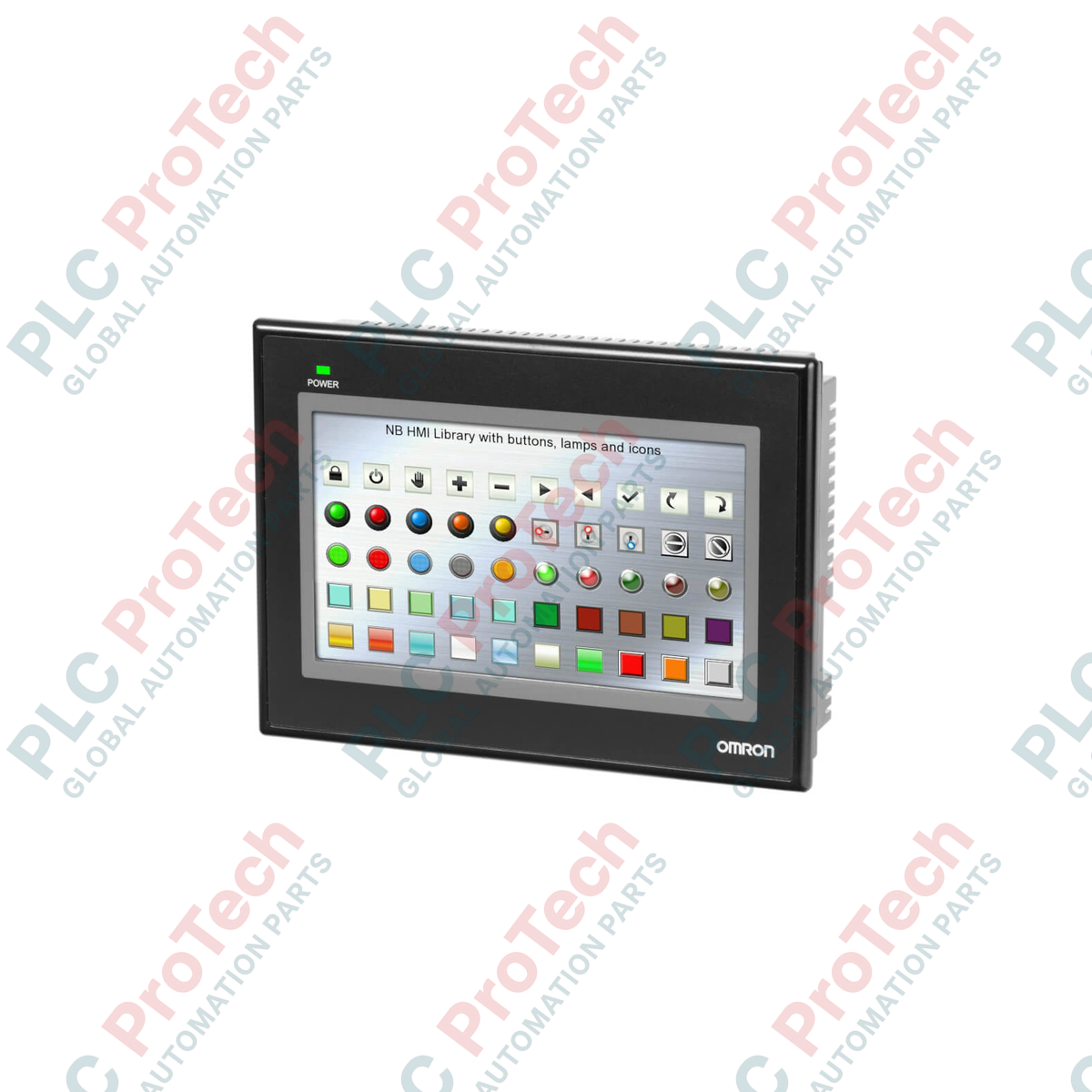
Omron NB7W-TW00B NB Series Touch Screen HMI

Omron NB7W-TW00B NB Series Touch Screen HMI

Only 8 item(s) left in stock
  • Manufacturer: Omron

  • Product No.: NB7W-TW00B

  • Country of origin:Japan

  • Product Type: Touch Screen HMIs

  • Payment: T/T, Western Union

  • Weight: 1000g

  • Dimensions: 4.6cm x 19.1cm x 13.7cm

  • Shipping port: Xiamen

  • Warranty: 12 months

Quantity
View full details

Description

Engineered to deliver high-performance operator interface control, the Omron NB7W-TW00B serves as a highly reliable human-machine interface featuring a widescreen 7-inch TFT LCD. This unit integrates seamlessly into industrial automation systems, offering a clear, 65,536-color display that ensures optimal legibility of system statuses, process alarms, and real-time operational diagnostics. Outfitted with multiple serial interfaces and standard USB ports, the HMI establishes efficient, noise-resistant communication links directly to Omron PLCs or third-party controllers, minimizing hardware integration friction on the plant floor.

Features

  • High-resolution 7-inch widescreen TFT display with 800 x 480 pixels for precise graphic visualization and control monitoring.
  • Long-lifetime LED backlighting engineered to provide up to 50,000 hours of continuous service in demanding operational environments.
  • Integrated dual serial communication ports supporting RS-232C, RS-422A, and RS-485 serial standards for versatile industrial connectivity.
  • USB Host and Client ports facilitating straightforward project transmission, diagnostic uploads, and peripheral memory card connection.
  • Robust front-panel protection with IP65-rated sealing to withstand dust, oil, and direct moisture contact in heavy manufacturing settings.

Applications

  • Automated packaging machinery control stations
  • Material handling and industrial conveyor monitoring
  • Municipal water treatment and pumping station operator terminals
  • HVAC, building management, and centralized environmental control panels
  • Automotive sub-assembly verification displays

Technical Specifications

Manufacturer Omron
Model Reference NB7W-TW00B
Display Size 7.0 inches (diagonal)
Display Type TFT Color LCD
Resolution 800 x 480 pixels (WVGA)
Color Capacity 65,536 colors (16-bit color depth)
Backlight Lifetime 50,000 operating hours typical at 25 degC ambient
Input Supply Voltage 24 VDC (Acceptable range: 20.4 to 27.6 VDC)
Power Consumption 11.0 W maximum
Degree of Protection IP65 dust-tight and water-jet resistant (front panel face only)
External Interfaces COM1 (RS-232C), COM2 (RS-232C/422A/485), USB Host, USB Client
Operating Temperature 0 to 50 degC
Physical Dimensions 191.0 mm (W) x 137.0 mm (H) x 46.0 mm (D)
Panel Cutout Dimensions 181.0 mm x 127.0 mm (+0.5/-0.0 mm tolerance)
Net Weight 1.0 kg
Shipping Weight (Calculated) 1.5 kg (including protective packaging materials)

Connections and Interfaces

Connector / Interface Physical Format Functional Circuit Assignment
COM1 D-Sub 9-pin Female Dedicated RS-232C serial communication loop to PLCs or PC programming interfaces
COM2 D-Sub 9-pin Female Multi-standard RS-232C, RS-422A, or RS-485 serial networks (jumperless software configuration)
USB Host USB Type-A Port Connecting USB memory sticks for runtime recipe transfers, data logs, and firmware updates
USB Client USB Type-B Port Direct point-to-point programming connection using NB-Designer engineering software
Power Input 3-pin Terminal Block Dedicated 24 VDC connection (+, -, and FG functional ground connection)

Empirical Engineering Insights

Alternative Models & Compatibility

The terminal is a drop-in component in systems utilizing standard 7-inch touch HMIs. When replacing older Omron displays (such as the NT series or older NS terminals), project files must be fully converted using the import utility within the NB-Designer programming suite. Note that cutouts for older models may be larger, requiring an adapter plate or panel rework.

Application Pitfalls & Engineering Notes

To prevent thermal throttling or premature backlight fading, ensure that the internal temperature within the electrical panel does not exceed 50 degC. Forced-air ventilation or cooling may be necessary in continuous high-ambient applications. Additionally, avoid running the 24 VDC HMI power cable in parallel or within the same wire duct as heavy AC variable frequency drive (VFD) motor cables to mitigate high-frequency electrical noise.

Commissioning & Wiring Tips

During the commissioning phase, always link the HMI's Functional Ground (FG) terminal to a dedicated earth ground of 100 ohms or less. Poor grounding practices can lead to communication degradation on RS-485 multi-drop networks, which frequently presents as periodic communication timeout faults. If USB driver recognition issues occur on Windows 10/11 during programming, manually update the device manager path to reference the drivers located within the default installation directory of NB-Designer.

Installation Guidelines

CRITICAL WARNING: De-energize and lock out all power sources feeding the electrical panel before performing mechanical installation or starting HMI electrical wiring. Under no circumstances should communication cables be plugged in or unplugged while energized, as this can lead to permanent damage of the RS-232C or RS-422A transceiver circuits.
1

Verify that the panel cutout dimensions measure exactly 181.0 mm (W) x 127.0 mm (H) and that the panel sheet metal thickness is between 1.6 mm and 4.8 mm.

2

Verify that the high-quality rubber sealing gasket is seated properly in the bezel groove on the back of the HMI to guarantee a tight IP65 seal against the panel face.

3

Push the HMI through the panel cutout and slide the provided mounting clamps into the slots located on the top, bottom, and sides of the unit.

4

Tighten each mounting bracket screw progressively in an alternating cross-pattern to a uniform torque limit of 0.5 to 0.6 N-m to prevent physical distortion of the front bezel.

Which software is used to design and transfer application screens to this HMI?

The terminal is configured using Omron NB-Designer software, a free development application providing tools for screen layout, graphical object definition, recipe management, and driver communications.

Does the system support direct Ethernet communications?

No, this specific version relies on high-speed serial communications via its COM1 (RS-232C) and COM2 (RS-232C/422A/485) ports, as well as USB connectivity.

What is the correct protocol configuration for interfacing with non-Omron controllers?

The COM2 port can be configured to act as a Modbus RTU master or slave. Select the appropriate industrial driver configuration within the screen design software settings prior to compiling.

Is the integrated backlight replaceable if it fails?

The LED backlight is built directly into the TFT liquid crystal panel design and is not field-replaceable. To maximize longevity, configure a screen-saver timer to dim the display during prolonged idle periods.

Global Express Shipping

  • Standard Delivery: 4-6 Business Days via DHL, FedEx, and UPS.
  • Express Dispatch: Same-day dispatch for in-stock orders placed before 2:00 PM (GMT+8).
  • Worldwide Coverage: Serving over 150 countries, including rapid delivery to Saudi Arabia and UAE.

Returns & Warranty

  • 30-Day Guarantee: Returns accepted for in-stock products in original, factory-sealed packaging.
  • 12-Month Warranty: Every industrial component is backed by our professional technical warranty.

Orders are processed and delivered Monday-Friday (excluding public holidays).


For full eligibility, restocking fees, and international return details, please view our official Refund & Return Policy .

TECHNICAL SPECIFICATIONS

Country of origin
Japan

Recently Viewed Products

Technical knowledge

Modernizing Bailey INFI 90 Symphony HMIs Running on OpenVMS Alpha

A practical guide to replacing aging Bailey Symphony operator stations running on OpenVMS Alpha. It compares Alpha emulation, OpenVMS x86 migration, OPC re-platforming, and phased ABB modernization.

Why Maintenance Data Is Essential for Industrial Reliability

Maintenance data connects work orders, sensor signals, asset history, costs, and technician knowledge. Used well, it improves planning, reliability, predictive maintenance, spare-parts control, and...

Сұйықтық қуат жүйелерін ауыстыруға арналған электрлік актуаторлар: Практикалық өнеркәсіптік автоматтандыру нұсқаулығы

Бұл мақала SMC компаниясының e-Actuator сериясы сияқты біріктірілген электрлік актюаторлардың дәстүрлі пневматикалық және гидравликалық жүйелерді ауыстыра отырып, өнеркәсіптік қозғалысты басқаруды...

Өнеркәсіптік автоматтандыру қолданбалары үшін OpenPLC көмегімен математикалық операциялар

Бұл мақалада PLC жүйелерінің өнеркәсіптік автоматтандыруда қосу, алу, көбейту, бөлу, модуль және дәрежелеу сияқты негізгі математикалық операцияларды қалай орындайтыны түсіндіріледі. Онда осы функция...

FBD PLC бағдарламалауындағы жетілдірілген булев логика: Негізгі логикадан тыс практикалық өнеркәсіптік қолданбалар

Мақалада PLC бағдарламалауында негізгі AND, OR және NOT операцияларынан тыс қолданылатын бірнеше күрделі Булев логика функциялары түсіндіріледі. Онда шындық кестелері, мультиплексорлар, импульс...

PLC бағдарламалаудағы логикалық операторлар: FBD логикалық қақпаларын түсіну

Булев логика әрбір ПЛК бағдарламасының негізі болып табылады. Қарапайым машина басқару жүйелерінен күрделі өнеркәсіптік автоматтандыру жүйелеріне дейін, логикалық қақпалар контроллерлердің өзгеретін...