1 of 1

BECKHOFF C9900-E825 CP6xxx/CP7xxx Push-Button Extension

BECKHOFF C9900-E825 CP6xxx/CP7xxx Push-Button Extension

Only 10 item(s) left in stock
  • Manufacturer: BECKHOFF

  • Product No.: C9900-E825

  • Country of origin:Germany

  • Product Type: Push-Button Extensions

  • Payment: T/T, Western Union

  • Weight: 5000g

  • Dimensions: drawings with dimensions of the push-button e x tensions as AutoCAD DXF file

  • Shipping port: Xiamen

  • Warranty: 12 months

Quantity
View full details

BECKHOFF C9900-E825 CP6xxx/CP7xxx Push-Button Extension

Description

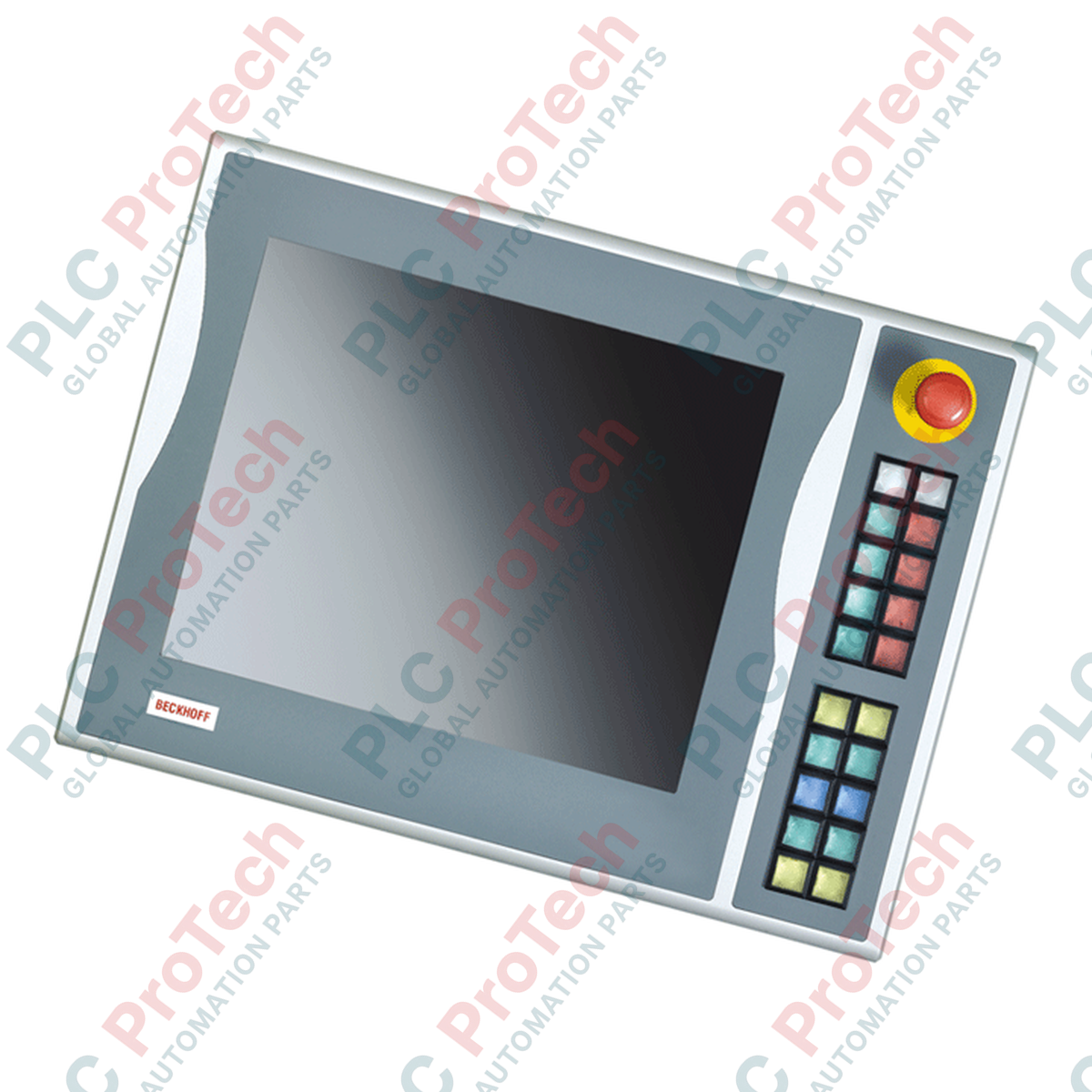
Designed for seamless integration with industrial operator interfaces, the Beckhoff **C9900-E825** serves as a rugged **push-button extension** for CP6x03-00xx and CP7x03-00xx Control Panels and Panel PCs. Engineered specifically for 15-inch displays without integrated keyboards, this right-side mounted extension panel provides operators with direct, tactile control over critical machine functions without occupying valuable screen space.

The unit features 20 high-quality Siemens Signum square push-buttons (30 x 30 mm), each equipped with an integrated signal lamp for clear status feedback. For safety-critical operations, a dedicated Siemens Signum emergency stop button is integrated directly into the layout. The extension utilizes a dual-connection topology: primary push-button signals and indicator light controls are transmitted digitally via a USB interface, while a secondary set of normally-open (NO) contacts and the emergency stop switch are routed to a hardwired terminal row for direct integration into safety relays and PLC input cards.

Features

  • Right-Side Integration: Specifically dimensioned and configured for mounting on the right side of 15-inch Beckhoff Control Panels.
  • Tactile Operator Controls: Equipped with 20 Siemens Signum square (30 x 30 mm) push-buttons with integrated signal lamps.
  • Dedicated Safety Control: Includes 1 Siemens Signum emergency stop button designed for direct, hardwired safety circuit integration.
  • Dual-Channel Connectivity: Features USB transmission for primary control signals and indicator lights, alongside a physical terminal row for secondary hardwired connections.
  • Customizable Labeling: Insertable labels for push-button caps allow for clear, application-specific marking of control functions.

Applications

  • Industrial machine tool control panels
  • Automotive assembly line HMI stations
  • Process automation manual override consoles
  • Custom operator control enclosures requiring physical safety interfaces

Technical Specifications

Manufacturer Beckhoff Automation
Part Number / Model C9900-E825
Compatible Hardware Beckhoff CP6x03-00xx and CP7x03-00xx (15-inch displays without keyboard)
Mounting Position Right side of the Control Panel / Panel PC
Push-Buttons 20 x Siemens Signum square keys (30 x 30 mm) with signal lamps
Emergency Stop 1 x Siemens Signum emergency stop key, directly wireable
Primary Interface USB (transmits 1 x NO contact per button; controls all indicator lights)
Secondary Interface Terminal row (directly wireable second NO contact per button)
Shipping Weight 5.0 kg

Connections and Interfaces

Interface Port / Terminal Function Description
USB Port Primary communication to host PC; transmits button presses (1st NO contact) and receives control signals for indicator lamps.
Terminal Row Direct hardwired connection point for secondary normally-open (NO) contacts of the 20 push-buttons.
Emergency Stop Terminals Dedicated, isolated terminals for direct integration of the E-stop switch into external safety monitoring relays.

Installation Guidelines

  • Mechanical Mounting: Align the extension housing with the right-side mounting channels of the compatible 15-inch Beckhoff Control Panel. Secure using the specified mounting screws to ensure structural rigidity and maintain the environmental seal.
  • USB Connection: Connect the integrated USB interface cable directly to an available USB port on the host Panel PC or Control Panel. Ensure the cable is routed away from high-voltage AC lines to prevent signal interference.
  • Hardwiring: For safety-critical loops (including the emergency stop and secondary NO contacts), route discrete wiring from the terminal row to your safety controller or PLC I/O modules. Use appropriate wire ferrules and torque terminals to specification.
  • Grounding: Ensure the metal chassis of the push-button extension is electrically bonded to the main control cabinet ground to mitigate electromagnetic noise.

Compliance and Certifications

  • CE
Loading product navigation…

Which Control Panels are compatible with the Beckhoff C9900-E825?

The C9900-E825 is designed specifically for Beckhoff CP6x03-00xx and CP7x03-00xx Control Panels and Panel PCs with 15-inch displays without keyboards.

How are the push-buttons and indicator lights connected to the system?

All push-buttons transmit their primary normally-open (NO) contact signals via USB, and the indicator lights are controlled exclusively via USB. Additionally, a second NO contact for each button is available on a terminal row for direct hardwiring.

Is the emergency stop button wired via USB?

No, the Siemens Signum emergency stop button is designed for direct, hardwired connection to your safety circuit via the terminal row to meet safety standards.

Global Express Shipping

  • Standard Delivery: 4-6 Business Days via DHL, FedEx, and UPS.
  • Express Dispatch: Same-day dispatch for in-stock orders placed before 2:00 PM (GMT+8).
  • Worldwide Coverage: Serving over 150 countries, including rapid delivery to Saudi Arabia and UAE.

Returns & Warranty

  • 30-Day Guarantee: Returns accepted for in-stock products in original, factory-sealed packaging.
  • 12-Month Warranty: Every industrial component is backed by our professional technical warranty.

Orders are processed and delivered Monday-Friday (excluding public holidays).


For full eligibility, restocking fees, and international return details, please view our official Refund & Return Policy .

TECHNICAL SPECIFICATIONS

Country of origin
Germany

Recently Viewed Products

Technical knowledge

Boolean Logic in PLC Programming: Understanding FBD Logic Gates

Boolean logic is the foundation of every PLC program. From simple machine controls to complex industrial automation systems, logic gates determine how controllers respond to changing inputs and...

Deep-Dive Guide to Industrial Firewalls and OT Network Segmentation

Industrial firewalls play a critical role in OT cybersecurity, protecting PLC, DCS, and SCADA networks through segmentation, ingress/egress control, and IDS/IPS integration aligned with IEC 62443...

Guide to Robotic Grippers: From Delicate Handling to Heavy-Duty Automation

Modern robotic grippers are evolving beyond traditional mechanical jaws. From gecko-inspired adhesive systems and soft food-grade grippers to AI-powered warehouse tools, advanced gripping...

Throwback: How Early Electric Motors Changed Underground Mining

From rope-driven DC compressors to battery-powered mine carts, early mining operations marked a turning point in industrial electrification. This article explores how electric motors transformed...

Factory I/O: A Modern PLC Simulation Tool for Industrial Automation Training

Factory I/O is transforming PLC education by delivering immersive 3D industrial simulations for students, engineers, and maintenance teams. The platform bridges the gap between theory and real-world...

Programming Single-Axis Motion Cycles on a CMZ Servo Drive

This tutorial examines how onboard PLC functionality inside a CMZ SBD servo drive can execute standalone motion programs, including homing logic, position control, and cyclic axis movement without an...