


Implementing 3-Switch XOR Ladder Logic with Internal Bit
Implement a 3-SPST switch XOR light circuit in LogixPro or RSLogix 500 using an internal relay bit. Includes truth tables, boolean equations, and verified.

Designed for direct integration into machine control enclosures, the Beckhoff CP6603-0020-0020 Built-In Panel PC combines a high-performance ARM Cortex-A8 1 GHz processor with a 5.7-inch display to deliver dedicated visualization and control. This fanless device functions as a compact, industrial-grade operator interface, featuring a 5.7-inch active matrix TFT display with 640 x 480 VGA resolution and single-finger analog resistive touch technology. Designed with a robust aluminum front bezel and sheet-steel rear cover, it withstands demanding plant floor environments. The integrated 128 kByte NOVRAM ensures non-volatile data storage during power disruptions, backed by a capacitive 1-second UPS. Running Windows Embedded Compact 7, the CP6603-0020-0020 serves as an ideal hardware platform for TwinCAT 2 and TwinCAT 3 PLC and Motion Control runtimes (Performance Class 30).
| Parameter | Specification |
|---|---|
| Manufacturer | Beckhoff Automation |
| Model Number | CP6603-0020-0020 |
| Processor | ARM Cortex-A8, 1 GHz (TwinCAT Performance Class 30) |
| System Memory | 1 GB DDR3 RAM |
| Display Size & Resolution | 5.7-inch TFT, 640 x 480 VGA |
| Touch Technology | Single-touch analog resistive |
| Persistent Memory | 128 kByte NOVRAM |
| Interfaces | 1 x RJ45 10/100Base-T Ethernet, 1 x RJ45 EtherCAT, 2 x USB 2.0, 1 x RS232 |
| Storage Slot | 1 x microSD slot (supports up to 16 GB; default 512 MB included) |
| Power Supply | 24 V DC (-15 percent / +20 percent) |
| UPS Technology | Capacitive 1-second UPS (retains NOVRAM variables) |
| Operating System | Windows Embedded Compact 7 (English) |
| Protection Rating | Front IP65, Rear IP20 |
| Operating Temperature | 0 to 55 degC (ambient operating) |
| Country of Origin | Germany |
| Shipping Weight | 5.0 kg (including secure transit packaging) |
| Port / Interface | Connection Type | Function |
|---|---|---|
| Power Input | 3-pin removable screw terminal | 24 V DC power supply connection plus functional ground |
| Ethernet (LAN) | RJ45 (10/100Base-T) | Upper-level network, host integration, or Modbus TCP communication |
| EtherCAT | RJ45 | Direct EtherCAT network connection to field devices and couplers |
| USB Ports | 2 x USB 2.0 Type A | Peripheral connection (keyboard, mouse, flash drives) |
| COM1 | D-sub 9-pin, male | RS232 serial communication interface |
The CP6603 series features several configurations. The CP6603-0020-0020 is specifically configured with Windows Embedded Compact 7. When substituting an older unit running Windows CE 6 (such as the CP6603-0000-0000), check your custom compiled C++ or .NET visual software dependencies, as DLL targets may require recompilation for WEC7 compatibility.
Because this is a passively cooled, fanless Panel PC, keeping physical clearances around the sheet-steel rear cover is critical. In tight, unventilated control boxes, heat build-up can lead to CPU throttling. Always maintain at least 50 mm of free air space above and below the rear enclosure. Also, while the system features a 1-second UPS, this UPS is capacitive and designed strictly to write non-volatile data from RAM to the NOVRAM; it does not sustain full OS operation during long power outages.
To ensure stable communication on the EtherCAT interface, do not route the RJ45 fieldbus cables parallel to high-voltage AC motor lines. Always ground the Panel PC chassis directly to the main mounting plate using a low-impedance ground strap connected to the designated ground lug on the rear of the unit. This step prevents high-frequency electrical noise from disrupting the resistive touch panel sensor.
CRITICAL WARNING:
Isolate and lock out all 24 V DC power sources before starting physical mounting or wiring tasks. Touching live electrical terminations can damage internal electronic circuits and lead to physical equipment malfunctions.
Prepare a cutout in the front panel of the control cabinet. Ensure the cutout dimensions match the panel physical requirements, deburring all rough edges to ensure a reliable seal.
Carefully insert the Panel PC into the cutout from the front, ensuring the front sealing gasket sits flat and flush against the outer cabinet face.
From the rear, mount and engage the pull-out clamping levers. Tighten them evenly to compress the front gasket for full IP65 ingress protection.
Wire the 24 V DC power connector, ensuring proper polarity. Terminate the functional ground conductor directly to the chassis ground connection before energizing the system.
Global Express Shipping
Returns & Warranty


Manufacturer: BECKHOFF
Product No.: CP6603-0020-0020
Country of origin:Germany
Product Type: Built-in Panel PCs
Payment: T/T, Western Union
Weight: 500g
Shipping port: Xiamen
Warranty: 12 months
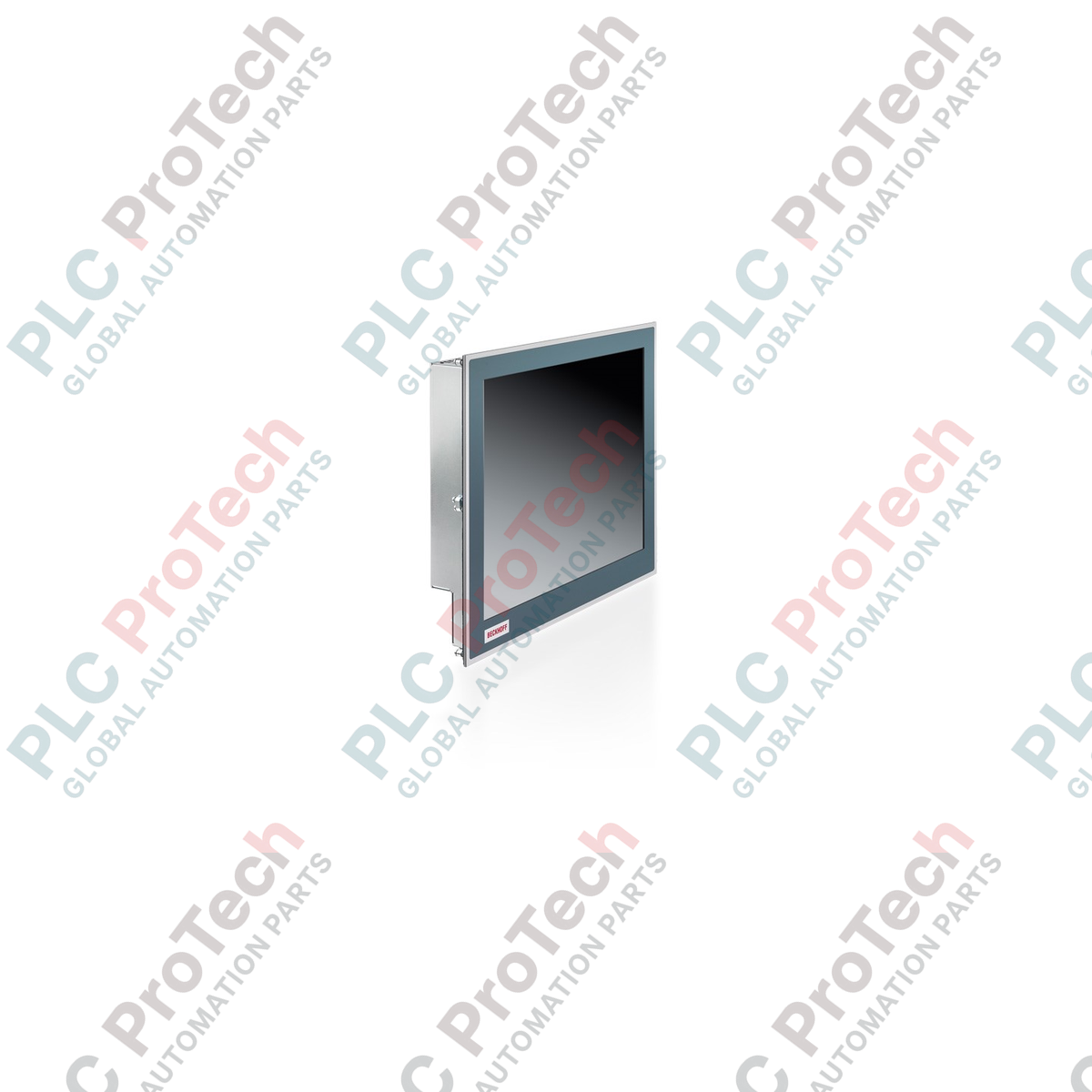
Designed for direct integration into machine control enclosures, the Beckhoff CP6603-0020-0020 Built-In Panel PC combines a high-performance ARM Cortex-A8 1 GHz processor with a 5.7-inch display to deliver dedicated visualization and control. This fanless device functions as a compact, industrial-grade operator interface, featuring a 5.7-inch active matrix TFT display with 640 x 480 VGA resolution and single-finger analog resistive touch technology. Designed with a robust aluminum front bezel and sheet-steel rear cover, it withstands demanding plant floor environments. The integrated 128 kByte NOVRAM ensures non-volatile data storage during power disruptions, backed by a capacitive 1-second UPS. Running Windows Embedded Compact 7, the CP6603-0020-0020 serves as an ideal hardware platform for TwinCAT 2 and TwinCAT 3 PLC and Motion Control runtimes (Performance Class 30).
| Parameter | Specification |
|---|---|
| Manufacturer | Beckhoff Automation |
| Model Number | CP6603-0020-0020 |
| Processor | ARM Cortex-A8, 1 GHz (TwinCAT Performance Class 30) |
| System Memory | 1 GB DDR3 RAM |
| Display Size & Resolution | 5.7-inch TFT, 640 x 480 VGA |
| Touch Technology | Single-touch analog resistive |
| Persistent Memory | 128 kByte NOVRAM |
| Interfaces | 1 x RJ45 10/100Base-T Ethernet, 1 x RJ45 EtherCAT, 2 x USB 2.0, 1 x RS232 |
| Storage Slot | 1 x microSD slot (supports up to 16 GB; default 512 MB included) |
| Power Supply | 24 V DC (-15 percent / +20 percent) |
| UPS Technology | Capacitive 1-second UPS (retains NOVRAM variables) |
| Operating System | Windows Embedded Compact 7 (English) |
| Protection Rating | Front IP65, Rear IP20 |
| Operating Temperature | 0 to 55 degC (ambient operating) |
| Country of Origin | Germany |
| Shipping Weight | 5.0 kg (including secure transit packaging) |
| Port / Interface | Connection Type | Function |
|---|---|---|
| Power Input | 3-pin removable screw terminal | 24 V DC power supply connection plus functional ground |
| Ethernet (LAN) | RJ45 (10/100Base-T) | Upper-level network, host integration, or Modbus TCP communication |
| EtherCAT | RJ45 | Direct EtherCAT network connection to field devices and couplers |
| USB Ports | 2 x USB 2.0 Type A | Peripheral connection (keyboard, mouse, flash drives) |
| COM1 | D-sub 9-pin, male | RS232 serial communication interface |
The CP6603 series features several configurations. The CP6603-0020-0020 is specifically configured with Windows Embedded Compact 7. When substituting an older unit running Windows CE 6 (such as the CP6603-0000-0000), check your custom compiled C++ or .NET visual software dependencies, as DLL targets may require recompilation for WEC7 compatibility.
Because this is a passively cooled, fanless Panel PC, keeping physical clearances around the sheet-steel rear cover is critical. In tight, unventilated control boxes, heat build-up can lead to CPU throttling. Always maintain at least 50 mm of free air space above and below the rear enclosure. Also, while the system features a 1-second UPS, this UPS is capacitive and designed strictly to write non-volatile data from RAM to the NOVRAM; it does not sustain full OS operation during long power outages.
To ensure stable communication on the EtherCAT interface, do not route the RJ45 fieldbus cables parallel to high-voltage AC motor lines. Always ground the Panel PC chassis directly to the main mounting plate using a low-impedance ground strap connected to the designated ground lug on the rear of the unit. This step prevents high-frequency electrical noise from disrupting the resistive touch panel sensor.
CRITICAL WARNING:
Isolate and lock out all 24 V DC power sources before starting physical mounting or wiring tasks. Touching live electrical terminations can damage internal electronic circuits and lead to physical equipment malfunctions.
Prepare a cutout in the front panel of the control cabinet. Ensure the cutout dimensions match the panel physical requirements, deburring all rough edges to ensure a reliable seal.
Carefully insert the Panel PC into the cutout from the front, ensuring the front sealing gasket sits flat and flush against the outer cabinet face.
From the rear, mount and engage the pull-out clamping levers. Tighten them evenly to compress the front gasket for full IP65 ingress protection.
Wire the 24 V DC power connector, ensuring proper polarity. Terminate the functional ground conductor directly to the chassis ground connection before energizing the system.
| Product Image | Model Number / Title | Condition | Availability | Action |
|---|---|---|---|---|

|
Allen-Bradley 2711P-T15C4D9 PanelView Plus 6 Terminal | Original New | In Stock | View Details |
Global Express Shipping
Returns & Warranty
Orders are processed and delivered Monday-Friday (excluding public holidays).
For full eligibility, restocking fees, and international return details, please view our official Refund & Return Policy .
| Country of origin |
Germany
|

Implement a 3-SPST switch XOR light circuit in LogixPro or RSLogix 500 using an internal relay bit. Includes truth tables, boolean equations, and verified.

Integrate Allen-Bradley CompactLogix, Caterpillar ATS, and generators into DeltaV DCS over Modbus RTU. Covers ProSoft MVI69-MCM, Miille DIN266 gateways.

ONS instruction fires but the OTE coil never latches in Studio 5000 because the one-shot is only true for one scan. Use OTL/OTU or seal-in logic instead.

Configure Allen-Bradley Kinetix 5500 servo drives on EtherNet/IP. Covers CIP Sync, IEEE 1588 V2 timing, Stratix selection, DLR topology, and HMI.

A moving-average filter is the sliding-window smoother most instrument engineers drop into DCS and PLC analog paths. Here is how the window works, how N and sample time set lag, and when a...

On Frame 5–9 gas turbines, GE Mark VI and Mark VIe run control as function-block application software. This article maps process, protection, and sequencing functions—and what Toolbox ST access...