Description
The Siemens
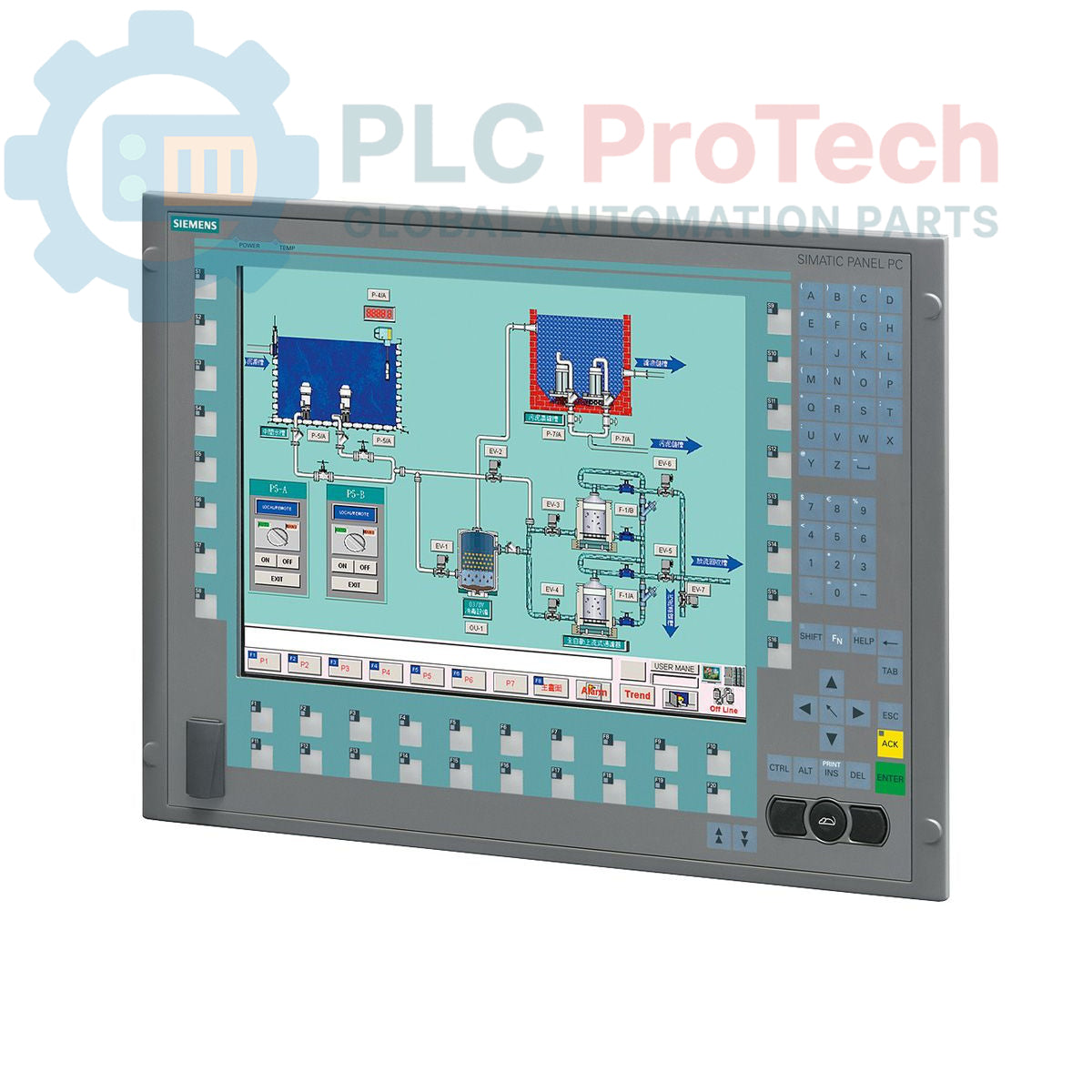
6AV7873-0BA22-1AC0 is a SIMATIC Panel PC 677B designed for industrial Human Machine Interface (HMI) and control applications. This integrated panel PC features a 15-inch key display with a resolution of 1024 x 768 pixels and includes a front-side USB interface for convenient access. It is equipped with a Celeron M440/1.86 GHz processor, 1 GB of DDR2 RAM, and a RAID1 configuration with two 250 GB SATA (2.5") hard drives, alongside a DVD+-R+-RW optical drive. Connectivity options include two 10/100/1000 Mbit/s Ethernet ports, four USB V2.0 ports, one serial (COM1) interface, and a PROFIBUS/MP connection. The unit operates on an AC 110/230V power supply unit with NAMUR support and comes with a power supply cable for Europe. It is pre-installed with Windows XP Professional MUI, supporting multiple languages.
Features
- 15-inch Key display with 1024 x 768 resolution
- Integrated Celeron M440/1.86 GHz processor with 1 MB SLC
- 1 GB DDR2 RAM
- RAID1 configuration with 2x 250 GB SATA (2.5") hard drives
- DVD+-R+-RW optical drive
- 2x 10/100/1000 Mbit/s Ethernet interfaces
- 4x USB V2.0 ports (including front-side USB)
- 1x serial (COM1) interface
- PROFIBUS/MP interface
- 2 MB buffered SRAM
- Pre-installed Windows XP Professional MUI (de,en,fr,es,it,ja,zh,ko)
- AC 110/230V power supply unit with NAMUR support
- Includes power supply cable for Europe
- 2x PCI expansion slots
Applications
The Siemens SIMATIC Panel PC 677B is suitable for a wide range of industrial automation and control tasks, including:
- Machine operation and visualization
- Process control and monitoring
- Data acquisition and logging
- Human Machine Interface (HMI) for complex systems
- Industrial workstation for manufacturing environments
Technical Specifications
| Attribute |
Specification |
| Brand |
Siemens |
| Manufacturer |
Siemens |
| Range |
Simatic Panel PC |
| Subrange |
PC677B |
| Product Type |
PC panels |
| Product Phase |
Obsolete |
| Processor |
Celeron M440/1.86 GHz |
| L2 Cache |
1 MB SLC |
| RAM |
1 GB DDR2 |
| Storage |
RAID1, 2x 250 GB SATA (2.5") |
| Optical Drive |
DVD+-R+-RW |
| Operating System |
Windows XP Prof. MUI (de,en,fr,es,it,ja,zh,ko) |
| Display Size |
15 inch |
| Display Type |
Key |
| Display Resolution |
1024 x 768 |
| Ethernet Ports |
2x 10/100/1000 Mbit/s |
| USB Ports |
4x USB V2.0 (including front-side interface) |
| Serial Ports |
1x (COM1) |
| Fieldbus Interface |
PROFIBUS/MP |
| Expansion Slots |
2x PCI |
| Buffered SRAM |
2 MB |
| Power Supply Input |
110/230 V AC |
| Power Supply Unit |
With NAMUR support |
| Power Cable |
Europe |
| Package Dimensions (Calculated) |
67.00 x 83.00 x 11.50 cm |
| Shipping Weight |
17.00 kg |
| Commodity Code |
84714100 |
| Export Control Regulations (ECCN) |
5D992 |
| Country of Origin |
Not specified |
Connections / Interfaces
| Interface Type |
Quantity / Standard |
| Ethernet |
2x 10/100/1000 Mbit/s |
| USB |
4x USB V2.0 (including front-side) |
| Serial |
1x (COM1) |
| Fieldbus |
PROFIBUS/MP |
| Expansion |
2x PCI slots |
Installation Guidelines
-
De-energize System: Ensure all power to the installation area and associated equipment is disconnected and locked out before beginning any work.
-
Mounting: Securely mount the Panel PC in its designated panel cutout or enclosure, ensuring proper ventilation and access to interfaces.
-
Power Connection: Connect the AC 110/230V power supply cable to the unit's power input. Verify correct voltage and polarity. Ensure the NAMUR-compatible power supply unit is correctly integrated if applicable.
-
Grounding: Establish a robust protective earth (PE) connection to the Panel PC chassis to ensure electrical safety and minimize electromagnetic interference.
-
Interface Connections: Connect Ethernet cables to the 10/100/1000 Mbit/s ports, USB devices to the USB V2.0 ports (utilizing the front-side port for convenience), and serial devices to the COM1 port as required. Connect PROFIBUS/MP cables according to network topology.
-
Cable Routing: Route all cables to prevent strain, sharp bends, and interference with other components. Use appropriate cable glands and strain relief.
-
Environmental Considerations: Ensure the operating environment meets the specified temperature, humidity, and vibration requirements for industrial PC equipment. Avoid direct exposure to excessive dust, moisture, or corrosive agents.
-
Initial Startup: After all connections are verified, re-energize the system. Follow the operating system's initial setup procedures for Windows XP Professional.