Deskripsi
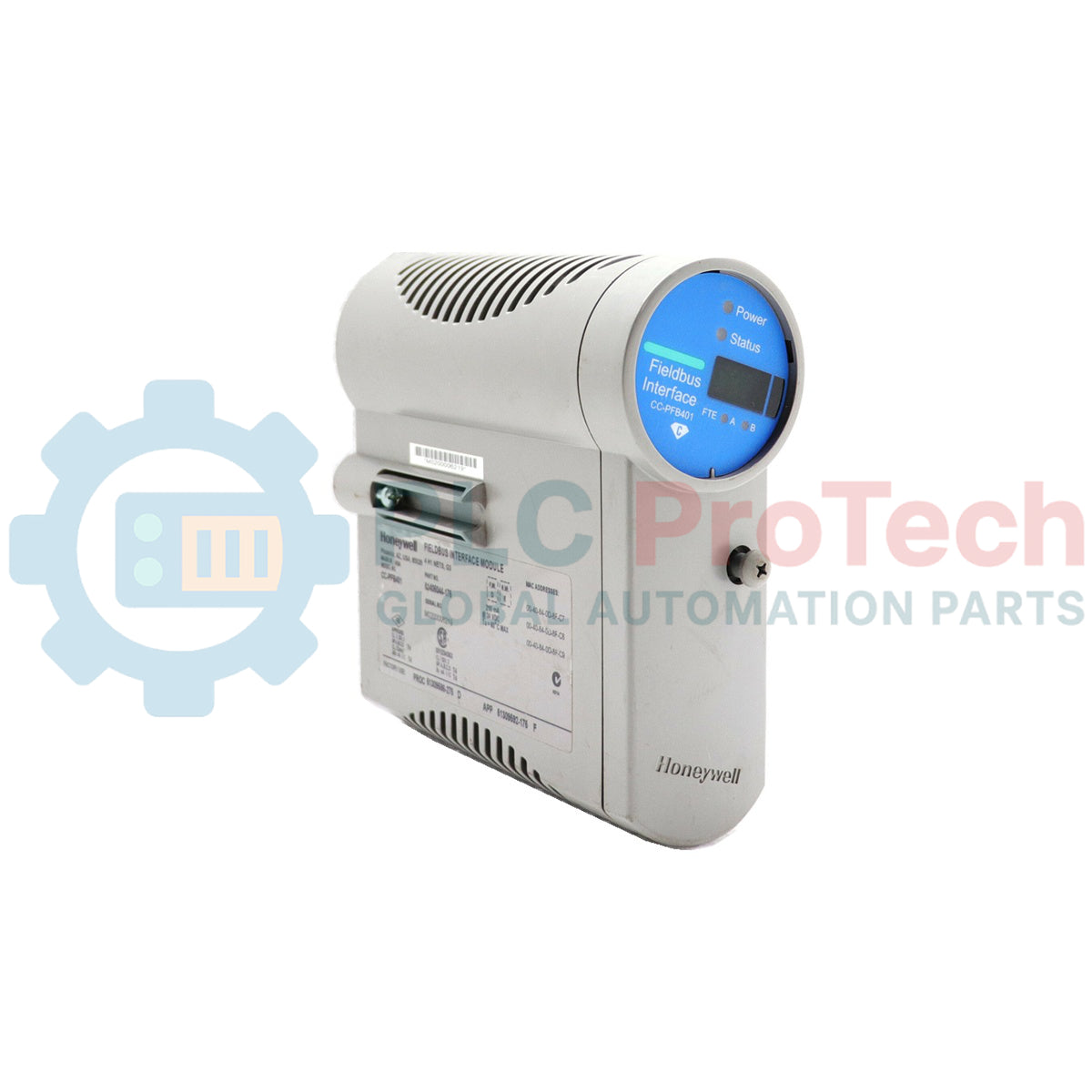
Menjalin tautan komunikasi kritis antara pengendali Experion PKS dan instrumentasi tingkat lapangan, Honeywell CC-PFB401 adalah Modul Antarmuka Fieldbus Seri C khusus. Perangkat keras ini berinteraksi langsung dengan jaringan FOUNDATION Fieldbus H1, memungkinkan integrasi mulus instrumen proses ke dalam arsitektur sistem kontrol terdistribusi (DCS). Menawarkan transmisi variabel proses, diagnostik, dan data konfigurasi yang andal dan deterministik, mendukung topologi kontrol mandiri maupun redundan yang sangat tersedia.
Fitur Utama
-
Arsitektur Multi-Saluran: Mengkoordinasikan hingga empat jaringan fisik H1 FOUNDATION Fieldbus secara bersamaan pada satu modul.
-
Redundansi Fleksibel: Dapat diterapkan dalam konfigurasi non-redundan atau tata letak redundan berdampingan untuk instalasi yang sangat penting.
-
Kepadatan Perangkat Tinggi: Mendukung hingga 16 perangkat Fieldbus per jaringan H1, memaksimalkan pemanfaatan segmen fisik.
-
Makrosiklus yang Dapat Dikustomisasi: Periode eksekusi berkisar dari 250 ms hingga 32 detik untuk menyeimbangkan kebutuhan bandwidth dan eksekusi.
-
Form Faktor Seri C: Dirancang untuk pemasangan pembawa tegak, memastikan aliran udara vertikal yang optimal dan ketahanan termal tinggi di dalam enclosure sistem.
Aplikasi Industri
- Segmen komunikasi lapangan sistem Experion PKS Seri C.
- Sistem kontrol pabrik proses kimia, petrokimia, dan penyulingan.
- Integrasi perangkat lapangan pintar multivariabel, posisi, dan pemancar.
- Jaringan instrumentasi area berbahaya yang memerlukan penghalang keselamatan intrinsik.
Spesifikasi Teknis
| Parameter |
Nilai Spesifikasi |
| Produsen |
Honeywell |
| Nomor Model |
CC-PFB401 |
| Jenis Modul |
Modul Antarmuka Fieldbus Seri C (FIM) |
| Antarmuka Fisik |
H1 FOUNDATION Fieldbus |
| Jumlah Jaringan H1 |
4 saluran per modul |
| Perangkat Maksimum per Segmen |
16 perangkat |
| Konfigurasi Redundansi |
Non-redundan atau Redundan (berdampingan) |
| Periode Makrosiklus Tersedia |
250 ms, 500 ms, 1 s, 2 s, 4 s, 8 s, 16 s, 32 s |
| Berat Pengiriman (Dihitung) |
3 kg (6,6 lbs) |
Wawasan Rekayasa Empiris
Model Alternatif & Kompatibilitas
CC-PFB401 biasanya digunakan pada rakitan terminasi input/output Seri C khusus (IOTA), seperti modul CC-TFB411 (non-redundan) atau CC-TFB412 (redundan). Pastikan rilis perangkat lunak sistem Experion PKS Anda sesuai dengan revisi firmware modul untuk mencegah kesalahan laju eksekusi atau alarm ketidaksesuaian konfigurasi.
Perangkap Aplikasi & Catatan Teknik
Saat merancang jaringan yang mencapai batas maksimum 16 perangkat per segmen H1, perhatikan kapasitas kondisioner catu daya dengan cermat. Penurunan tegangan pada jarak kabel yang panjang dapat mencegah perangkat hilir mencapai tegangan operasi minimum. Untuk loop kontrol yang sangat reaktif, hindari menetapkan waktu eksekusi makrosiklus lebih rendah dari waktu eksekusi kumulatif semua blok fungsi yang dikonfigurasi pada segmen fisik tersebut.
Tips Komisioning & Pengkabelan
Selalu terapkan terminasi fisik segmen di kedua ujung jaringan H1 (biasanya satu terminator aktif di catu daya fieldbus dan satu di kotak sambungan lapangan). Jangan pernah membiarkan segmen tidak terterminasi, karena pantulan sinyal frekuensi tinggi akan merusak gelombang digital, menyebabkan perangkat terputus sesaat dan status PV yang buruk.
Pedoman Instalasi
PERINGATAN KRITIS
Matikan semua panel distribusi daya lapangan utama sebelum memasang, melepas, atau mengubah kabel pada rakitan CC-PFB401. Pelepasan statis dapat merusak sirkuit transceiver internal sensitif FIM. Gunakan tali pengaman pelepasan elektrostatik (ESD) sebelum menangani sistem.
1
Periksa pin konektor pembawa IOTA untuk kotoran atau kerusakan fisik sebelum mengunci modul CC-PFB401 di tempatnya.
2
Ratakan modul pada jalur panduan pembawa kabinet vertikal dan tekan dengan kuat hingga kunci plastik mengunci pada posisinya.
3
Tanamkan pelindung kabel segmen dengan aman hanya di terminal strip IOTA. Pastikan ground chassis perangkat lapangan terisolasi dari jalur pelindung untuk mencegah arus loop ground.
4
Nyalakan rak pengontrol, pantau LED status, dan unduh konfigurasi sistem melalui utilitas Experion Control Builder.