


IC693CPU360 vs IC693CPU364: Ethernet and Power Budget
Compare the IC693CPU360 and IC693CPU364 by Ethernet interface, +5 VDC load, memory, rack limits, and replacement checks.
Manufacturer: BECKHOFF
Product No.: C9900-E748
Country of origin:Germany
Product Type: Push-button Extensions
Payment: T/T, Western Union
Weight: 5000g
Dimensions: drawings with dimensions of the push-button e x tensions as AutoCAD DXF file
Shipping port: Xiamen
Warranty: 12 months
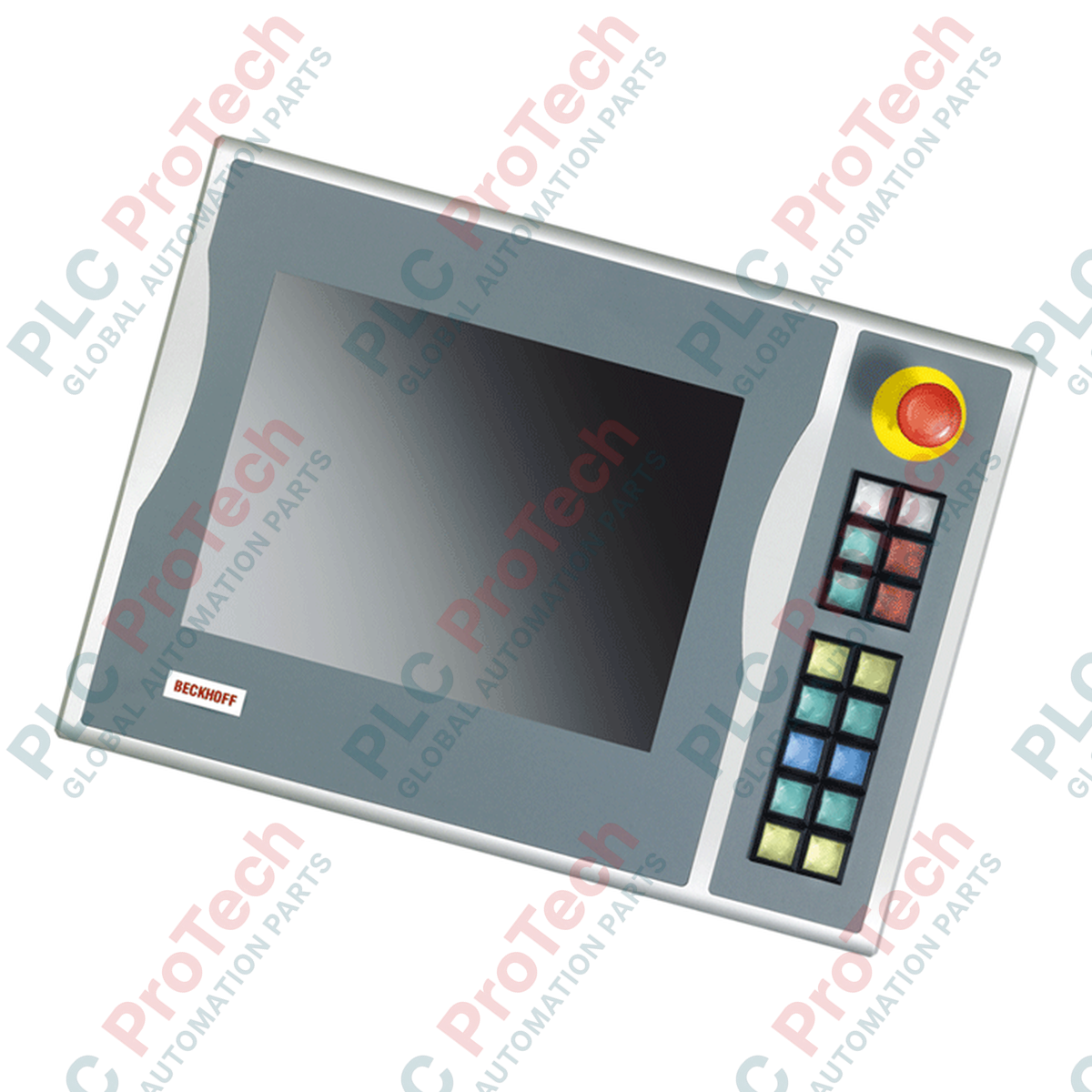
Integrating physical tactile controls directly alongside industrial visual interfaces, the Beckhoff C9900-E748 provides local machine operator interfaces for compatible 15-inch display configurations. This push-button extension is designed to mount on the right-hand side of CP6xxx and CP7xxx series Control Panels and Panel PCs, specifically matching models without integrated hardware keyboards. By adding functional hardware controls to industrial HMI terminals, the assembly provides immediate tactile responses for critical machine commands without occupying display screen space.
The unit features 16 Siemens Signum square push-button keys, each measuring 30 x 30 mm and featuring an integrated signal lamp. Customizable slip-in labels allow operators to mark each push-button with application-specific symbols or text. For safety-critical stopping procedures, a dedicated Siemens Signum emergency stop pushbutton is located directly on the faceplate, engineered to support physical, independent safety circuits.
Communication architectures on the module utilize twin connection profiles. Button state transmissions are processed digitally over a CP-Link or USB bus interface utilizing a primary normally-open (NO) contact logic. For redundant signals or localized hardwiring, a terminal row allows all 16 push-buttons to be integrated physically using a second, independent normally-open (NO) contact. Commands to illuminate the integrated signal lamps are transmitted exclusively through the digital CP-Link or USB communication interface.
| Manufacturer | BECKHOFF |
| Part Number / Model | C9900-E748 |
| Compatible Displays | 15-inch Control Panels / Panel PCs without keyboards (e.g., CP6x02-00xx, CP7x02-00xx) |
| Mounting Location | Right side |
| Control Elements | 16 square push-buttons (30 x 30 mm, Siemens Signum), 1 Emergency Stop button (Siemens Signum) |
| Communication Interface | CP-Link or USB |
| Contact Configuration | 1st NO contact (via CP-Link/USB), 2nd NO contact (via terminal row) |
| Signaling Lights | 16 signal lamps controlled over CP-Link/USB only |
| Shipping Weight | 5 kg |
| Interface / Connector Type | Function Description |
|---|---|
| CP-Link / USB Interface Connection | Transmits primary push-button signals (1st NO contact) and controls all integrated signal lamps. |
| Terminal Row Block | Provides physical wire connection points for secondary normally-open (NO) push-button contacts. |
| Emergency Stop Terminals | Direct physical wire connection for the integrated Emergency Stop button. |

Global Express Shipping
Returns & Warranty
Global Express Shipping
Returns & Warranty
Orders are processed and delivered Monday-Friday (excluding public holidays).
For full eligibility, restocking fees, and international return details, please view our official Refund & Return Policy .
| Country of origin |
Germany
|

Compare the IC693CPU360 and IC693CPU364 by Ethernet interface, +5 VDC load, memory, rack limits, and replacement checks.

A field-first diagnostic sequence for 1756-OF4 analog output problems: channel mode, removable terminal block, scaling, and controlled electrical checks.

A direct comparison of 1746-OA8 and 1746-OA16 output count, common grouping, backplane current and temperature-derated load limits.

A field checklist for recording the 1761-NET-DNI hardware series, firmware, EDS file, DF1 settings, DeviceNet address and messaging configuration before replacement.

The EL3062 is a 0–10 V EtherCAT terminal. The EL3062-0030 is a 0–30 V variant. This checklist covers identification, scaling and commissioning.

A field checklist for replacing Allen-Bradley 1769-OW8 relay output modules without losing load-group, wiring, and commissioning details.