BECKHOFF

BECKHOFF C9900-G024 Push-Button Extension for CP39xx Multi-Touch Panels

SKU C9900-G024

In stock
  • 12-month warranty
  • Free returns within 30 days
  • Manufacturer: BECKHOFF

  • Product No.: C9900-G024

  • Country of origin:Germany

  • Product Type: Control Panel Accessories

  • Payment: T/T, Western Union

  • Weight: 500g

  • Shipping port: Xiamen

  • Warranty: 12 months

Description

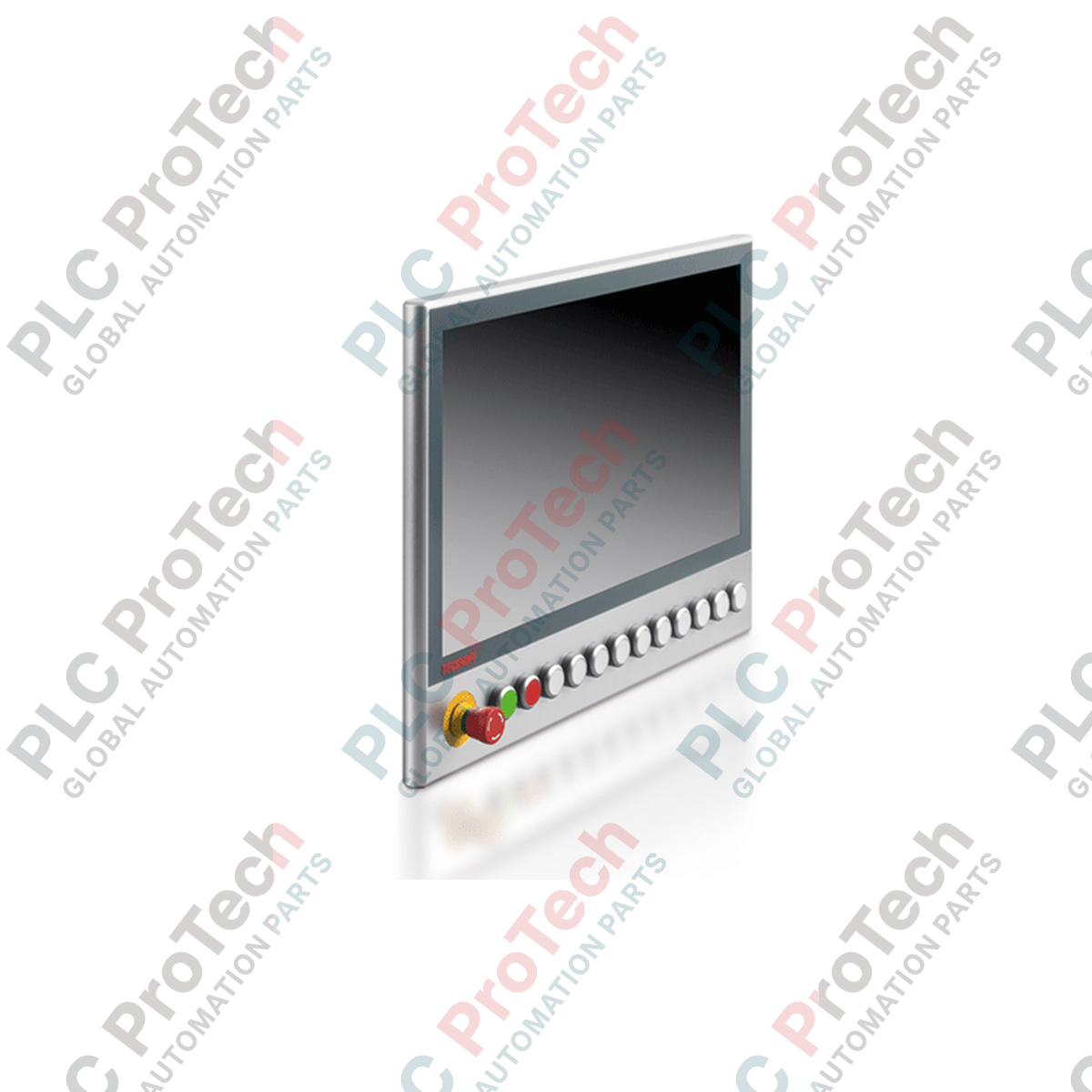
The BECKHOFF C9900-G024 is a push-button extension designed specifically for integration with CP39xx series multi-touch control panels equipped with a mounting arm. Engineered to expand the physical operator interface of industrial PC systems, this extension unit features a horizontal arrangement located below the main panel, providing ergonomic access to essential operator controls in machine building and plant automation environments.

This extension unit is constructed with integrated mechanical operator elements including push-button keys equipped with signal lamps and an emergency stop key, utilizing RAFI RAFIX 22FS+ series components. Signal transmission and power delivery for the internal switches and lamps are handled via internal USB connections and dedicated terminal strips, with cable routing managed securely through an M20 cable gland.

Features

  • Designed for direct integration with BECKHOFF CP39xx multi-touch panels featuring mounting arm configurations
  • Horizontal push-button extension layout positioned below the main display unit
  • Equipped with industrial-grade RAFI RAFIX 22FS+ round 30 mm push-button keys with integrated signal lamps
  • Includes one integrated emergency stop key utilizing RAFI RAFIX 22FS+ components
  • Dual interface architecture supporting switch contacts routed via USB and terminal strips
  • Emergency stop break contacts wired directly through the internal terminal strip
  • Includes physical labels for push-button caps to allow individual custom marking
  • Secure cable entry and routing provided via an integrated M20 cable gland

Applications

  • Industrial machine tool operation and control
  • Process automation and production line monitoring
  • Custom operator interface stations for BECKHOFF Panel PC systems
  • HMI control integration requiring hardwired emergency stop and manual override functions

Technical Specifications

General

Parameter Specification
Manufacturer BECKHOFF
Exact Model C9900-G024
Product Type Push-button extension
Compatibility BECKHOFF CP39xx multi-touch panels with mounting arm
Mounting Position Horizontal extension below the control panel
Country of Origin Germany

Operator Elements and Controls

Parameter Specification
Push-Button Type RAFI RAFIX 22FS+, round, 30 mm, with signal lamp
Emergency Stop 1 emergency stop key, type RAFI RAFIX 22FS+
Labeling Provided for push-button caps for individual marking

Electrical and Communication

Parameter Specification
Switch Contacts 1 switch contact via USB, 1 switch contact via terminal strip per push-button
Emergency Stop Contacts Break contacts via terminal strip
Signal Lamp Interface Via USB
Cable Entry M20 cable gland
Mounting Arm Connection Aluminum cable channel to mounting arm adapter on the backside

Installation Guidelines

  1. Ensure the control system and connected power supplies are completely de-energized before beginning mechanical installation or wiring work.
  2. Inspect the C9900-G024 unit and mounting arm components for any transport damage prior to assembly.
  3. Attach the push-button extension to the bottom of the CP39xx multi-touch panel using the designated mounting arm adapter and aluminum cable channel.
  4. Route all control and power cables safely through the M20 cable gland to protect conductors from strain and environmental exposure.
  5. Connect the switch contacts and signal lamp wiring to the internal USB interface and terminal strip according to the specific control system wiring layout.
  6. Verify the correct operation and continuity of the emergency stop break contacts via the terminal strip before applying system power.
  7. Perform a complete functional test of all push-buttons, signal lamps, and emergency stop circuits during system commissioning.

FAQ

What control panels are compatible with the BECKHOFF C9900-G024?

The BECKHOFF C9900-G024 push-button extension is specifically designed for seamless integration with BECKHOFF CP39xx series multi-touch control panels that feature a mounting arm configuration. It mounts horizontally directly below the main display unit to expand physical operator control interfaces. This setup provides ergonomic access to essential machine functions in demanding industrial automation environments.

What type of operator elements are used in this push-button extension?

The BECKHOFF C9900-G024 utilizes industrial-grade RAFI RAFIX 22FS+ round 30 mm components for its physical operator controls. Each unit includes push-button keys equipped with integrated signal lamps and one dedicated emergency stop key. Additionally, the unit comes with physical labels for the push-button caps to allow for individual custom marking.

How are the switch contacts and signal lamps wired on the BECKHOFF C9900-G024?

Signal transmission and power delivery for the BECKHOFF C9900-G024 internal switches and lamps are handled via dual interface architecture. Switch contacts can be routed through both an internal USB connection and dedicated terminal strips depending on the application requirements. The emergency stop break contacts are wired directly through the internal terminal strip for maximum safety reliability.

What provisions are included for cable routing and environmental protection?

The BECKHOFF C9900-G024 features a secure cable entry and routing system provided by an integrated M20 cable gland located on the backside. This design protects internal conductors from mechanical strain, sharp bends, and environmental exposure during operation. Cables are routed efficiently through an aluminum cable channel directly to the mounting arm adapter.

View all FAQs →

Quantity
Shipping & Returns

Global Express Shipping

  • Standard Delivery: 4–6 business days via DHL, FedEx, and UPS.
  • Express Dispatch: Same-day dispatch for in-stock orders placed before 2:00 PM (GMT+8).
  • Worldwide Coverage: Serving over 150 countries.

Returns & Warranty

  • 30-Day Guarantee: Returns accepted for in-stock products in original, factory-sealed packaging.
  • 12-Month Warranty: Every industrial component is backed by our technical warranty.
Reviews
1 of 1
Only 10 item(s) left in stock
Quantity
View full details

Global Express Shipping

  • Standard Delivery: 4-6 Business Days via DHL, FedEx, and UPS.
  • Express Dispatch: Same-day dispatch for in-stock orders placed before 2:00 PM (GMT+8).
  • Worldwide Coverage: Serving over 150 countries, including rapid delivery to Saudi Arabia and UAE.

Returns & Warranty

  • 30-Day Guarantee: Returns accepted for in-stock products in original, factory-sealed packaging.
  • 12-Month Warranty: Every industrial component is backed by our professional technical warranty.

Orders are processed and delivered Monday-Friday (excluding public holidays).


For full eligibility, restocking fees, and international return details, please view our official Refund & Return Policy .

TECHNICAL SPECIFICATIONS

Country of origin
Germany

Technical knowledge

5069-L330ERMS2 Startup Checks: RTBs, I/O, and Motion Limits

Engineering checks for the Allen-Bradley 5069-L330ERMS2: controller capacity, separate RTB kits, local I/O limits, network-node limits, and motion-axis count.

Replacing ABB DSQC 351: Controller and Network Checks

Checks to record before replacing ABB 3HNE 00006-1 DSQC 351: controller generation, X3/X5/X20/X21 wiring, DeviceNet settings, INTERBUS mapping, and LED states.

IC693CPU360 vs IC693CPU364: Ethernet and Power Budget

Compare the IC693CPU360 and IC693CPU364 by Ethernet interface, +5 VDC load, memory, rack limits, and replacement checks.

1756-OF4 Output Wrong? Check Mode, RTB, and Scaling First

A field-first diagnostic sequence for 1756-OF4 analog output problems: channel mode, removable terminal block, scaling, and controlled electrical checks.

1746-OA8 vs 1746-OA16: Output Count and Current Limits

A direct comparison of 1746-OA8 and 1746-OA16 output count, common grouping, backplane current and temperature-derated load limits.

Replacing a 1761-NET-DNI: Capture These Settings First

A field checklist for recording the 1761-NET-DNI hardware series, firmware, EDS file, DF1 settings, DeviceNet address and messaging configuration before replacement.