


ABB PM891K01 Replacement: Check Redundancy Before Ordering
ABB PM891K01 article 3BSE053241R1 is the non-redundant AC 800M processor kit. Use this field checklist before replacement.
Manufacturer: BECKHOFF
Product No.: C9900-M406
Country of origin:Germany
Product Type: Keyboard Shelf
Payment: T/T, Western Union
Weight: 3000g
Dimensions: 520 x 300 x 200 mm
Shipping port: Xiamen
Warranty: 12 months
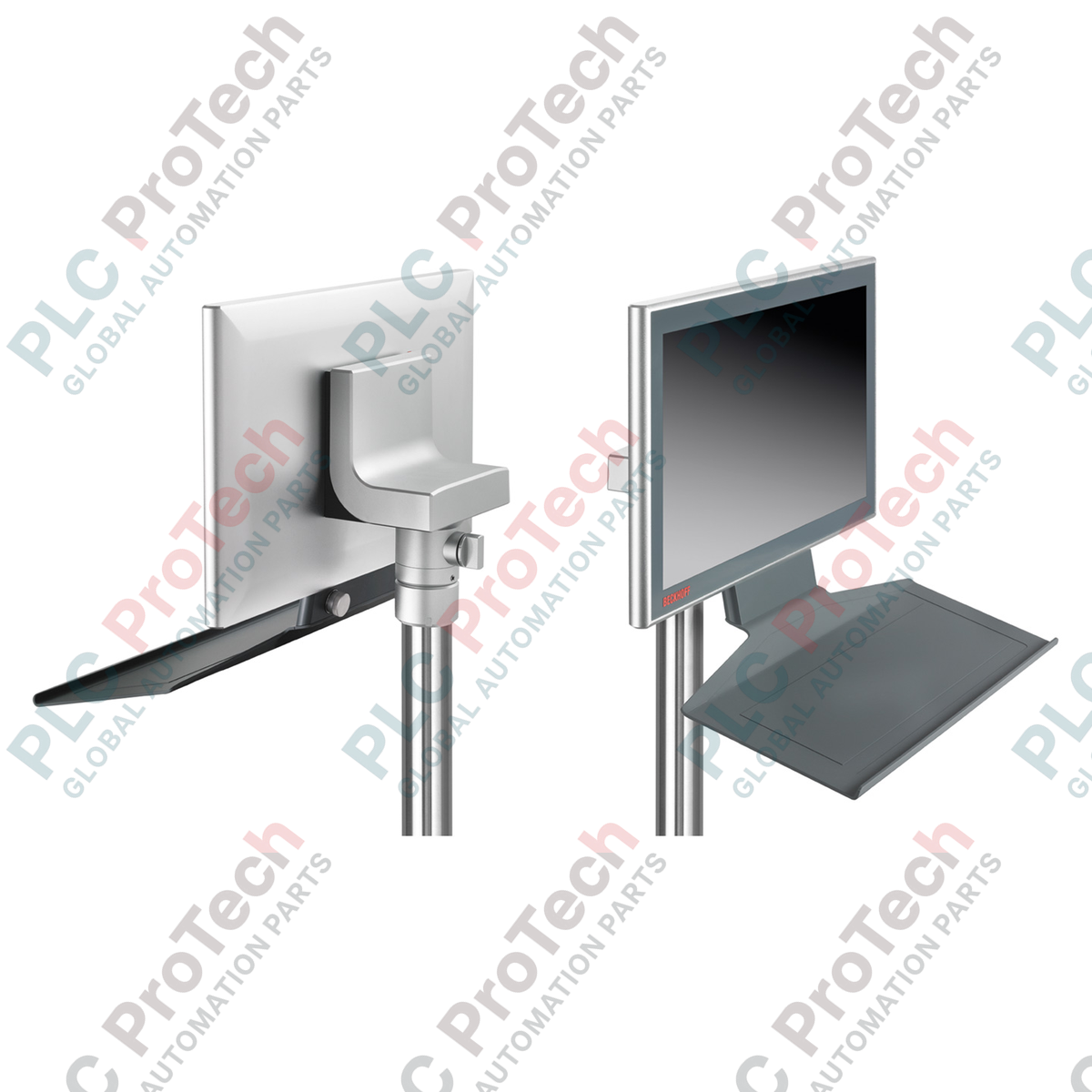
The BECKHOFF C9900-M406 is a keyboard shelf designed for CP3xxx multi-touch Control Panels and Panel PCs.
The shelf mounts below compatible CP3x12 through CP3x24 devices. It provides a working surface for a standard PC keyboard during commissioning, configuration, and software updates.
An integrated USB socket is located at the rear of the shelf for keyboard connection. The USB socket is specified with IP65 protection.
Excess keyboard USB cable can be wrapped around the bracket underneath the shelf. The coated aluminum construction matches the design of compatible Beckhoff Control Panels.
During normal machine operation, the C9900-M406 can also serve as a toolboard while the operator uses the multi-finger touch interface.
Keyboard and tool shelf for BECKHOFF CP3xxx operator panels
Mounts below compatible Control Panels and Panel PCs
Compatible with CP3x12 through CP3x24 configurations
Integrated rear USB socket for keyboard connection
IP65-rated USB socket at the rear
Underside bracket for managing excess keyboard cable
Coated aluminum construction
468 mm shelf width
Designed for commissioning and software-update workflows
Can provide a working surface for tools during machine operation
Keyboard placement during machine commissioning
Operator-panel configuration and maintenance
Software update procedures requiring keyboard access
Local engineering access at Panel PCs
Temporary keyboard use at multi-touch Control Panels
Tool placement during normal machine operation
| Parameter | Specification |
|---|---|
| Order identifier | C9900-M406 |
| Product | Toolboard for keyboard or tools |
| Installation position | Below compatible Control Panel or Panel PC |
| Applicable panel sizes | CP3x12 through CP3x24 |
| Integrated interface | Rear USB socket |
| USB socket protection | IP65 |
| Ordering condition | Can only be ordered together with the Control Panel or Panel PC |
| Parameter | Specification |
|---|---|
| Manufacturer | Beckhoff Automation |
| Model | C9900-M406 |
| Product type | Keyboard shelf / toolboard |
| Product family | CP3xxx Panel PC accessories |
| Primary function | Keyboard or tool support |
| Compatible equipment | Control Panels and Panel PCs |
| Applicable configurations | CP3x12 through CP3x24 |
| Mounting position | Under the Control Panel or Panel PC |
| Material | Coated aluminum |
| Product status | Regular delivery |
| Parameter | Specification |
|---|---|
| Integrated interface | USB socket |
| USB socket position | Rear side |
| USB socket protection | IP65 |
| Cable management | Underside bracket for excess keyboard USB cable |
| Parameter | Specification |
|---|---|
| Shelf width | 468 mm |
| Interface | Function |
|---|---|
| Integrated USB socket | Connection of a standard PC keyboard |
The IP65 specification applies to the integrated rear USB socket. It should not be interpreted as an independently stated protection rating for the complete shelf assembly.
Confirm that the required Control Panel or Panel PC is within the supported CP3x12 through CP3x24 range.
Specify the C9900-M406 when ordering the compatible Control Panel or Panel PC.
Confirm the required mounting arrangement before finalizing the panel configuration.
Inspect the shelf and USB connection area before commissioning.
Route the keyboard cable without creating tension at the USB connection.
Use the underside bracket to manage excess keyboard cable.
Verify that the installed shelf does not interfere with surrounding machine components.
Confirm unobstructed operator access before putting the machine into normal operation.
Connect the required keyboard through the integrated rear USB socket after the Panel PC or Control Panel installation is complete.
Confirm normal keyboard communication before configuration or software-maintenance work begins.
Route excess cable around the provided underside bracket to reduce loose cabling around the operator station.
After commissioning, remove unnecessary temporary equipment and confirm that the shelf area remains clear of items that could interfere with machine operation.
The C9900-M406 should be identified by its complete order identifier before procurement.
Compatibility should be checked against the exact Control Panel or Panel PC configuration. The official ordering information specifies CP3x12 through CP3x24 applications.
The C9900-M406 is specified as an option ordered together with the associated Control Panel or Panel PC. This ordering condition should be considered when planning replacements or new installations.

Global Express Shipping
Returns & Warranty
Global Express Shipping
Returns & Warranty
Orders are processed and delivered Monday-Friday (excluding public holidays).
For full eligibility, restocking fees, and international return details, please view our official Refund & Return Policy .
| Color pattern |
Greyish White
|
| Country of origin |
Germany
|

ABB PM891K01 article 3BSE053241R1 is the non-redundant AC 800M processor kit. Use this field checklist before replacement.

Replacement checks for ABB TP853 3BSE018126R1: identify the installed CI853, CI855, CI857, or CI861 interface, record wiring, and verify communication after installation.

Engineering checks for the Allen-Bradley 5069-L330ERMS2: controller capacity, separate RTB kits, local I/O limits, network-node limits, and motion-axis count.

Checks to record before replacing ABB 3HNE 00006-1 DSQC 351: controller generation, X3/X5/X20/X21 wiring, DeviceNet settings, INTERBUS mapping, and LED states.

Compare the IC693CPU360 and IC693CPU364 by Ethernet interface, +5 VDC load, memory, rack limits, and replacement checks.

A field-first diagnostic sequence for 1756-OF4 analog output problems: channel mode, removable terminal block, scaling, and controlled electrical checks.