


Implementing 3-Switch XOR Ladder Logic with Internal Bit
Implement a 3-SPST switch XOR light circuit in LogixPro or RSLogix 500 using an internal relay bit. Includes truth tables, boolean equations, and verified.

Engineered for mounting arm installations in harsh manufacturing environments, the Beckhoff CP7201-0020-0060 Economy Panel PC delivers robust computational power directly at the machine interface. This device integrates a high-quality 12-inch TFT display (800 x 600 resolution) with a rugged, passive heat-sink design to ensure continuous operation without environmental vulnerability. Encased in a durable IP65-rated aluminum housing, it supports direct integration with standard 48 mm mounting arm systems, making it highly suitable for automotive, material handling, and heavy-machinery applications where cabinet space is unavailable.
| Parameter | Value / Specification |
|---|---|
| Manufacturer | Beckhoff Automation GmbH & Co. KG |
| Model Number | CP7201-0020-0060 |
| Display Size & Resolution | 12-inch TFT, 800 x 600 pixels |
| Processor Option | Intel Celeron G3900TE 2.3 GHz, 2 cores (TwinCAT 2/3 performance class: 50) |
| System Memory | 4 GB DDR4 RAM (Expandable up to 32 GB ex factory) |
| Interfaces | 1 x Ethernet 100/1000BASE-T push-pull interface |
| Protection Class | IP65 (Full dust and water jet protection) |
| Power Supply | 24 V DC (Supports optional integrated UPS) |
| Operating Temperature | 0 to 45 degC |
| Air Circulation Requirement | Minimum 20 cm (7.9 inches) free space around unit |
| Country of Origin | Germany |
| Shipping Weight (Calculated) | 5.0 kg |
| Interface Type | Functional Assignment / Wiring Details |
|---|---|
| Power Input | 24 V DC terminal connector, requiring stable industrial power supply with ground connection. |
| Ethernet Port | 1 x RJ45 IP65-rated push-pull connector supporting speeds up to 1000BASE-T. |
| Connector Sockets | Wiring area configured for up to 6 IP65 connectors (4 slots left free for auxiliary expansions). |
The CP7201 series provides modular hardware scalability. While this specific unit contains the Celeron G3900TE processor, it can run standard TwinCAT 2 or TwinCAT 3 runtime instances within performance level 50. If migrating configurations from older CP7201 revisions, verify that target image versions of Windows 10 IoT Enterprise match the licensing key stored in the unit’s motherboard bios.
Because this Panel PC utilizes a passive cooling architecture relying on an external heat sink, maintaining physical clearance is critical. Avoid mounting the PC in stagnant pockets or close to overhead radiant heat sources. Operating the unit within enclosed spaces without the mandatory 20 cm boundary can lead to thermal throttling of the CPU and premature wear on internal storage systems.
When threading field cables through the rotatable mounting arm adapter, utilize high-flex cables specifically rated for continuous torsion. Ensure that all IP65 blanking plates are tightly secured over unused ports to prevent condensation build-up inside the wiring cavity, which can lead to ground-fault detection errors on the 24 V DC rail.
Isolate all electrical power sources before initiating installation or maintenance. Verify the 24 V DC supply is fully de-energized. Failure to follow proper grounding and power-down protocols can result in component damage, electrostatic discharge, or electrical shock hazards to service personnel.
Secure the rotatable mounting arm adapter to the 48 mm steel mounting tube, ensuring the sealing rings are properly seated for water-tight operation.
Route incoming power, network, and auxiliary cables through the center of the mounting tube directly into the wiring compartment.
Wire the 24 V DC power connector to the power supply terminal, confirming correct polarity before sealing the connection.
Tighten the back plate screws of the wiring cavity to the specified torque rating to maintain IP65 environment integrity.
Global Express Shipping
Returns & Warranty


Manufacturer: BECKHOFF
Product No.: CP7201-0020-0060
Country of origin:Germany
Product Type: Industrial Panel PCs
Payment: T/T, Western Union
Weight: 500g
Shipping port: Xiamen
Warranty: 12 months
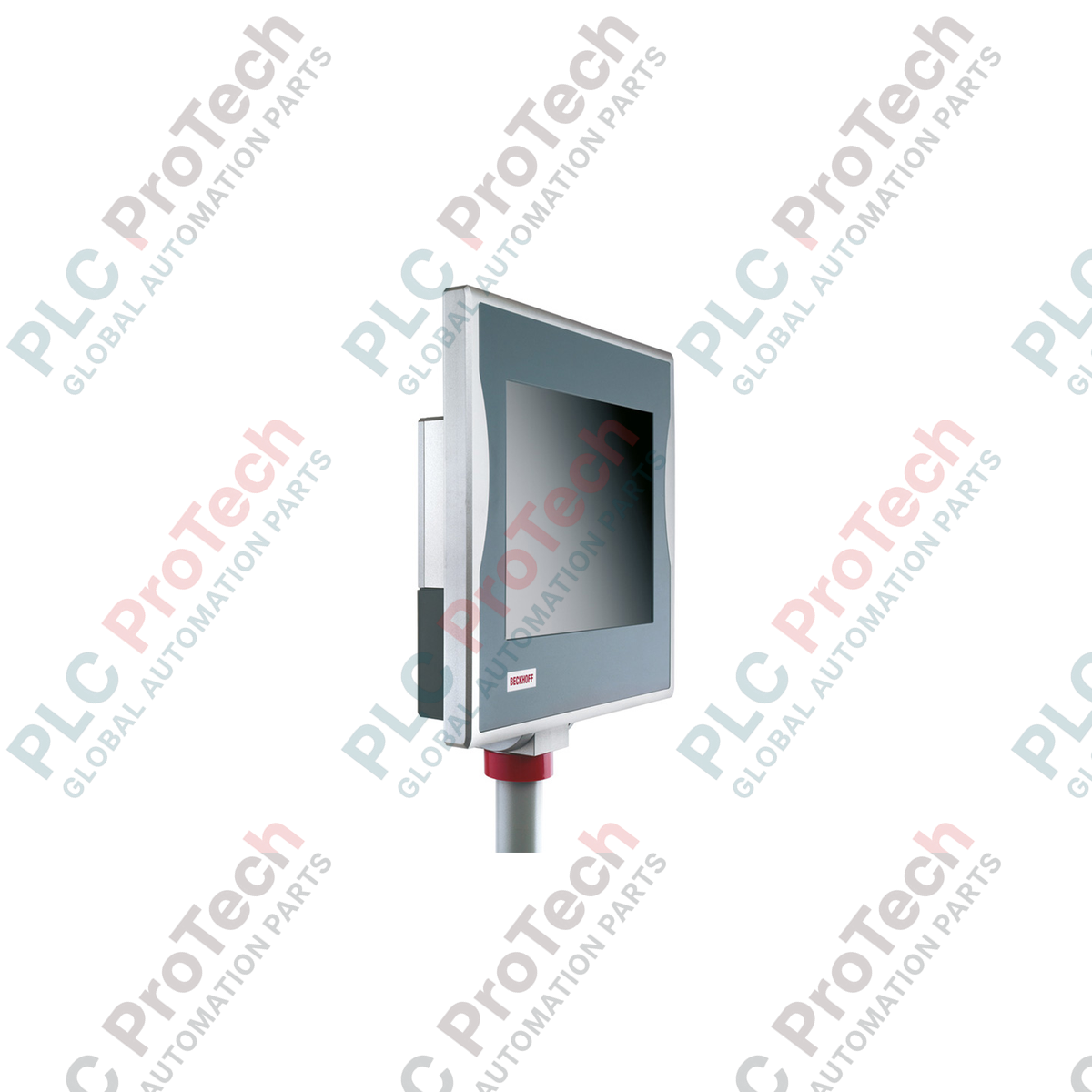
Engineered for mounting arm installations in harsh manufacturing environments, the Beckhoff CP7201-0020-0060 Economy Panel PC delivers robust computational power directly at the machine interface. This device integrates a high-quality 12-inch TFT display (800 x 600 resolution) with a rugged, passive heat-sink design to ensure continuous operation without environmental vulnerability. Encased in a durable IP65-rated aluminum housing, it supports direct integration with standard 48 mm mounting arm systems, making it highly suitable for automotive, material handling, and heavy-machinery applications where cabinet space is unavailable.
| Parameter | Value / Specification |
|---|---|
| Manufacturer | Beckhoff Automation GmbH & Co. KG |
| Model Number | CP7201-0020-0060 |
| Display Size & Resolution | 12-inch TFT, 800 x 600 pixels |
| Processor Option | Intel Celeron G3900TE 2.3 GHz, 2 cores (TwinCAT 2/3 performance class: 50) |
| System Memory | 4 GB DDR4 RAM (Expandable up to 32 GB ex factory) |
| Interfaces | 1 x Ethernet 100/1000BASE-T push-pull interface |
| Protection Class | IP65 (Full dust and water jet protection) |
| Power Supply | 24 V DC (Supports optional integrated UPS) |
| Operating Temperature | 0 to 45 degC |
| Air Circulation Requirement | Minimum 20 cm (7.9 inches) free space around unit |
| Country of Origin | Germany |
| Shipping Weight (Calculated) | 5.0 kg |
| Interface Type | Functional Assignment / Wiring Details |
|---|---|
| Power Input | 24 V DC terminal connector, requiring stable industrial power supply with ground connection. |
| Ethernet Port | 1 x RJ45 IP65-rated push-pull connector supporting speeds up to 1000BASE-T. |
| Connector Sockets | Wiring area configured for up to 6 IP65 connectors (4 slots left free for auxiliary expansions). |
The CP7201 series provides modular hardware scalability. While this specific unit contains the Celeron G3900TE processor, it can run standard TwinCAT 2 or TwinCAT 3 runtime instances within performance level 50. If migrating configurations from older CP7201 revisions, verify that target image versions of Windows 10 IoT Enterprise match the licensing key stored in the unit’s motherboard bios.
Because this Panel PC utilizes a passive cooling architecture relying on an external heat sink, maintaining physical clearance is critical. Avoid mounting the PC in stagnant pockets or close to overhead radiant heat sources. Operating the unit within enclosed spaces without the mandatory 20 cm boundary can lead to thermal throttling of the CPU and premature wear on internal storage systems.
When threading field cables through the rotatable mounting arm adapter, utilize high-flex cables specifically rated for continuous torsion. Ensure that all IP65 blanking plates are tightly secured over unused ports to prevent condensation build-up inside the wiring cavity, which can lead to ground-fault detection errors on the 24 V DC rail.
Isolate all electrical power sources before initiating installation or maintenance. Verify the 24 V DC supply is fully de-energized. Failure to follow proper grounding and power-down protocols can result in component damage, electrostatic discharge, or electrical shock hazards to service personnel.
Secure the rotatable mounting arm adapter to the 48 mm steel mounting tube, ensuring the sealing rings are properly seated for water-tight operation.
Route incoming power, network, and auxiliary cables through the center of the mounting tube directly into the wiring compartment.
Wire the 24 V DC power connector to the power supply terminal, confirming correct polarity before sealing the connection.
Tighten the back plate screws of the wiring cavity to the specified torque rating to maintain IP65 environment integrity.
| Product Image | Model Number / Title | Condition | Availability | Action |
|---|---|---|---|---|

|
Allen-Bradley 2711P-T15C4D9 PanelView Plus 6 Terminal | Original New | In Stock | View Details |
Global Express Shipping
Returns & Warranty
Orders are processed and delivered Monday-Friday (excluding public holidays).
For full eligibility, restocking fees, and international return details, please view our official Refund & Return Policy .
| Country of origin |
Germany
|

Implement a 3-SPST switch XOR light circuit in LogixPro or RSLogix 500 using an internal relay bit. Includes truth tables, boolean equations, and verified.

Integrate Allen-Bradley CompactLogix, Caterpillar ATS, and generators into DeltaV DCS over Modbus RTU. Covers ProSoft MVI69-MCM, Miille DIN266 gateways.

ONS instruction fires but the OTE coil never latches in Studio 5000 because the one-shot is only true for one scan. Use OTL/OTU or seal-in logic instead.

Configure Allen-Bradley Kinetix 5500 servo drives on EtherNet/IP. Covers CIP Sync, IEEE 1588 V2 timing, Stratix selection, DLR topology, and HMI.

A moving-average filter is the sliding-window smoother most instrument engineers drop into DCS and PLC analog paths. Here is how the window works, how N and sample time set lag, and when a...

On Frame 5–9 gas turbines, GE Mark VI and Mark VIe run control as function-block application software. This article maps process, protection, and sequencing functions—and what Toolbox ST access...