


Replacing ABB DSQC 351: Controller and Network Checks
Checks to record before replacing ABB 3HNE 00006-1 DSQC 351: controller generation, X3/X5/X20/X21 wiring, DeviceNet settings, INTERBUS mapping, and LED states.
Manufacturer: Mitsubishi Electric
Product No.: GT1150-QBBD-C
Country of origin:United States
Product Type: HMI Operator Panels
Payment: T/T, Western Union
Weight: 500g
Dimensions: 230 mm x 195 mm x 95 mm
Shipping port: Xiamen
Warranty: 12 months
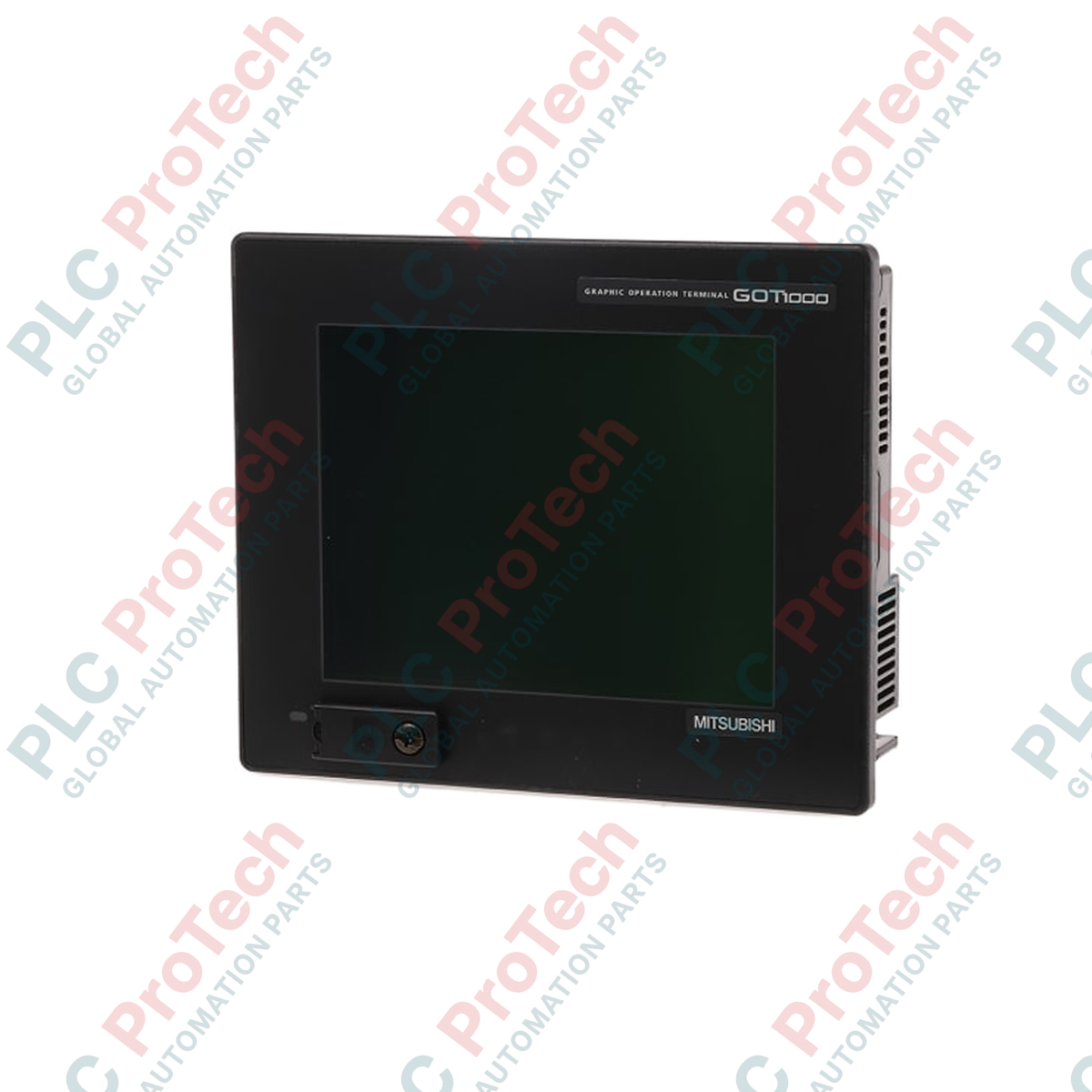
Optimized for space-conscious machine-level monitoring, the Mitsubishi Electric GT1150-QBBD-C is a high-performance operator terminal belonging to the specialized GT11 sub-series of the GOT1000 platform. This hardware features a 5.7-inch STN blue-mode monochrome graphical display, engineered to deliver legible diagnostic feedback and interface layouts in challenging industrial environments. Equipped with an onboard 3 MB flash memory system, the unit handles complex screen layouts, alarm histories, and multi-language character sets. Physical communication interfaces include high-speed RS-232, RS-422/485 serial ports, and a dedicated USB connection, enabling robust connectivity directly to MELSEC series controllers or modern manufacturing networks.
| Parameter | Specification |
|---|---|
| Manufacturer | Mitsubishi Electric |
| Model Reference | GT1150-QBBD-C |
| Series Name | GOT1000 (GT11 Platform) |
| Display Unit | STN Monochrome (Blue/White) LCD |
| Screen Size | 5.7 Inches |
| Display Resolution | 320 x 240 Pixels |
| Supply Voltage | 24 V DC (+10%, -15%) |
| User Memory Capacity | 3 MB Built-in Flash |
| Backlight Type | Cold cathode fluorescent tube (Replaceable) |
| External Interfaces | RS-232, RS-422/485, USB (Mini-B) |
| Memory Extension Slot | CompactFlash (CF) Card Slot (Max 2 GB) |
| Protection Rating | IP67f (Front section when panel mounted correctly) |
| Operating Temperature | 0 to 50 degC |
| Shipping Weight (Calculated) | 1.45 kg |
| Package Dimensions (Calculated) | 230 mm x 195 mm x 95 mm |
| Connector / Port | Interface Specification | Functional Use |
|---|---|---|
| RS-422/485 | D-Sub 9-pin Female | Primary PLC connection channel (MELSEC or major third-party protocols) |
| RS-232 | D-Sub 9-pin Male | Peripheral devices (scanners, printers) or serial PC upload/download |
| USB Device | Mini-B Port | High-speed screen design transfer, software communication, and OS updates |
| Power Terminal | Screw Terminal Block | 24 V DC power supply input with physical protective ground point |
The GT1150-QBBD-C variant features a conformal protective coating designed for harsh operating environments, distinguishing it from standard, non-coated GT1150-QBBD baseline models. When upgrading to this unit from legacy GOT900 series terminals (such as the F940GOT or GT10 series), screen databases can be seamlessly converted utilizing the migration wizard within GT Designer3. Ensure all communications drivers are updated to support the GT11 system architecture during project migration.
As an STN monochrome blue LCD, the screen contrast of this unit is inherently susceptible to temperature shifts. In high-temperature electrical panels, the screen's baseline contrast may drop, leading to ghosting or low visibility. Users should utilize the built-in system utility screen to modify contrast registers or set up automatic contrast adjustments based on temperature. Ensure the surrounding panel cabinet retains a positive air draft if continuous exposure to temperatures close to 50 degC is expected.
To avoid communications dropouts or damage to the transceiver components, never route the RS-422/485 serial communication cables adjacent to 480 V high-current motor cables or variable frequency drive (VFD) output wires. Always attach a physical grounding strap to the grounding terminal of the terminal block to divert electromagnetic interference. When accessing the CF card slot, ensure the interface is unmounted or the device is powered off before ejecting the media card to avoid project data corruption.
CRITICAL WARNING: RISK OF ELECTROCUTION AND EQUIPMENT CRASH
Ensure all primary AC and subsidiary DC power sources feeding the target enclosure are fully locked out and tagged out prior to making physical cuts or performing wiring on the GT1150-QBBD-C. Use a calibrated multimeter to verify that the power lines are completely dead and that there are no residual energy pathways.
Verify the panel cutout meets the mandatory physical mounting dimensions for standard 5.7-inch GOT1000 panels.
Ensure the high-performance waterproof packing gasket is positioned flat, secure, and clear of debris inside the front bezel track of the device.
Insert the terminal into the panel cutout and tighten the four mounting screws systematically to the OEM-specified torque to avoid cracking the case.
Attach the dedicated 24 V DC supply leads to the screw terminals. Turn on power, enter the terminal configuration menu, and verify the physical system connection parameters match your controller.

Global Express Shipping
Returns & Warranty


Global Express Shipping
Returns & Warranty
Orders are processed and delivered Monday-Friday (excluding public holidays).
For full eligibility, restocking fees, and international return details, please view our official Refund & Return Policy .
| Country of origin |
United States
|

Checks to record before replacing ABB 3HNE 00006-1 DSQC 351: controller generation, X3/X5/X20/X21 wiring, DeviceNet settings, INTERBUS mapping, and LED states.

Compare the IC693CPU360 and IC693CPU364 by Ethernet interface, +5 VDC load, memory, rack limits, and replacement checks.

A field-first diagnostic sequence for 1756-OF4 analog output problems: channel mode, removable terminal block, scaling, and controlled electrical checks.

A direct comparison of 1746-OA8 and 1746-OA16 output count, common grouping, backplane current and temperature-derated load limits.

A field checklist for recording the 1761-NET-DNI hardware series, firmware, EDS file, DF1 settings, DeviceNet address and messaging configuration before replacement.

The EL3062 is a 0–10 V EtherCAT terminal. The EL3062-0030 is a 0–30 V variant. This checklist covers identification, scaling and commissioning.