1 of 1

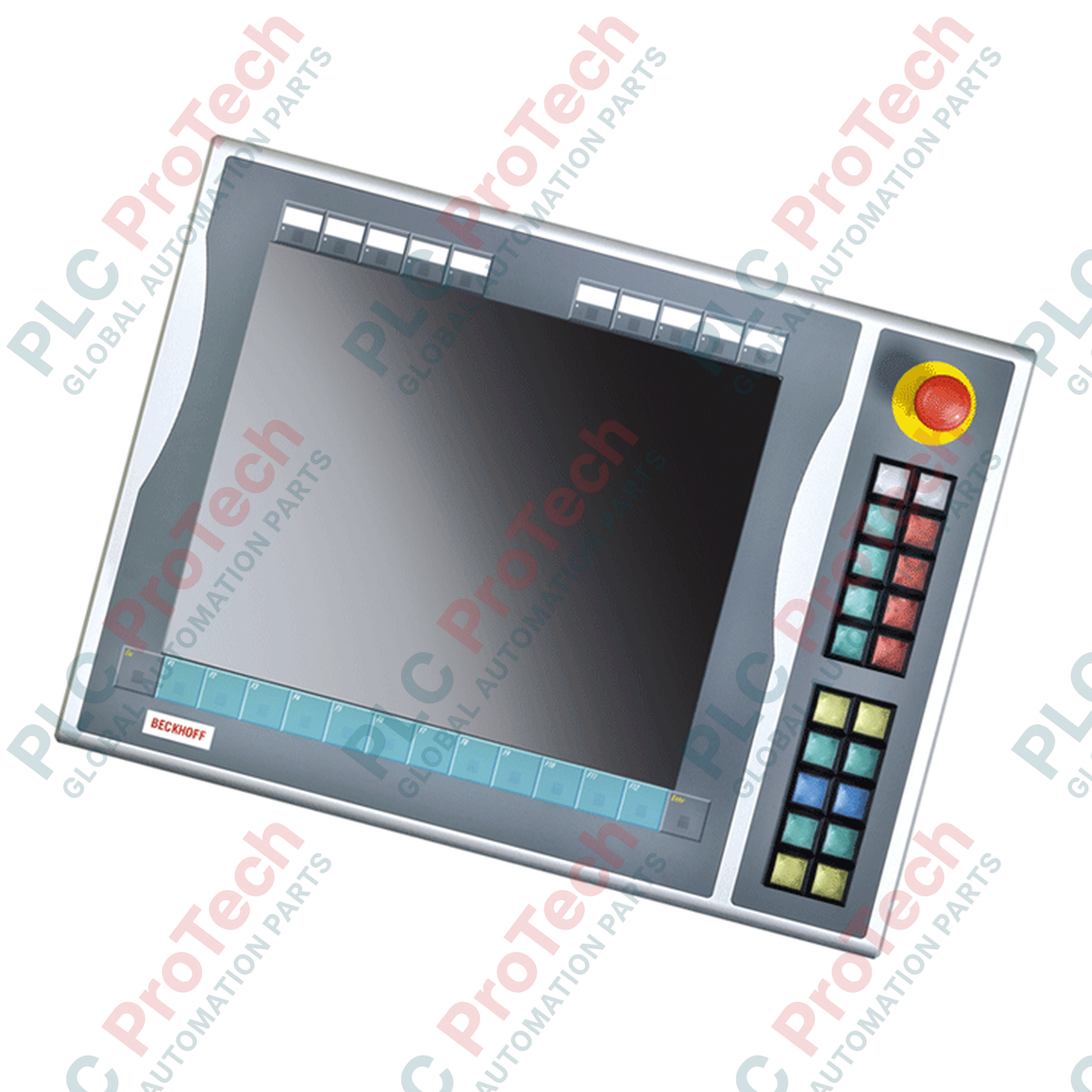
C9900-E731 | BECKHOFF | Extension à boutons-poussoirs pour panneaux de contrôle CP6xxx et CP7xxx et PC panneaux avec écran 15 pouces sans clavier (phase de service)

C9900-E731 | BECKHOFF | Extension à boutons-poussoirs pour panneaux de contrôle CP6xxx et CP7xxx et PC panneaux avec écran 15 pouces sans clavier (phase de service)

Il ne reste que 10 article(s) en stock
  • Fabricant : BECKHOFF

  • N° de produit : C9900-E731

  • Pays d'origine :Allemagne

  • Type de produit : Extension à bouton-poussoir pour panneaux de contrôle CP6xxx et CP7xxx et PC panneau avec écran 15 pouces sans clavier (phase de service)

  • Paiement : Virement bancaire, Western Union

  • Poids : 500g

  • Dimensions : drawings with dimensions of the push-button e x tensions as AutoCAD DXF file

  • Port d'expédition : Xiamen

  • Garantie : 12 mois

Quantité
Voir les détails complets

Description

Designed to expand the manual control capabilities of CP6x13-00xx and CP7x13-00xx control panels, the Beckhoff C9900-E731 is a physical push-button extension designed for right-side installation. It integrates directly with 15-inch touch screen systems that do not feature built-in hardware keyboards. This module bridges physical tactile control and digital systems, offering independent physical contact routing for critical operator commands.

Features

  • Comprehensive Tactile Interface: Equipped with 20 square Siemens Signum push-button keys (30 x 30 mm) featuring built-in signal lamps.
  • Integrated Safety Control: Features 1 high-visibility Siemens Signum emergency stop key, routed independently for direct safety circuit integration.
  • Dual-Signal Contact Design: Transmits primary key closures via USB as a normally-open (NO) contact, while a second independent NO contact is routed to a physical terminal block for direct hardware interlocks.
  • Customizable Legend Plates: Slide-in labels allow rapid, clear labeling of individual button functions.
  • USB Communication Bus: Facilitates control of all integrated signal lamps exclusively through USB, minimizing enclosure wiring density.

Applications

  • Automotive assembly cell and production line HMIs.
  • Heavy machinery requiring physical cycle start, stop, and jog buttons adjacent to visual panels.
  • Safety-critical control zones requiring dual-channel hardware feedback loops.
  • Legacy panel system retrofitting during maintenance and service phases.

Technical Specifications Table

Specification Parameter Value / Rating
Manufacturer Beckhoff Automation GmbH & Co. KG
Model Number C9900-E731
Compatible Panels CP6x13-00xx and CP7x13-00xx (15-inch displays without keyboard)
Mounting Location Right side of host Control Panel / Panel PC
Push-Button Type 20 x Siemens Signum square keys (30 x 30 mm)
Indicator Lamps Integrated within the 20 push-buttons (USB controlled)
Emergency Stop Key 1 x Siemens Signum Emergency Stop (Direct wireable)
Contact Configurations 1st NO contact via USB; 2nd NO contact via hardwired terminal row
Lifecycle Status Service Phase (Legacy support)
Shipping Weight (Calculated) 5.0 kg

Connections and Interfaces

Connector / Interface Function / Circuit Assignment
USB Connection Transmits 1st NO contact signals and receives control inputs for all indicator lamps.
Internal Terminal Row Direct access point for wiring the independent 2nd NO contacts of the 20 push-buttons.
E-Stop Terminals Direct-wire interface for dual-channel emergency stop integration to external safety relays.

Alternative Models & Compatibility

The C9900-E731 is currently in its service phase. When retrofitting or replacing this unit, confirm that your existing host control panel features a 15-inch display without a physical keyboard (specifically models CP6x13 or CP7x13). This extension is mechanically tailored for right-side mounting only; left-side mount options require different model designations due to enclosure profile alignments.

Application Pitfalls & Engineering Notes

Safety Integration Notice: Under no circumstances should the USB communication interface be used to process safety-critical controls. The first contact (USB) is for visualization or standard control routines. High-safety functions—such as the integrated Emergency Stop and the secondary physical NO contacts—must be wired directly through the terminal row to an approved, dual-channel safety relay or a functional TwinSAFE terminal (e.g., Beckhoff EL1904).

Commissioning & Wiring Tips

When routing the direct wiring lines from the terminal row alongside the USB communication cable, utilize shielded cabling for the digital signals. High-frequency electromagnetic interference from nearby variable frequency drives (VFDs) can induce electrical noise on unshielded lines, resulting in false state transitions within the controller's input registers.

Installation Guidelines

CRITICAL WARNING:

Before starting any installation or maintenance, verify that all power to the Panel PC and control circuits is disconnected. Lock out and tag out all auxiliary power lines routed to the internal terminal row to prevent electric shock and unintended system startup.

1

Position the C9900-E731 extension against the right edge of the CP6x13 or CP7x13 panel. Verify that the sealing gasket is correctly seated around the mating lip to maintain IP65 integrity.

2

Secure the mechanical connection screws sequentially to ensure uniform compression of the structural sealing profile.

3

Connect the internal USB interface cable directly to a designated USB host port on the rear processing unit of the control panel.

4

Route physical safety conductors from the Emergency Stop switch and secondary NO contacts to the system terminal strip, using separate cable glands to keep safety lines clean of high-power cables.

Loading product navigation…

Can the indicator lamps on the C9900-E731 be operated without a USB connection?

No. All 20 signal lamps are controlled exclusively via the USB interface. A functional USB communication channel between the Panel PC and the extension is required for lamp operation.

Is the integrated Emergency Stop button routed through the USB bus?

No. The Siemens Signum Emergency Stop button is wired directly to terminal connections for safety. It operates completely independently of the USB logic circuits for compliance with industrial safety regulations.

Does this model support mounting on both the left and right sides of the panel?

No. The C9900-E731 is mechanically designed and profiled specifically for installation on the right-side edge of 15-inch Beckhoff Control Panels.

How do the dual contact paths for the standard push-buttons operate?

Each of the 20 standard buttons contains two separate contact paths. The first normally-open (NO) path is mapped to the internal USB matrix. The second NO contact is routed directly to physical terminals, permitting hardwired connection to standard PLC digital input cards or safety units.

Expédition express mondiale

  • Livraison standard : 4 à 6 jours ouvrables via DHL, FedEx et UPS.
  • Expédition express : Expédition le jour même pour les commandes en stock passées avant 14h00 (GMT+8).
  • Couverture mondiale : Service dans plus de 150 pays, avec livraison rapide en Arabie Saoudite et aux Émirats arabes unis.

Retours et garantie

  • Garantie de 30 jours : Retours acceptés pour les produits en stock dans leur emballage d'origine scellé en usine.
  • Garantie de 12 mois : Chaque composant industriel est couvert par notre garantie technique professionnelle.

Les commandes sont traitées et livrées du lundi au vendredi (hors jours fériés).


Pour connaître l'éligibilité complète, les frais de restockage et les détails des retours internationaux, veuillez consulter notre site officiel Politique de remboursement et de retour .

TECHNICAL SPECIFICATIONS

Country of origin
Allemagne

Produits récemment consultés

Connaissances techniques

Actionneurs électriques conçus pour remplacer les systèmes à fluide : un guide pratique d'automatisation industrielle

Cet article explique comment les actionneurs électriques intégrés, tels que la série e-Actuator de SMC, transforment le contrôle du mouvement industriel en remplaçant les systèmes pneumatiques et...

Opérations mathématiques avec OpenPLC pour les applications d'automatisation industrielle

Cet article explique comment les systèmes PLC réalisent des opérations mathématiques de base telles que l'addition, la soustraction, la multiplication, la division, le modulo et l'exponentiation dans...

Logique booléenne avancée avec la programmation FBD PLC : applications industrielles pratiques au-delà de la logique de base

L'article explique plusieurs fonctions avancées de la logique booléenne utilisées en programmation d'automates programmables industriels (API) au-delà des opérations de base ET, OU et NON. Il aborde...

Logique booléenne en programmation PLC : comprendre les portes logiques FBD

La logique booléenne est la base de tout programme PLC. Des commandes machines simples aux systèmes d'automatisation industrielle complexes, les portes logiques déterminent comment les contrôleurs...

Guide approfondi sur les pare-feux industriels et la segmentation des réseaux OT

Les pare-feux industriels jouent un rôle crucial dans la cybersécurité OT, protégeant les réseaux PLC, DCS et SCADA grâce à la segmentation, au contrôle des entrées/sorties et à l’intégration IDS/IPS...

Guide des pinces robotiques : de la manipulation délicate à l'automatisation lourde

Les pinces robotiques modernes évoluent au-delà des mâchoires mécaniques traditionnelles. Des systèmes adhésifs inspirés des geckos aux pinces souples de qualité alimentaire, en passant par des...