Description
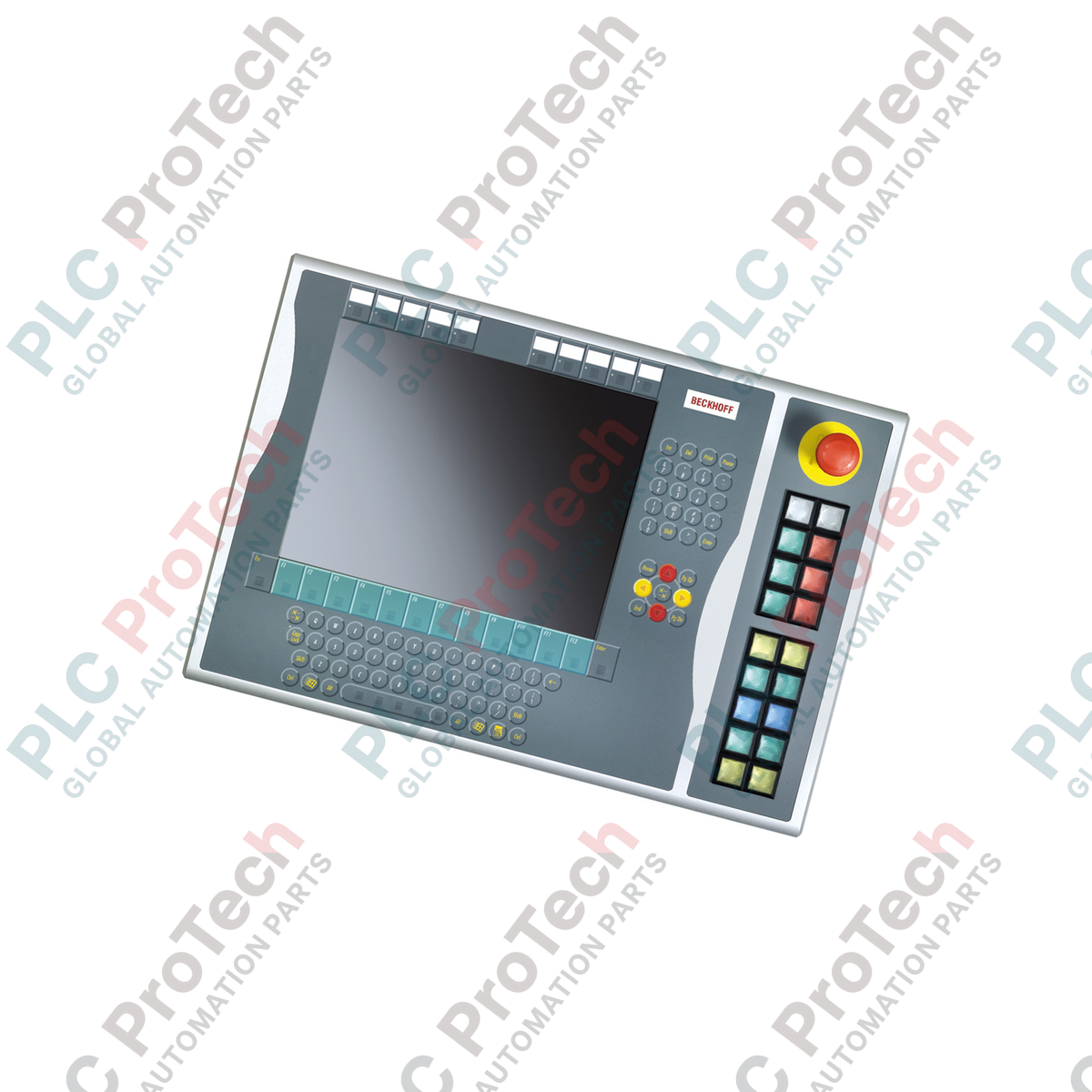
Optimisé pour une intégration à droite dans les configurations avec écran de 15 pouces, le Beckhoff C9900-E771 fournit une commande tactile robuste pour les plateformes de contrôle CP6x32-00xx et CP7x32-00xx existantes. Conçue pour les environnements IHM exigeants, cette extension industrielle à boutons-poussoirs complète les panneaux hôtes sans clavier intégré en ajoutant des boutons physiques, des arrêts d’urgence essentiels à la sécurité et des voyants de signalisation visuels. L’appareil prend en charge une architecture de signalisation à deux canaux, associant la transmission numérique par bus (via CP-Link ou USB) à des connexions directes câblées sur bornier afin de garantir l’interopérabilité du système et une commande matérielle à sécurité intégrée.
Fonctionnalités
-
Montage à droite : conçu spécifiquement pour s’aligner sur le châssis physique des boîtiers de panneaux hôtes de 15 pouces.
-
18 boutons-poussoirs lumineux : équipé de touches carrées Siemens Signum de qualité industrielle (30 x 30 mm) avec voyants de signalisation intégrés.
-
Arrêt d’urgence intégré : comprend un bouton d’arrêt d’urgence Siemens Signum robuste, conçu pour un câblage matériel direct.
-
Étiquetage personnalisable : les capuchons transparents des boutons-poussoirs permettent d’insérer des textes ou symboles personnalisés pour des fonctions propres au site.
-
Voies de signal doubles : chaque bouton-poussoir est configuré avec un contact normalement ouvert (NO) affecté à l’USB/CP-Link et un second contact NO indépendant câblé directement à un bornier.
-
Retour piloté par bus : les voyants d’état et de signalisation sont affectés et commandés uniquement via l’interface CP-Link ou USB hôte.
Applications
-
Modernisation de machines existantes : intégration physique directe avec les panneaux opérateur CP6x32 et CP7x32 actifs.
-
Interfaces de sécurité des procédés : installations nécessitant des circuits d’arrêt d’urgence physiques et câblés à proximité de l’affichage logiciel.
-
Automobile et chaînes d’assemblage : environnements où les opérateurs portant des gants ont besoin d’un retour tactile marqué par rapport aux écrans tactiles standard.
Spécifications techniques
| Paramètre |
Valeur de spécification |
| Fabricant |
Beckhoff Automation |
| Référence du modèle |
C9900-E771 |
| Type d’appareil |
Extension à boutons-poussoirs |
| Compatibilité du panneau hôte |
CP6x32-00xx, CP7x32-00xx (écrans de 15 pouces sans clavier) |
| Emplacement de montage |
Côté droit du châssis hôte |
| Élément à bouton-poussoir |
18 x Siemens Signum carrés, 30 x 30 mm |
| Élément d’arrêt d’urgence |
1 x Siemens Signum, conception à câblage direct |
| Configuration des contacts |
Normalement ouvert (NO) x 2 par bouton (1 x bus, 1 x borne physique) |
| Norme de transmission |
CP-Link ou USB (pour les signaux numériques à bouton-poussoir et les pilotes de lampes) |
| Phase du cycle de vie |
Phase de service (assistance héritée et disponibilité des pièces de rechange) |
| Pays d’origine |
Allemagne |
| Poids d’expédition |
5,00 kg (estimation) |
Connexions et interfaces
| Nœud de connexion / port |
Affectation fonctionnelle |
| Connexion au bus CP-Link / USB |
Transmet l’état du contact 1 de chacun des 18 boutons et alimente les voyants d’état internes. |
| Bornier interne |
Expose le contact 2 (normalement ouvert) pour un câblage électrique direct vers les cartes d’entrée d’automate. |
| Bornes d’arrêt d’urgence |
Bloc de connexion câblé dédié alimentant directement les contacts d’arrêt d’urgence à sécurité positive. |
Modèles alternatifs et compatibilité
Le C9900-E771 est spécialement conçu pour s’adapter au format et à l’alignement des vis des boîtiers hôtes de 15 pouces (CP6x32 et CP7x32). Bien qu’il soit électriquement compatible avec les variantes USB et CP-Link d’autres gammes de châssis, il ne peut pas être monté physiquement sur des panneaux de 12 ou 19 pouces en raison des différences de hauteur du cadre. Vérifiez que votre configuration physique correspond aux dimensions d’affichage cibles appropriées avant l’achat.
Pièges d’utilisation et remarques techniques
Notez que les voyants d’état sont alimentés et pilotés uniquement par la ligne de communication CP-Link ou USB. En cas de perte du bus, l’état des voyants ne sera plus mis à jour. Pour les boucles d’état critiques pour la sécurité, utilisez le deuxième contact matériel NO du bornier pour créer une boucle de retour physique vers une carte d’entrée d’automate isolée, afin de garantir une vérification logique indépendante de la liaison d’affichage.
Conseils de mise en service et de câblage
Lors du câblage de la rangée de bornes à accès direct, utilisez un câble de commande blindé si les chemins de câbles sont adjacents à des variateurs de fréquence (VFD) ou à des lignes électriques triphasées. Raccordez le blindage du câble à la barre de mise à la terre de l’armoire. Cela supprime les parasites transitoires susceptibles de déclencher de fausses transitions d’état des contacts sur les lignes d’entrée standard 24 V des automates programmables.
Consignes d’installation
AVERTISSEMENT CRITIQUE
Mettez hors tension le panneau de commande hôte ainsi que toutes les lignes d’alimentation 24 V CC associées avant de coupler physiquement cette unité d’extension. Le fait de ne pas décharger complètement la tension du système avant de connecter l’interface risque d’endommager les cartes logiques des contrôleurs USB et de provoquer des courts-circuits au niveau des bornes.
1
Alignez le support d’extension du C9900-E771 sur le rail de montage droit du panneau de commande hôte de 15 pouces.
2
Fixez physiquement l’unité à l’aide des boulons de montage fournis, en respectant les limites de couple appropriées afin de préserver l’intégrité de l’indice IP.
3
Câblez directement le bloc de contacts d’arrêt d’urgence dans votre boucle de surveillance de sécurité câblée (par exemple, un relais de sécurité ou un automate de sécurité).
4
Connectez le câblage du bornier interne aux entrées numériques locales de l’automate programmable, si vous utilisez des boucles de retour de contacts secondaires.
5
Connectez le câble du connecteur USB interne ou CP-Link au port désigné sur la carte de l’ordinateur hôte, puis rétablissez l’alimentation pour tester les cycles des voyants.