


Commissioning Quantum Inputs with the 140XSM00200 Simulator
A controlled commissioning method for using the 140XSM00200 simulator to verify Modicon Quantum input mapping and interlocks before reconnecting field wiring.
Manufacturer: BECKHOFF
Product No.: CP6701-0000-0050
Country of origin:Germany
Product Type: PC industriali a pannello
Payment: T/T, Western Union
Weight: 500g
Dimensions: 280 x 220 x 120 mm
Shipping port: Xiamen
Warranty: 12 months
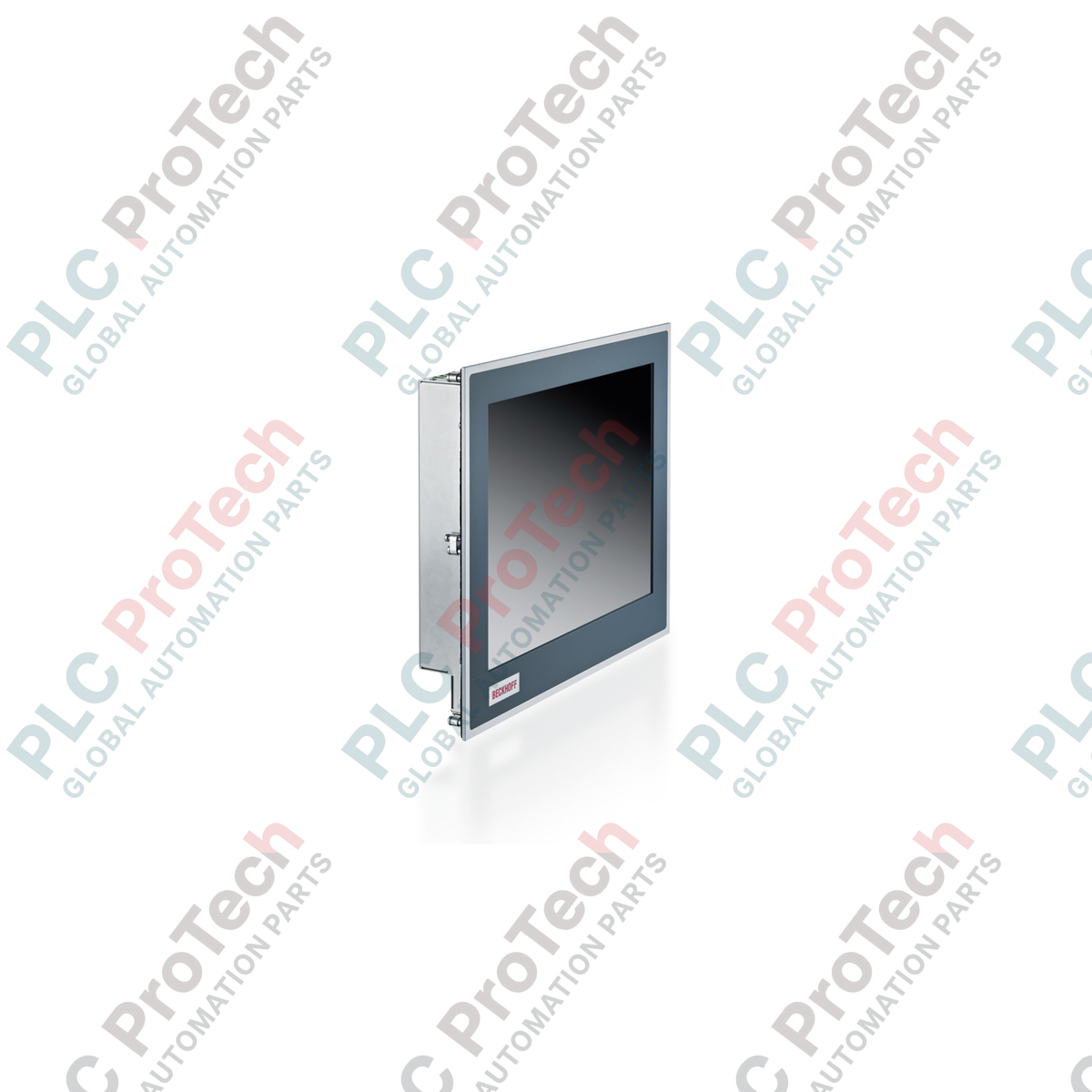
Progettato per architetture di controllo con spazio limitato, il Beckhoff CP6701-0000-0050 integra una piattaforma informatica industriale ad alte prestazioni direttamente in un'interfaccia display compatta per montaggio a pannello. Questa unità combina un display TFT da 5,7 pollici con un touch screen resistivo a singolo tocco, consentendo agli operatori di eseguire comandi di controllo precisi direttamente sul fronte macchina. Alimentato da un processore Intel Atom® E3815 funzionante a 1,46 GHz, questo Panel PC integrato offre una capacità di elaborazione affidabile per le attività di visualizzazione e controllo locali, mantenendo al contempo un'impronta termica eccezionalmente ridotta.
| Parametro | Specifiche |
|---|---|
| Produttore | Beckhoff |
| Numero di modello | CP6701-0000-0050 |
| Dimensioni / tipo del display | TFT a matrice attiva da 5,7 pollici |
| Risoluzione | 640 x 480 pixel |
| Touch screen | Resistivo analogico (single-touch) |
| Processore | Intel Atom® E3815, 1,46 GHz, 1 core |
| Memoria | RAM DDR3L da 2 GB |
| Interfaccia di archiviazione | 1 x slot CFast |
| Porte Ethernet | 2 x 100/1000BASE-T integrati (RJ45) |
| Interfacce USB | 4 x USB 2.0 |
| Uscita video | 1 x DVI-D |
| Alimentazione | 24 V CC (-15% / +20%) |
| Compatibilità TwinCAT | TwinCAT 2 (livello piattaforma 40), TwinCAT 3 (livello piattaforma 40) |
| Grado di protezione | Parte anteriore: IP65, parte posteriore: IP20 |
| Temperatura di esercizio | Da 0 a 55 °C |
| Paese di origine | Germania |
| Peso di spedizione (calcolato) | 5,0 kg |
| Dimensioni della confezione (calcolate) | 280 x 220 x 120 mm |
| Connettore / porta | Funzione / assegnazione |
|---|---|
| Morsetto di alimentazione | Morsettiera rimovibile a 3 poli (+24V CC, 0V, terra di protezione) |
| LAN 1 (RJ45) | Ethernet 100/1000BASE-T (rete primaria / connessione al master EtherCAT) |
| LAN 2 (RJ45) | Ethernet 100/1000BASE-T (rete secondaria / integrazione IT) |
| USB 1 - 4 | Interfacce USB 2.0 Type-A per periferiche e dispositivi di archiviazione esterni |
| Uscita DVI | Collegamento DVI-D per monitor secondario esterno o pannello di controllo |
Il CP6701-0000-0050 appartiene alla serie di Panel PC economici CP67xx. Costituisce un percorso di aggiornamento diretto per i Panel PC della precedente serie CP66xx. Durante la migrazione a questo modello, assicurarsi che le licenze TwinCAT siano configurate per il Platform Level 40. Notare che le immagini Windows CE meno recenti dei Panel PC legacy basati su x86 non sono compatibili; questa unità richiede un'immagine x64 o x86 moderna compilata specificamente per l'architettura Intel Atom® E38xx.
Quando si installa il Panel PC in involucri sigillati e non ventilati, mantenere una distanza minima di 50 mm sopra e sotto il coperchio posteriore per favorire la convezione naturale. Il funzionamento continuo vicino al limite termico superiore di 55 degC senza un'adeguata ventilazione dell'armadio può attivare la limitazione termica interna del processore Intel Atom, causando possibili variazioni del tempo di ciclo nelle attività TwinCAT ad alta velocità.
Realizzare sempre un collegamento di terra funzionale a bassa impedenza utilizzando il bullone di messa a terra dedicato sul retro del coperchio in lamiera d'acciaio. In ambienti con elevato rumore elettromagnetico, ad esempio in prossimità di azionamenti a frequenza variabile, utilizzare cavi di alimentazione a 24 V CC schermati e mettere a terra la schermatura nel punto di ingresso nell'armadio per impedire che il rumore transitorio interrompa il funzionamento del controller touch resistivo.
Isolare tutte le fonti di alimentazione elettrica prima di iniziare l'installazione fisica, il cablaggio o la manutenzione. Verificare che l'alimentazione a 24 V CC sia bloccata e contrassegnata. La mancata completa diseccitazione del sistema può causare scosse elettriche, danni alle apparecchiature o movimenti imprevisti della macchina.
Predisporre l'apertura di montaggio nella porta dell'armadio di comando o nel pannello della console, rispettando le dimensioni specificate per l'alloggiamento da 5,7 pollici.
Assicurarsi che la guarnizione di tenuta anteriore sia pulita, integra e posizionata correttamente sul retro della cornice anteriore in alluminio.
Inserire il Panel PC frontalmente nell'apertura, assicurandosi che sia centrato e perpendicolare.
Fissare l'unità dal retro utilizzando le leve di bloccaggio estraibili integrate. Serrare uniformemente le viti di bloccaggio per comprimere la guarnizione anteriore e ottenere una tenuta IP65.
Collegare il cavo di terra funzionale al perno di messa a terra posteriore, quindi inserire nello slot dedicato la scheda CFast contenente l'immagine di avvio.
Collegare il connettore di alimentazione a 24 V CC, i cavi di rete e le interfacce per periferiche prima di alimentare il sistema.

Global Express Shipping
Returns & Warranty
Global Express Shipping
Returns & Warranty
Orders are processed and delivered Monday-Friday (excluding public holidays).
For full eligibility, restocking fees, and international return details, please view our official Refund & Return Policy .
| Country of origin |
Germany
|

A controlled commissioning method for using the 140XSM00200 simulator to verify Modicon Quantum input mapping and interlocks before reconnecting field wiring.

A commissioning checklist for the ProSoft PLX32-EIP-MBTCP covering subnet separation, register contracts, EtherNet/IP timing, failure tests and replacement records.

A field checklist for IC693MDL916 relay commands, terminal blocks, load current, switching rate and contact-side measurements.

A field checklist for KL1512 signal thresholds, counter direction, process data and the KL1512-to-KS1512 wiring difference.

A field checklist for EPP2008-0001 current limits, supply voltage, channel LEDs, connector coding and load-related output faults.

Before moving a TwinCAT 3 license with a Beckhoff C9900-L100, verify the TwinCAT build, XML device description, exact order code and cabinet limits.