Siemens

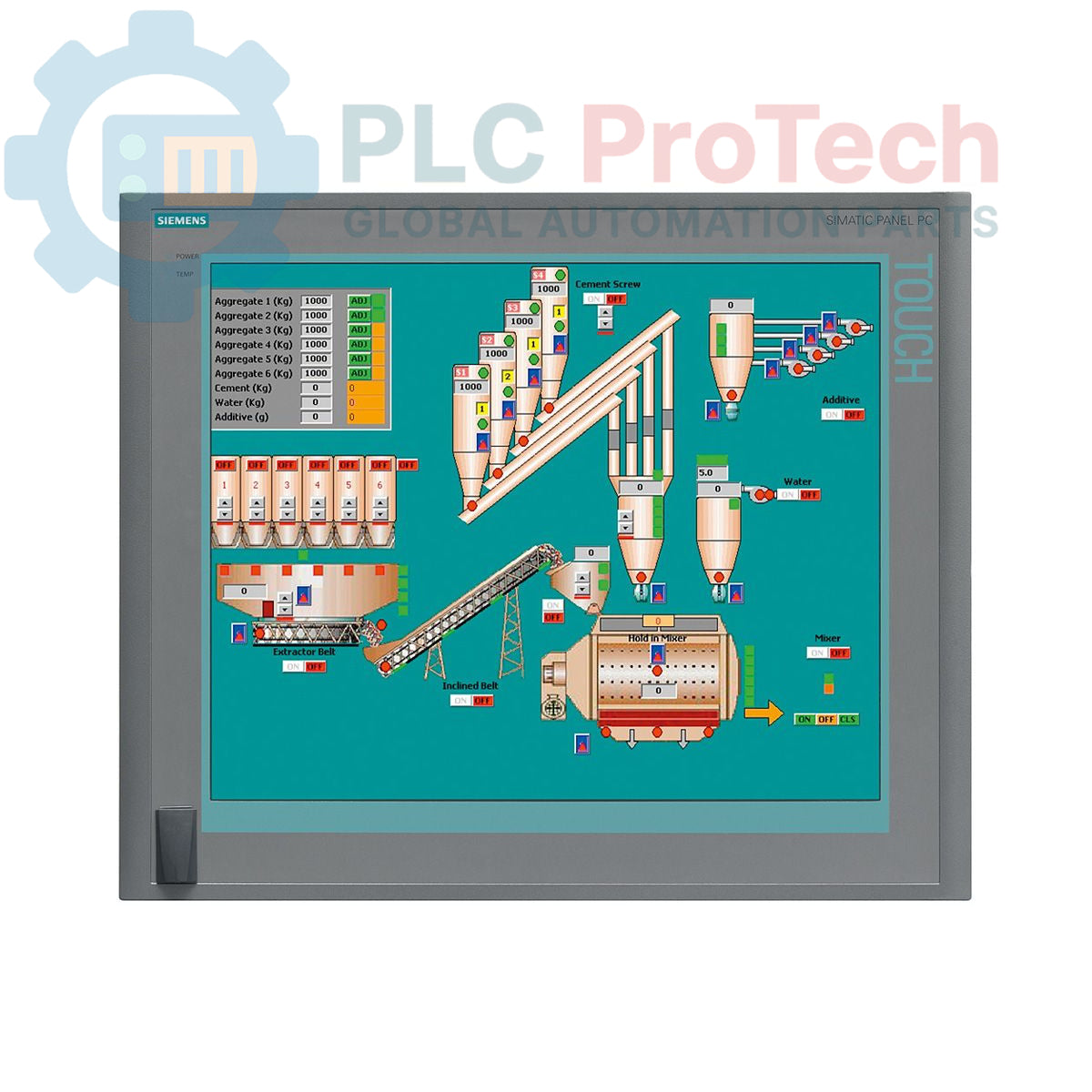
Siemens 6AV7875-0AE51-1AC0 SIMATIC Panel PC 677B 19-inch Touch Panel PC

SKU 6AV7875-0AE51-1AC0

Disponibile
  • 12-month warranty
  • Free returns within 30 days
  • Manufacturer: Siemens
  • Product No.: 6AV7875-0AE51-1AC0
  • Origin Germany
  • Product Type: Panel PC
  • Barcode: 85371098
  • Payment: T/T, Western Union
  • Weight: 0.017 kg
  • Dimensions: 67.0 x 83.0 x 11.5 cm
  • Shipping port: Xiamen
  • Warranty: 12 months

Tags

Quantità

Product Description

Description

The Siemens 6AV7875-0AE51-1AC0 is a SIMATIC Panel PC 677B designed for demanding industrial human-machine interface (HMI) and control applications. This unit features a 19-inch touchscreen display with a 1280x1024 resolution, powered by an Intel Core 2 Duo T7400 2.16 GHz processor and 4 GB of DDR2 RAM. It is equipped with extensive connectivity options, including dual Gigabit Ethernet ports, a PROFIBUS/MPI interface, and multiple USB 2.0 ports. Storage is provided by a 250 GB SATA hard disk drive, and the system comes pre-installed with Windows XP Professional MUI. This panel PC operates on a 24 V DC power supply and includes two PCI slots for hardware expansion.

Features

  • 19-inch color touchscreen display with 1280 x 1024 pixel resolution
  • Integrated Intel Core 2 Duo T7400 processor (2.16 GHz)
  • 4 GB of installed DDR2 RAM
  • 250 GB 3.5-inch SATA Hard Disk Drive (HDD)
  • DVD±R/±RW optical drive for data backup and software installation
  • Dual 10/100/1000 Mbit/s Ethernet ports for network redundancy or separation
  • Onboard PROFIBUS/MPI interface with 2 MB buffered SRAM
  • Four rear USB 2.0 ports and one front-side USB port for easy access
  • One serial COM1 port for legacy device communication
  • Two available PCI slots for expansion cards
  • Pre-installed with Windows XP Professional Multi-language User Interface (MUI)

Applications

  • Machine-level operator control and monitoring
  • Process visualization and SCADA systems
  • Data acquisition and logging in manufacturing environments
  • Factory automation control panels
  • Industrial computing platforms requiring legacy OS support

Technical Specifications

Specification Value
Brand Siemens
Product Series SIMATIC Panel PC 677B
Part Number 6AV7875-0AE51-1AC0
Product Lifecycle Status Obsolete
Power Supply 24 V DC
Processor Intel Core 2 Duo T7400, 2.16 GHz
Processor Cache 4 MB SLC
Memory (RAM) 4 GB DDR2
Storage 250 GB SATA HDD 3.5"
Optical Drive DVD±R/±RW
Display Type 19-inch Touchscreen
Display Resolution 1280 x 1024 pixels
Ethernet Ports 2 x 10/100/1000 Mbit/s
USB Ports 4 x USB 2.0 (rear), 1 x USB (front)
Serial Port 1 x COM1
Fieldbus Interface PROFIBUS/MPI (with 2 MB buffered SRAM)
Expansion Slots 2 x PCI
Operating System Windows XP Professional MUI (DE, EN, FR, ES, IT, JA, ZH, KO)
Shipping Weight 17.00 kg
Commodity Code 85371098
ECCN N
Country of Origin Germany (Estimate)
Manufacturer Siemens
Package Dimensions (Calculated) 67.0 x 83.0 x 11.5 cm

Installation Guidelines

CRITICAL WARNING: Hazardous voltages may be present. Installation must be performed by qualified personnel only. Ensure the control cabinet is de-energized and locked out/tagged out (LOTO) before beginning any work. Failure to comply can result in severe injury or death.
  1. 1 Prepare Panel Cutout: Verify that the enclosure or panel cutout dimensions match the manufacturer's specifications for the PC 677B. Ensure the mounting surface is clean, flat, and rigid.
  2. 2 Mount the Unit: Insert the Panel PC into the cutout from the front. Secure it from the rear using all provided mounting clamps. Tighten the clamps evenly in a crisscross pattern to ensure a uniform seal against the panel gasket.
  3. 3 Connect Protective Earth (PE): Connect a low-impedance protective earth conductor to the designated grounding terminal on the PC chassis. This is critical for both safety and noise immunity.
  4. 4 Connect DC Power: Connect the 24 V DC power supply to the power input terminals. Verify correct polarity (+/-) before connecting. Use appropriately sized conductors for the load and distance.
  5. 5 Connect Interfaces: Connect Ethernet, PROFIBUS, USB, and any other required communication or peripheral cables. Ensure all connectors are fully seated and secured. Maintain proper separation between power and signal wiring.
  6. 6 Power-Up and Verification: After verifying all connections, remove the LOTO and re-energize the main cabinet supply. Power on the Panel PC and confirm that the operating system boots correctly and all connected peripherals are recognized.
Shipping & Returns

Global Express Shipping

  • Standard Delivery: 4–6 business days via DHL, FedEx, and UPS.
  • Express Dispatch: Same-day dispatch for in-stock orders placed before 2:00 PM (GMT+8).
  • Worldwide Coverage: Serving over 150 countries.

Returns & Warranty

  • 30-Day Guarantee: Returns accepted for in-stock products in original, factory-sealed packaging.
  • 12-Month Warranty: Every industrial component is backed by our technical warranty.
FAQ
What operating system is installed on the 6AV7875-0AE51-1AC0?
This Panel PC comes pre-installed with Windows XP Professional Multi-language User Interface (MUI), supporting languages including German, English, French, Spanish, Italian, Japanese, Chinese, and Korean.
What is the screen size and resolution of this Panel PC?
The unit is equipped with a 19-inch touchscreen display that has a native resolution of 1280 x 1024 pixels.
Does this unit have PROFIBUS connectivity?
Yes, it includes an integrated PROFIBUS/MPI interface with 2 MB of buffered SRAM for reliable fieldbus communication.
What are the power supply requirements for this device?
The Siemens SIMATIC Panel PC 677B requires a 24 V DC power supply for operation.
How many expansion slots are available?
This model provides two standard PCI slots for installing additional hardware expansion cards.
Reviews

6AV7875-0AE51-1AC0

Stock & lead time on request

Call
1 su 1

Siemens 6AV7875-0AE51-1AC0 SIMATIC Panel PC 677B 19-inch Touch Panel PC

Only 4 item(s) left in stock
  • Manufacturer: Siemens

  • Product No.: 6AV7875-0AE51-1AC0

  • Country of origin:Germany

  • Product Type: Panel PC

  • Barcode: 85371098

  • Payment: T/T, Western Union

  • Weight: 17g

  • Dimensions: 67.0 x 83.0 x 11.5 cm

  • Shipping port: Xiamen

  • Warranty: 12 months

Quantità
Visualizza dettagli completi

Product Description

Description

The Siemens 6AV7875-0AE51-1AC0 is a SIMATIC Panel PC 677B designed for demanding industrial human-machine interface (HMI) and control applications. This unit features a 19-inch touchscreen display with a 1280x1024 resolution, powered by an Intel Core 2 Duo T7400 2.16 GHz processor and 4 GB of DDR2 RAM. It is equipped with extensive connectivity options, including dual Gigabit Ethernet ports, a PROFIBUS/MPI interface, and multiple USB 2.0 ports. Storage is provided by a 250 GB SATA hard disk drive, and the system comes pre-installed with Windows XP Professional MUI. This panel PC operates on a 24 V DC power supply and includes two PCI slots for hardware expansion.

Features

  • 19-inch color touchscreen display with 1280 x 1024 pixel resolution
  • Integrated Intel Core 2 Duo T7400 processor (2.16 GHz)
  • 4 GB of installed DDR2 RAM
  • 250 GB 3.5-inch SATA Hard Disk Drive (HDD)
  • DVD±R/±RW optical drive for data backup and software installation
  • Dual 10/100/1000 Mbit/s Ethernet ports for network redundancy or separation
  • Onboard PROFIBUS/MPI interface with 2 MB buffered SRAM
  • Four rear USB 2.0 ports and one front-side USB port for easy access
  • One serial COM1 port for legacy device communication
  • Two available PCI slots for expansion cards
  • Pre-installed with Windows XP Professional Multi-language User Interface (MUI)

Applications

  • Machine-level operator control and monitoring
  • Process visualization and SCADA systems
  • Data acquisition and logging in manufacturing environments
  • Factory automation control panels
  • Industrial computing platforms requiring legacy OS support

Technical Specifications

Specification Value
Brand Siemens
Product Series SIMATIC Panel PC 677B
Part Number 6AV7875-0AE51-1AC0
Product Lifecycle Status Obsolete
Power Supply 24 V DC
Processor Intel Core 2 Duo T7400, 2.16 GHz
Processor Cache 4 MB SLC
Memory (RAM) 4 GB DDR2
Storage 250 GB SATA HDD 3.5"
Optical Drive DVD±R/±RW
Display Type 19-inch Touchscreen
Display Resolution 1280 x 1024 pixels
Ethernet Ports 2 x 10/100/1000 Mbit/s
USB Ports 4 x USB 2.0 (rear), 1 x USB (front)
Serial Port 1 x COM1
Fieldbus Interface PROFIBUS/MPI (with 2 MB buffered SRAM)
Expansion Slots 2 x PCI
Operating System Windows XP Professional MUI (DE, EN, FR, ES, IT, JA, ZH, KO)
Shipping Weight 17.00 kg
Commodity Code 85371098
ECCN N
Country of Origin Germany (Estimate)
Manufacturer Siemens
Package Dimensions (Calculated) 67.0 x 83.0 x 11.5 cm

Installation Guidelines

CRITICAL WARNING: Hazardous voltages may be present. Installation must be performed by qualified personnel only. Ensure the control cabinet is de-energized and locked out/tagged out (LOTO) before beginning any work. Failure to comply can result in severe injury or death.
  1. 1 Prepare Panel Cutout: Verify that the enclosure or panel cutout dimensions match the manufacturer's specifications for the PC 677B. Ensure the mounting surface is clean, flat, and rigid.
  2. 2 Mount the Unit: Insert the Panel PC into the cutout from the front. Secure it from the rear using all provided mounting clamps. Tighten the clamps evenly in a crisscross pattern to ensure a uniform seal against the panel gasket.
  3. 3 Connect Protective Earth (PE): Connect a low-impedance protective earth conductor to the designated grounding terminal on the PC chassis. This is critical for both safety and noise immunity.
  4. 4 Connect DC Power: Connect the 24 V DC power supply to the power input terminals. Verify correct polarity (+/-) before connecting. Use appropriately sized conductors for the load and distance.
  5. 5 Connect Interfaces: Connect Ethernet, PROFIBUS, USB, and any other required communication or peripheral cables. Ensure all connectors are fully seated and secured. Maintain proper separation between power and signal wiring.
  6. 6 Power-Up and Verification: After verifying all connections, remove the LOTO and re-energize the main cabinet supply. Power on the Panel PC and confirm that the operating system boots correctly and all connected peripherals are recognized.

What operating system is installed on the 6AV7875-0AE51-1AC0?

This Panel PC comes pre-installed with Windows XP Professional Multi-language User Interface (MUI), supporting languages including German, English, French, Spanish, Italian, Japanese, Chinese, and Korean.

What is the screen size and resolution of this Panel PC?

The unit is equipped with a 19-inch touchscreen display that has a native resolution of 1280 x 1024 pixels.

Does this unit have PROFIBUS connectivity?

Yes, it includes an integrated PROFIBUS/MPI interface with 2 MB of buffered SRAM for reliable fieldbus communication.

What are the power supply requirements for this device?

The Siemens SIMATIC Panel PC 677B requires a 24 V DC power supply for operation.

How many expansion slots are available?

This model provides two standard PCI slots for installing additional hardware expansion cards.

Global Express Shipping

  • Standard Delivery: 4-6 Business Days via DHL, FedEx, and UPS.
  • Express Dispatch: Same-day dispatch for in-stock orders placed before 2:00 PM (GMT+8).
  • Worldwide Coverage: Serving over 150 countries, including rapid delivery to Saudi Arabia and UAE.

Returns & Warranty

  • 30-Day Guarantee: Returns accepted for in-stock products in original, factory-sealed packaging.
  • 12-Month Warranty: Every industrial component is backed by our professional technical warranty.

Orders are processed and delivered Monday-Friday (excluding public holidays).


For full eligibility, restocking fees, and international return details, please view our official Refund & Return Policy .

TECHNICAL SPECIFICATIONS

Country of origin
Germany

Technical knowledge

Tutto sui PLC: la CPU

A practical engineering guide to PLC CPU operation, from deterministic scan cycles and I/O image tables to memory, communications, diagnostics, redundancy, processor sizing, and reliable system...

Guida all’aggiornamento del firmware 1756-L73: scelta tra v19 e v21/v31

Sostituire un 1756-L73 non significa automaticamente aggiornare il firmware. Questa guida confronta le versioni 19.013, 21.011 e 31.011, concentrandosi sulla compatibilità dei progetti, sulle...

Implementazione della logica a scala XOR con 3 interruttori e bit interno

Implementa un circuito luminoso XOR con 3 interruttori SPST in LogixPro o RSLogix 500 utilizzando un bit di relè interno. Include tabelle della verità, equazioni booleane e verifica.

Creazione di una rete Modbus RTU con CompactLogix e DeltaV

Integra Allen-Bradley CompactLogix, Caterpillar ATS e generatori nel DCS DeltaV tramite Modbus RTU. Include i gateway ProSoft MVI69-MCM e Miille DIN266.

Istruzione ONS che non attiva l’OTE nella logica ladder di Studio 5000

L’istruzione ONS si attiva, ma la bobina OTE non rimane mai eccitata in Studio 5000 perché il one-shot è vero solo per una scansione. Usa OTL/OTU oppure una logica di autoritenuta.

Requisiti e topologia dello switch di rete EtherNet/IP Kinetix 5500

Configura i servoazionamenti Allen-Bradley Kinetix 5500 su EtherNet/IP. Include CIP Sync, la temporizzazione IEEE 1588 V2, la selezione degli switch Stratix, la topologia DLR e l’HMI.