Description
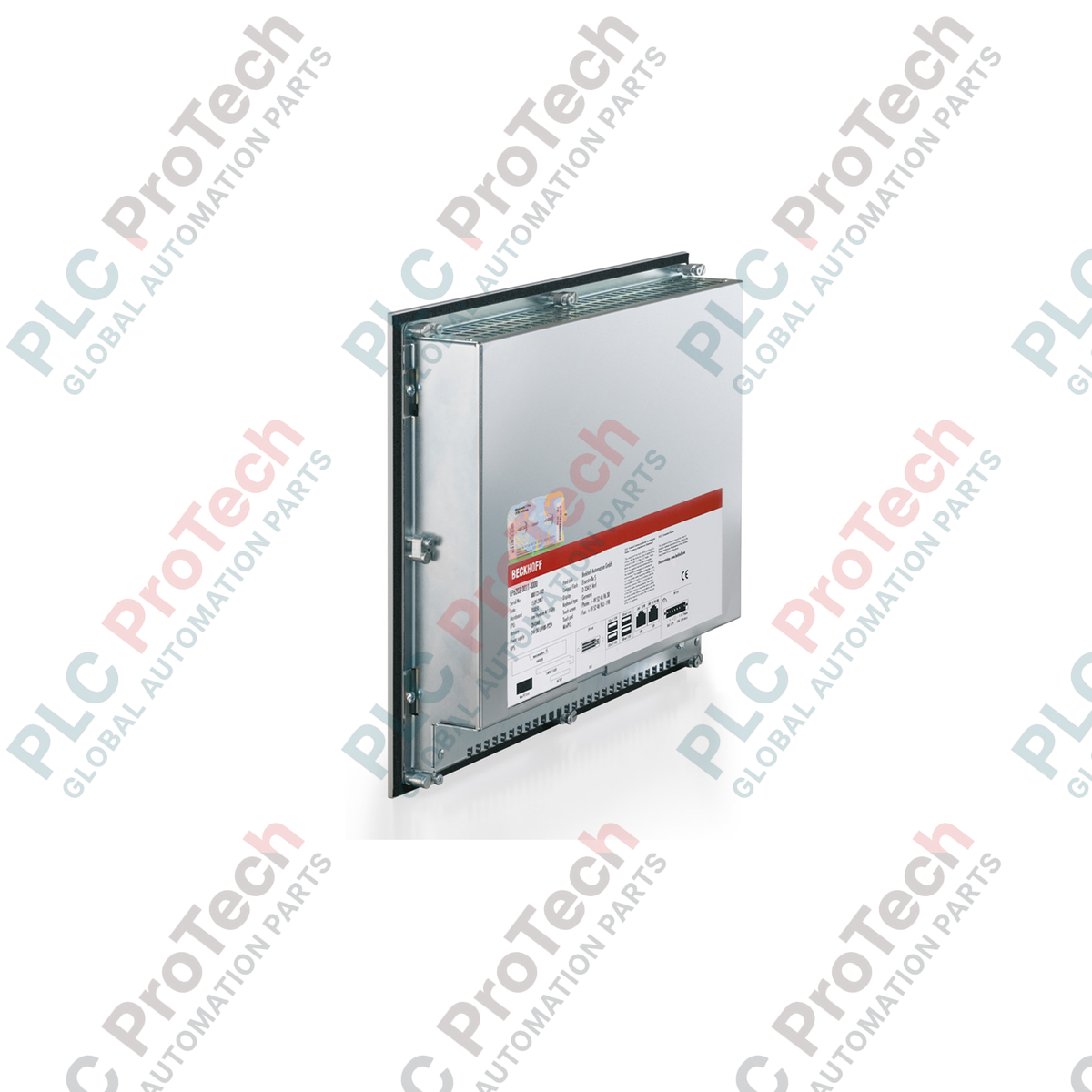
Conçu pour une installation peu encombrante dans une armoire de commande, le Panel PC encastrable Beckhoff CP6703-0020-0050 intègre un écran TFT de 19 pouces haute performance à une plateforme informatique industrielle robuste. Cet appareil offre une visualisation et un contrôle directs au niveau de la machine, grâce à un cadre avant robuste en aluminium doté d’un indice de protection IP65. Conçue pour un fonctionnement continu en atelier, son architecture matérielle sans ventilateur s’appuie sur des processeurs Intel Atom E38xx pour assurer l’exécution déterministe des tâches de contrôle TwinCAT et le rendu haute résolution de l’IHM, sans nécessiter de ventilation externe active.
Caractéristiques principales
-
Écran industriel haute qualité : Écran de 19 pouces avec une résolution physique de 1280 x 1024 pixels, optimisé pour les interfaces SCADA complexes et les écrans de contrôle multi-boucles.
-
Boîtier robuste : Doté d’une plaque avant en aluminium avec écran tactile encastré, associée à un capot arrière en tôle d’acier.
-
Moteur de calcul sans ventilateur : Propulsé par des processeurs Intel Atom E38xx à faible consommation d’énergie, disponibles avec un à quatre cœurs, sur une carte mère compacte de 3,5 pouces.
-
Capacité de stockage flexible : Équipé de logements CFast dédiés, permettant de configurer de manière fiable un support de démarrage à semi-conducteurs pour le système d’exploitation et les bases de données locales des procédés.
-
Ethernet industriel intégré : Comprend deux interfaces Ethernet 100/1000BASE-T indépendantes permettant de séparer le trafic du réseau de contrôle des communications du réseau local de l’entreprise.
-
Installation simplifiée : Équipé de leviers de serrage escamotables intégrés garantissant une fixation mécanique rapide et sûre dans des découpes de console standard, sans pièces détachées.
Applications
-
Lignes d’assemblage automobile : Sert d’interface homme-machine principale et de contrôleur logique local pour les cellules de production.
-
Machines d’emballage : Assure la visualisation synchronisée des mouvements à grande vitesse et la gestion locale de l’IHM.
-
Visualisation des procédés : Déployé dans des environnements difficiles nécessitant une protection élevée de la face avant contre les projections d’eau, la poussière et les lubrifiants de refroidissement.
-
Fabrication discrète : agit comme une passerelle d’informatique en périphérie exécutant les moteurs d’exécution PLC et CNC temps réel de TwinCAT.
Spécifications techniques
| Paramètre |
Valeur de la spécification |
| Fabricant |
Beckhoff Automation GmbH & Co. KG |
| Identifiant du modèle |
CP6703-0020-0050 |
| Diagonale de l’écran / résolution |
19 pouces / 1280 x 1024 pixels |
| Interface tactile |
Écran tactile à un doigt / façade laminée sans touches physiques |
| Plateforme du processeur |
Famille Intel Atom E38xx (1,46 GHz monocœur jusqu’à 1,91 GHz quadricoeur) |
| Mémoire système |
2 Go de RAM DDR3L (extensible jusqu’à 8 Go en usine) |
| Interfaces Ethernet |
2 x 100/1000BASE-T intégrés (3e port disponible en option) |
| Ports USB et graphiques |
4 x USB 2.0, 1 x connexion DVI |
| Architecture de stockage |
1 logement CFast (interne / accessible) ou SSD/HDD 2,5 pouces en option |
| Tension d’alimentation |
24 V CC avec connectivité d’onduleur intégrée |
| Plage de températures de fonctionnement |
Température ambiante de 0 à 55 °C |
| Indice de protection |
IP65 côté façade, IP20 côté arrière |
| Matériau du boîtier |
Façade en aluminium anodisé avec protection arrière en tôle d’acier |
| Poids d’expédition (calculé) |
10,00 kg |
Connexions et interfaces
| Libellé de l’interface |
Fonction de connexion et détails des signaux |
| Alimentation |
Bornier à vis à 3 broches pour l’alimentation 24 V CC et les lignes de communication de l’onduleur intégré |
| LAN1 / LAN2 |
Ports RJ45 prenant en charge 10/100/1000 Mbit/s ; adresses MAC distinctes pour des réseaux LAN séparés |
| USB 1 - 4 |
Interfaces USB 2.0 type A standard pour périphériques externes, claviers ou clés de maintenance |
| DVI OUT |
Connecteur de sortie DVI-D pour dupliquer la visualisation IHM sur un moniteur de contrôle secondaire |
Informations techniques empiriques
Modèles alternatifs et compatibilité
Le CP6703-0020-0050 présente les caractéristiques standard de la classe de performance 40/50 dans les profils de licence Beckhoff TwinCAT. Vérifiez que votre licence d’exécution TwinCAT actuelle correspond à la catégorie de plateforme du processeur installé. Lors de la migration depuis des systèmes CP66xx ou CP67xx plus anciens, vérifiez que les dimensions de la découpe de montage correspondent exactement, car les anciennes conceptions non affleurantes utilisaient des configurations de cadres et des espacements de brides différents.
Pièges lors de l’application et notes d’ingénierie
Comme l’unité utilise une dissipation thermique passive sans ventilateur, l’orientation de montage est essentielle. Le Panel PC doit être installé verticalement. En cas de montage incliné jusqu’à 45 degrés, la température ambiante maximale admissible en fonctionnement doit être réduite dynamiquement afin d’éviter que le processeur Intel Atom ne déclenche une limitation thermique automatique. Évitez les vibrations haute fréquence provenant de machines lourdes en installant des matériaux amortissants sur le cadre de la console.
Conseils de mise en service et de câblage
Pour garantir que l’écran à contact unique fonctionne sans dérive de l’enregistrement des touchers ni sauts erratiques du curseur, reliez une tresse de mise à la terre à faible impédance de la borne de terre M4 située sur le capot arrière en tôle d’acier directement à la plaque PE principale de l’armoire. Évitez de faire passer les câbles d’alimentation 24 V CC dans le même conduit ou faisceau que les câbles de puissance fortement inductifs (par exemple, les câbles de moteur), afin de prévenir les interférences électromagnétiques sur les rails internes de la carte mère.
Consignes d’installation
AVERTISSEMENT CRITIQUE : Avant de monter, câbler ou entretenir le Panel PC, assurez-vous que l’ensemble de l’armoire de commande a été complètement mis hors tension. Vérifiez qu’aucune charge capacitive résiduelle ne subsiste sur le bus d’alimentation 24 V CC. La non-déconnexion des sources d’alimentation actives peut provoquer des arcs transitoires, entraînant des dommages immédiats aux couches internes de la carte mère ou de graves blessures pour les techniciens d’installation.
-
1
Vérifiez que les dimensions de la découpe du panneau sur la porte de votre armoire ou le cadre de votre console correspondent strictement aux dimensions de montage spécifiées pour un Panel PC encastrable CP67xx de 19 pouces.
-
2
Insérez le Panel PC dans la découpe par l’avant, en veillant à ce que le joint d’étanchéité élastomère préinstallé repose uniformément contre la surface extérieure de l’armoire afin de préserver l’indice IP65.
-
3
Actionnez les leviers de serrage escamotables intégrés à l’arrière et sur les côtés du capot arrière en tôle d’acier, en les serrant progressivement jusqu’à ce que le joint soit complètement comprimé. Ne serrez pas excessivement afin d’éviter de déformer la façade avant.
-
4
Connectez la tresse de mise à la terre à faible impédance, branchez le connecteur d’alimentation 24 V CC avec un fusible en ligne approprié et raccordez solidement les câbles de communication Ethernet RJ45.