


1756-OF4 Output Wrong? Check Mode, RTB, and Scaling First
A field-first diagnostic sequence for 1756-OF4 analog output problems: channel mode, removable terminal block, scaling, and controlled electrical checks.
Manufacturer: Siemens
Product No.: 6GK1611-0TA01-0AX0
Country of origin:Germany
Product Type: Modulo di comunicazione
Barcode: 85389091
Payment: T/T, Western Union
Weight: 570g
Dimensions: 17,40 x 15,50 x 6,80 cm
Shipping port: Xiamen
Warranty: 12 months
| Produttore | Siemens |
| Marca | Siemens |
| Gamma | Simatic S5 |
| Sottogamma | NET |
| Tipo di prodotto | Moduli di comunicazione |
| Fase del prodotto PLM | Obsoleto |
| Dimensioni della confezione (calcolate) | 17.40 x 15.50 x 6.80 cm |
| Peso di spedizione | 0.57 kg |
| Codice merceologico | 85389091 |
| Normativa sul controllo delle esportazioni (ECCN) | N |


Global Express Shipping
Returns & Warranty


| Product Image | Model Number / Title | Condition | Availability | Action |
|---|---|---|---|---|

|
Modulo di comunicazione bridge ControlNet Allen-Bradley 1756-CNB ControlLogix | Original New | In Stock | View Details |

|
Allen-Bradley 1756-ENET ControlLogix Modulo di comunicazione Ethernet | Original New | In Stock | View Details |
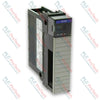
|
Allen-Bradley 1756-DHRIO ControlLogix Modulo di comunicazione DH Plus e RIO | Original New | In Stock | View Details |
Global Express Shipping
Returns & Warranty
Orders are processed and delivered Monday-Friday (excluding public holidays).
For full eligibility, restocking fees, and international return details, please view our official Refund & Return Policy .
| Country of origin |
Germany
|

A field-first diagnostic sequence for 1756-OF4 analog output problems: channel mode, removable terminal block, scaling, and controlled electrical checks.

A direct comparison of 1746-OA8 and 1746-OA16 output count, common grouping, backplane current and temperature-derated load limits.

A field checklist for recording the 1761-NET-DNI hardware series, firmware, EDS file, DF1 settings, DeviceNet address and messaging configuration before replacement.

The EL3062 is a 0–10 V EtherCAT terminal. The EL3062-0030 is a 0–30 V variant. This checklist covers identification, scaling and commissioning.

A field checklist for replacing Allen-Bradley 1769-OW8 relay output modules without losing load-group, wiring, and commissioning details.

A field checklist for matching PLC digital and analog I/O to sensors, loads, commons, isolation groups, filters, and replacement settings.