Description
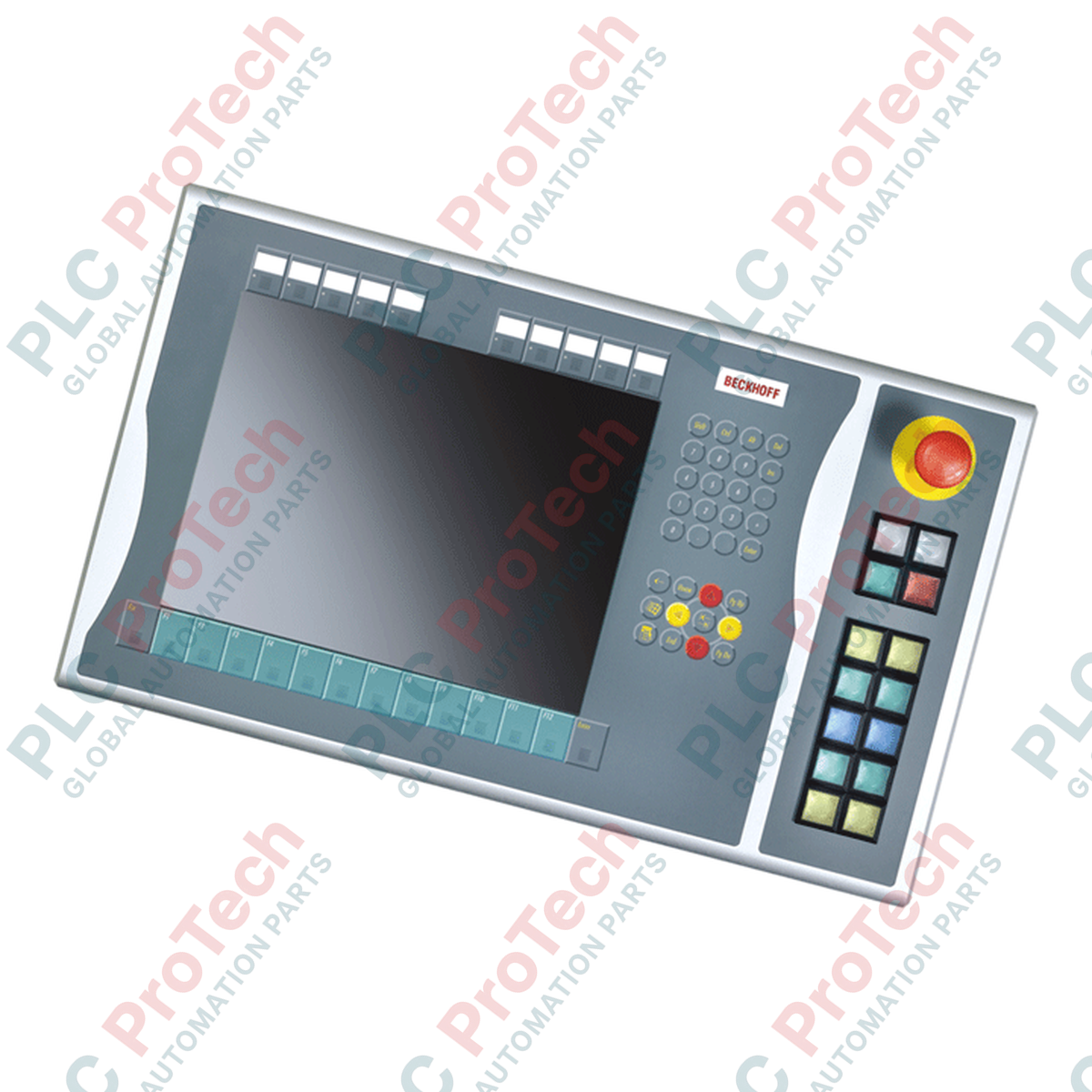
Conçu pour étendre les interfaces physiques opérateur sur les installations IHM au niveau des machines, le BECKHOFF C9900-E768 fournit des commandes tactiles externes montées directement sur le côté droit des écrans industriels compatibles. Spécifiquement conçu pour les Control Panels et Panel PCs CP6x22-00xx et CP7x22-00xx de 15 pouces fonctionnant sans clavier intégré, ce module auxiliaire ajoute des touches de commande physiques robustes tout en préservant l’intégration structurelle. Il constitue une solution matérielle optimale pour les applications qui traversent la phase de service active du fabricant, en garantissant le maintien des commandes tactiles des systèmes existants. L’intégration de composants carrés Siemens Signum et de mécanismes de connexion à double voie assure des performances robustes et fiables dans les environnements industriels exigeants.
Fonctionnalités
-
Extension d’interface côté droit : se monte parfaitement sur le cadre droit des écrans Beckhoff de 15 pouces.
-
Ensemble de touches industrielles : comprend 14 boutons-poussoirs carrés Siemens Signum (30 x 30 mm) équipés de voyants intégrés.
-
Arrêt d’urgence dédié : comprend 1 bouton d’arrêt d’urgence Siemens Signum très visible, conçu pour un raccordement direct au circuit de sécurité matériel.
-
Double fonctionnalité de contact : prend en charge un contact normalement ouvert (NO) principal acheminé via CP-Link ou USB, ainsi qu’un contact NO secondaire câblé directement et accessible via une rangée de bornes.
-
Marquage personnalisable : capuchons d’étiquettes transparents et amovibles permettant d’étiqueter rapidement sur site la fonction de chaque bouton.
Applications
-
Lignes d’assemblage automobile : commandes intégrées sur le côté droit pour les remplacements manuels de commande des machines et les redémarrages du système.
-
Visualisation des installations de production : extension câblée de l’interface d’arrêt d’urgence et de commande, directement à côté de l’écran principal.
-
Maintenance des panneaux existants : remplacement direct et sans modification des composants des installations CP6x22 et CP7x22 nécessitant une assistance continue pendant leur cycle de vie.
Spécifications techniques
| Paramètre |
Spécification |
| Fabricant |
Beckhoff Automation GmbH & Co. KG |
| Référence article / SKU |
C9900-E768 |
| Écrans compatibles |
CP6xxx et CP7xxx de 15 pouces sans clavier intégré (notamment CP6x22-00xx et CP7x22-00xx) |
| Position de montage |
Côté droit du panneau |
| Type de bouton-poussoir |
14 boutons carrés Siemens Signum, 30 x 30 mm |
| Type d’arrêt d’urgence |
1 x Siemens Signum, configuration câblée directe |
| Transmission du signal des touches |
USB ou CP-Link (contact 1) / bornier direct (contact 2) |
| Transmission du signal de la lampe |
Exclusivement via l’interface CP-Link ou USB |
| Phase du cycle de vie |
Phase de service (assistance des systèmes existants) |
| Poids d’expédition |
5,0 kg (11,0 lb) |
Connexions et interfaces
| Chemin d’interface |
Affectation des fonctions et du câblage |
| Connexion de bus CP-Link / USB |
Transmet l’état numérique du Contact 1 pour les 14 boutons-poussoirs et alimente tous les voyants de signalisation intégrés. |
| Bornier arrière |
Fournit un accès câblé indépendant au Contact 2 (normalement ouvert) de chacun des 14 boutons-poussoirs. |
| Bornes d’arrêt d’urgence |
Bornier dédié entièrement isolé pour le câblage direct du bouton d’arrêt d’urgence au circuit du relais de sécurité physique de l’installation. |
Informations techniques empiriques
Modèles alternatifs et compatibilité
Ce panneau d’extension est conçu spécifiquement pour les écrans Beckhoff de 15 pouces. Toute tentative d’adapter cette configuration mécanique à des variantes de 12 ou 19 pouces entraînera un mauvais alignement des trous d’assemblage du châssis et empêchera l’intégration physique. Pour la maintenance des variantes CP6x22 et CP7x22 plus anciennes, vérifiez que la version du micrologiciel du contrôleur hôte prend en charge la configuration à double contact via CP-Link si vous prévoyez d’exécuter des boucles de commande sans câblage auxiliaire de la rangée du bornier.
Pièges liés à l’application et remarques d’ingénierie
Une erreur de conception courante consiste à tenter de câbler directement les 14 voyants de signalisation intégrés. Ces voyants reçoivent leur alimentation et leurs commandes exclusivement via la connexion USB/CP-Link. Si la liaison de communication numérique est interrompue, les voyants de signalisation ne fonctionneront pas, même si les contacts NO secondaires des boutons-poussoirs restent fonctionnels via le bornier câblé.
Conseils de mise en service et de câblage
Séparez toujours le câblage des entrées numériques câblées raccordées à la rangée secondaire du bornier des câbles CA haute tension dans la goulotte, afin d’éviter les couplages parasites sur les longues distances. Pour les applications soumises à de fortes vibrations, vérifiez que les dispositifs de retenue des câbles sont ancrés à l’intérieur de l’armoire afin d’éviter toute tension sur le connecteur d’interface.
Instructions d’installation
AVERTISSEMENT CRITIQUE : CONFORMITÉ AUX EXIGENCES DE SÉCURITÉ
Isolez et consignez toutes les alimentations électriques du panneau de commande/Panel PC ainsi que toutes les tensions du bornier auxiliaire avant d’entreprendre le raccordement mécanique du C9900-E768. Le circuit d’arrêt d’urgence doit faire l’objet d’un test complet de validation fonctionnelle avant la remise en production de la machine.
1
Alignez le boîtier de rallonge des boutons-poussoirs avec les points de montage pré-usinés situés sur le côté droit du panneau de commande de 15 pouces.
2
Fixez l’ensemble mécanique à l’aide des éléments de fixation OEM spécifiés, en veillant à ce que le joint périphérique intégré assure une étanchéité parfaite contre la pénétration de poussière et de liquides.
3
Connectez le faisceau de câblage USB interne ou CP-Link afin d’interfacer les sorties des boutons et les commandes principales des voyants avec la carte logique principale du panneau.
4
Raccordez directement le bouton d’arrêt d’urgence physique à votre relais de sécurité et, si nécessaire, raccordez les contacts NO secondaires redondants aux modules d’entrée de votre API via le bornier intégré.