Description
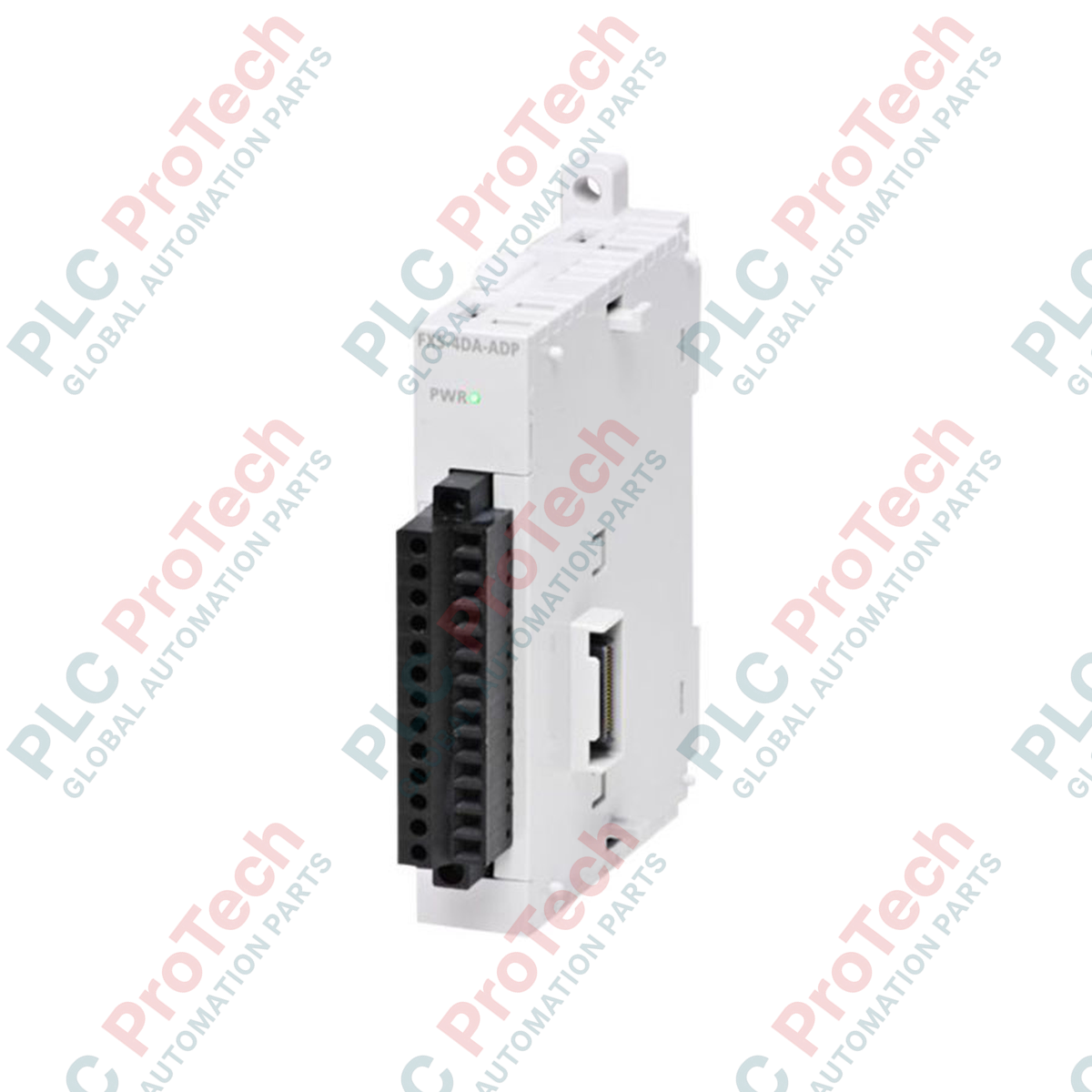
Conçu pour l’intégration de systèmes de commande de processus de haute précision au sein de la famille de contrôleurs MELSEC iQ-F, le FX5-4DA-ADP de Mitsubishi Electric assure une conversion précise des signaux numériques en signaux analogiques sur quatre canaux indépendants. Cet adaptateur d’extension compact se monte directement sur le côté gauche d’un module processeur FX5 et convertit les valeurs numériques en signaux analogiques de tension ou de courant pour piloter des vannes de régulation, des variateurs de fréquence, des actionneurs et des indicateurs. Grâce à son traitement haute résolution de 14 bits, l’unité garantit des performances de sortie analogique stables dans les environnements soumis à de fortes perturbations électriques, sans occuper un espace précieux dans l’armoire de commande.
Caractéristiques
-
Quatre canaux multigammes : canaux configurables individuellement prenant en charge les modes de sortie en tension et en courant.
-
Conversion numérique-analogique haute résolution : offre une résolution allant jusqu’à 14 bits (mise à l’échelle jusqu’à 1/16 000) pour des transitions fluides de la commande analogique.
-
Format d’adaptateur côté gauche : se fixe directement au bus système haute vitesse du processeur sans occuper les emplacements d’extension standard situés à droite.
-
Isolation par optocoupleur : l’isolation optique intégrée sépare la logique interne sensible du processeur du câblage des bornes externes sur site.
-
Bornier amovible : intègre un bornier à insertion de type européen pour accélérer le câblage sur site et faciliter les opérations de remplacement.
Applications
-
Commande d’entraînements à vitesse variable : fourniture de signaux de consigne de vitesse (0 à 10 V CC ou 4 à 20 mA) aux variateurs de fréquence industriels et aux amplificateurs de servomoteurs.
-
Positionnement de vannes proportionnelles : modulation de vannes de régulation, de registres et de régulateurs de fluides dans des boucles de température et de pression.
-
Pilote d’affichage externe : transmission de signaux en boucle de courant vers des indicateurs de panneau analogiques et des enregistreurs distants.
-
Bancs d’essai d’automatisation industrielle : simulation de signaux de capteurs physiques pour vérifier les équipements de traitement en aval.
Tableau des spécifications techniques
| Paramètre |
Valeur technique |
| Fabricant |
Mitsubishi Electric |
| Désignation du modèle |
FX5-4DA-ADP |
| Série de commande |
Série MELSEC iQ-F |
| Type de module |
Adaptateur d’extension de sortie analogique |
| Canaux de sortie analogique |
4 canaux |
| Plage de sortie de tension analogique |
-10 à +10 V CC (résistance de charge externe : de 1 kOhm à 1 MOhm) |
| Plage de sortie de courant analogique |
0 à 20 mA CC, 4 à 20 mA CC (résistance de charge externe : 0 à 350 ohms) |
| Résolution numérique |
Binaire 14 bits (tension : -8000 à +8000 ; courant : 0 à 8000) |
| Vitesse de conversion |
950 microsecondes par canal |
| Consommation électrique interne |
5 V CC, 10 mA (prélevés sur le bus système du processeur) |
| Tension d’alimentation externe |
24 V CC (+20 %, -15 %), 20 mA |
| Méthode d’isolation |
Isolation par optocoupleur (entre les bornes de sortie et le bus API) ; canaux non isolés entre eux |
| Connexion du bornier |
Bornier à insertion de type européen |
| Température de fonctionnement |
-20 à +55 °C (sans gel) |
| Pays d’origine |
Japon |
| Poids d’expédition (calculé) |
0,35 kg |
| Dimensions de l’emballage (calculées) |
140 mm x 120 mm x 45 mm |
Observations techniques empiriques
Modèles alternatifs et compatibilité
Le FX5-4DA-ADP est conçu spécifiquement pour les architectures de systèmes d’automates FX5U et FX5UC. Bien qu’il présente des caractéristiques fonctionnelles communes avec les anciens blocs analogiques FX3U (tels que le FX3U-4DA-ADP), il utilise un protocole de bus système et une interface de connexion physique distincts et n’est pas rétrocompatible avec les fonds de panier de la série FX3. Lors de l’association du FX5-4DA-ADP avec des modèles compacts d’unités centrales FX5UC, le module de conversion FX5-CNV-IF est requis pour adapter le format du connecteur.
Pièges d’application et remarques d’ingénierie
Un problème courant lors de la mise en service est la diaphonie entre voies ou la présence de boucles de masse, due à l’absence d’isolation entre les voies du module. Bien qu’elles soient isolées du bus système interne de l’unité centrale, les quatre voies de sortie partagent un chemin de retour analogique commun. Si vous commandez des appareils de terrain reliés à des masses électriques différentes, vous devez installer des isolateurs de signal externes alimentés par la boucle entre cet adaptateur et la charge afin d’éviter les erreurs de décalage du signal et les dommages.
Conseils de mise en service et de câblage
Configurez toujours l’allocation des voies, les plages des signaux de sortie (tension ou courant) et les comportements de récupération après erreur (par exemple, maintien du dernier état ou passage à l’état nul lors de l’arrêt de l’unité centrale) dans l’arborescence des paramètres de GX Works3 avant de mettre le système sous tension. Si l’alimentation externe 24 V CC est interrompue ou redémarrée pendant l’exécution de l’unité centrale, l’automate signalera une erreur de configuration matérielle (série de codes d’erreur 1800). Veillez à ce que la séquence d’alimentation externe démarre simultanément avec la mise sous tension de l’unité centrale de l’automate ou avant celle-ci.
Directives d’installation
AVERTISSEMENT CRITIQUE : DANGER ÉLECTRIQUE
Isolez et verrouillez toutes les sources d’alimentation CA et CC fournissant le fond de panier de l’automate et les instruments de terrain externes avant toute tentative d’installation, de retrait du module ou de modification du câblage. Le fait de ne pas mettre l’ensemble hors tension peut provoquer une décharge électrique mortelle, corrompre définitivement le micrologiciel système de l’unité centrale ou endommager les composants internes à semi-conducteurs.
1
Retirez le cache de protection du connecteur d’extension situé sur le côté gauche du module d’unité centrale ou de l’adaptateur d’extension précédent.
2
Alignez soigneusement les verrous coulissants et le connecteur système du FX5-4DA-ADP avec les interfaces correspondantes de l’unité centrale, puis pressez-les fermement l’un contre l’autre jusqu’à entendre un clic.
3
Faites coulisser le mécanisme de verrouillage situé dans les coins supérieur et inférieur afin de sécuriser le verrouillage de la connexion physique.
4
Raccordez les câbles d’alimentation externes 24 V CC et les câbles de signaux analogiques blindés à paire torsadée standard, en veillant à ce que les drains de blindage soient raccordés à la terre fonctionnelle (classe D, 100 ohms ou moins) à une seule extrémité.